How long should DBrepair take? (DB is 50GB)

Server Version#: 1.41.8.9834-071366d65 (I think)
Player Version#:

I have had issues since a week ago when scanning library files the server would hang loose connection and I would have to restart it. I decided to Optimize the database through plex, and it would hang around 60%-ish for hours with minimal disc activity, it started at 70MB/sec and then lowered to around 14/MB/sec and 3MB or 4MB/sec.

So I decided to start a DBrepair since it was taking up a lot of space and I could not remember if I had turned on the optimize db functioning or not.
.\DBRepair-Windows.ps1 stop automatic check show prune start \path\to\database\
How long is it supposed to take? I mean I started the first time yesterday at 19:30 and I stopped it this morning because I did not see any new files or changes. Then when I refreshed I saw a new file pop up “com.plexapp.plugins.library.db-wal”.
Does dbrepair need to run with admin?
How long does it take?
I have started the process again but the log show now progress and there is no verbose option.
I know I am impatient but from what I have read most of the other users reported having it being done in 2 hours.
Is there a way to have dbrepair pause and continue?

The new file appeared after the 10 hours, com.plexapp.plugins.library.db-wal, when I restarted the new repair this one popped up, com.plexapp.plugins.library.db-shm and is SLOWLY growing at 4 - max 6MB/s.
I tried googling the file names, some people said to removed them in certain cases.
It is unclear to me what they do

Any help/advice/words/patience_inducing_clarification would be appreciated :folded_hands:

Update: It’s been running since yesterday 08:08 AM
Not done yet, but the com.plex.app.plugins.library.dbs-shm and ````com.plexapp.plugins.library.db-wal``` are gone.

Nothing more inside the CLI nothing new

Then I started PMS up.
And wanted to copy paste output from the CLI to here and suddenly it started updating outputting actual information.

But it was cleary hanging since 3 AM and

PS C:\Users\arp\scripts\DBRepair\Windows> .\DBRepair-Windows.ps1 stop automatic check show prune start C:\Users\arp\AppData\Local\Plex Media Server\Plug-in Support\Databases\com.plexapp.plugins.library.db


       Database Repair Utility for Plex Media Server (Windows 10, Build 22631)
                                 Version v1.01.01

2025-06-04 08.08.17 PMS already stopped.
2025-06-04 08.08.17 Automatic Check,Repair,Index started.
2025-06-04 08.08.17 Performing DB cleanup tasks.
2025-06-05 03.15.09 Exporting Main DB
2025-06-05 08.24.17 Exporting Blobs DB
2025-06-05 08.24.17 Successfully exported the main and blobs databases. Proceeding to import into new database.
2025-06-05 08.24.17 Importing Main DB.
2025-06-05 08.24.32 Importing Blobs DB.
2025-06-05 08.24.32 Successfully imported databases.
2025-06-05 08.24.32 Verifying databases integrity after importing.
2025-06-05 08.24.36 Main DB verification check is: ok
2025-06-05 08.24.36 Verification complete. PMS main database is OK.
2025-06-05 08.24.36 Blobs DB verification check is: ok
2025-06-05 08.24.36 Verification complete. PMS blobs database is OK.
2025-06-05 08.24.36 Reindexing Main DB
2025-06-05 08.24.40 Reindexing Blobs DB
2025-06-05 08.24.40 Reindexing complete.
2025-06-05 08.24.40 Moving current DBs to DBTMP and making new databases active
2025-06-05 08.24.40 Automatic Check,Repair,Index succeeded.
WARNING: 2025-06-05 08.24.40 Unknown Command: 'check'
WARNING: 2025-06-05 08.24.40 Unknown Command: 'show'
2025-06-05 08.24.40 Pruning started.
2025-06-05 08.24.51 Prune   - Removed 12958 files over 30 days old (566.37 MiB), out of 56671 total files
2025-06-05 08.24.51 Pruning completed.
2025-06-05 08.24.51 Started PMS
WARNING: 2025-06-05 08.24.51 Unknown Command: 'C:\Users\arp\AppData\Local\Plex'
WARNING: 2025-06-05 08.24.51 Unknown Command: 'Media'
WARNING: 2025-06-05 08.24.51 Unknown Command: 'Server\Plug-in'
WARNING: 2025-06-05 08.24.51 Unknown Command: 'Support\Databases\com.plexapp.plugins.library.db'
2025-06-05 08.24.53 Deleted all temporary work files.

anyway I think its done, it took 1 day and 6 hours…
I’m having a similar problem. Plex was stuck on “Optimizing Database” for over 24 hours. I tried using DBrepair, but I haven’t seen any changes after “Performing DB cleanup tasks.”

I started it again this morning and it’s doing the same thing.

2025-06-06 10.16.08 Automatic Check,Repair,Index started.
2025-06-06 10.16.08 Performing DB cleanup tasks.

The only change I see is the “Date Modified” for “com.plexapp.plugins.library.db-shm” does change.

I’ll be more patient this time and let it go for another 24 hours and see if anything changes.

DBRepair v1.01.01 can take many hours to run when removing unnecessary information from the statistics_bandwidth table (the cause of the db bloat).

Plex added a fix in PMS 1.41.8.9834 to remove the bloat. The process in PMS is more efficient than what is used by DBRepair.

The cleaning occurs when Optimize Database runs as a scheduled task, which happens once per week.

You can start the process immediately using WebTools-NG (download).

In Butler Scheduled Tasks, choose Optimize Database then Run Selected Task. The process should start shortly. You can monitor activity in the Plex console (Settings → Console).

The process may still take hours to complete, but is still faster than using DBRepair.

Plex Media Server will be non-responsive while the process runs.

The -wal file will grow to the size of the bloated db file, so adequate drive space is required.

When finished, the main db file will be normal sized and the -wal file will still be bloated. Stop PMS to remove the bloated -wal file (the -wal and -shm files normally go away when PMS is stopped). It will be normal sized when PMS restarts.


FYI, DBRepair has been updated (release notes). v1.01.02 no longer prunes statistics_bandwidth information from the db, as the capability has been added to PMS 1.41.8.

1 Like

Thanks FordGuy61!

I’m running the most recent PMS (PlexMediaServer-1.41.8.9834-071366d65-x86_64).

Should I stop DBRepair and use WebTools-NG instead? Does Plex need to be running when I run WebTools-NG of should I leave it off?

Appreciate the help!

WebTools

PMS must be running. WebTools does not clean the database. It just sends a signal to Plex Media Server to start the cleaning.

DBRepair

Let it run.

If it has progressed to repairing or cleaning, then it is modifying the database file. Stopping it could cause db corruption.

Cleaning and Exporting take the longest amount of time (potentially hours). The rest of the steps progress rather quickly.

Once DBRepair finishes, the db should be back to normal size. If so, there is no need to use WebTools to kickstart DB Optimization. it won’t hurt anything, it just isn’t necessary.

Well, I screwed up. I accidentally closed PowerShell when I was selecting another window. Ugh!

I started PMS, but I’m unable to access console settings, because “Plex Media Server is currently running database migrations.” Which is what it was doing before I tried using DBRepair.

I’ll just let it run and see what happens, unless you think I should do something else.

Not sure it matters, but I have 8.66 TB of TV shows and 5.74 TB of Movies in my library. My “com.plexapp.plugins.library.db” is currently 28.7 GB.

PMS is using more than 50% of my PC’s CPU, but none of the files have had any changes in over 30 mins.

If Plex Media Server is running in the task bar, then stop it.

Do not kill anything with Task Manager.

If there is still a Plex process running, then let it run. DBRepair uses Plex SQLite.exe to remove the unneeded statistics from the database. You may see it listed in Task Manager.

The database file will not shrink until almost the end. DBRepair first deletes the data (which takes a long time). It then reclaims the space, which shrinks the db back to normal size.

Unfortunately, nothing was running (according to Task Manger).

That’s when I tried starting PMS again, but it says PMS is currently running database migrations.

Are you saying I should stop Plex in the taskbar and then restart DBRepair?

Given that Plex and DBRepair have both been stopped & started it is hard to tell what is happening with the database.

If you have DBRepair v1.01.01, it will work. It will just take (a lot of ) time. v1.01.02 will not shrink the db. It was updated and the capability removed since PMS can now clean the db itself. The version number is listed when you run it.

Letting Plex clean the database will also work (PMS 1.41.8.9834 required). However, you have to wait for the database migration process to finish first. I’ve no idea how long that will take.

So, options…

Option: Wait for the db migration to finish (unknown amount of time), then use WebTools-NG to kick off the Database Optimization task as mentioned earlier.

Option: Use DBRepair.

  1. If possible, configure Plex to not start at startup (right click on taskbar icon).
  2. Reboot PC (just to clean out the cobwebs)
  3. Stop Plex if it started..
  4. Run DBRepair
  5. Walk away.

Either option will work. Whichever one you choose, don’t interrupt it. If you do so, then the process starts over from the beginning.

Both need working space. If the drive is tight on space, If you’ve bloated backups, delete them to make room (or move them to another drive). My understanding is DBRepair needs 2x - 3x the size of the bloated DB in working room. Letting Plex clean the db needs a little over 1x the size of the bloated db in working room (the -wal file will grow to the same size as the bloated db file)..

1 Like

Thank you again!

PMS finished the database migrations, so I ensured everything was working and then opened the Console view before starting the Database Optimization through WebTools-NG.

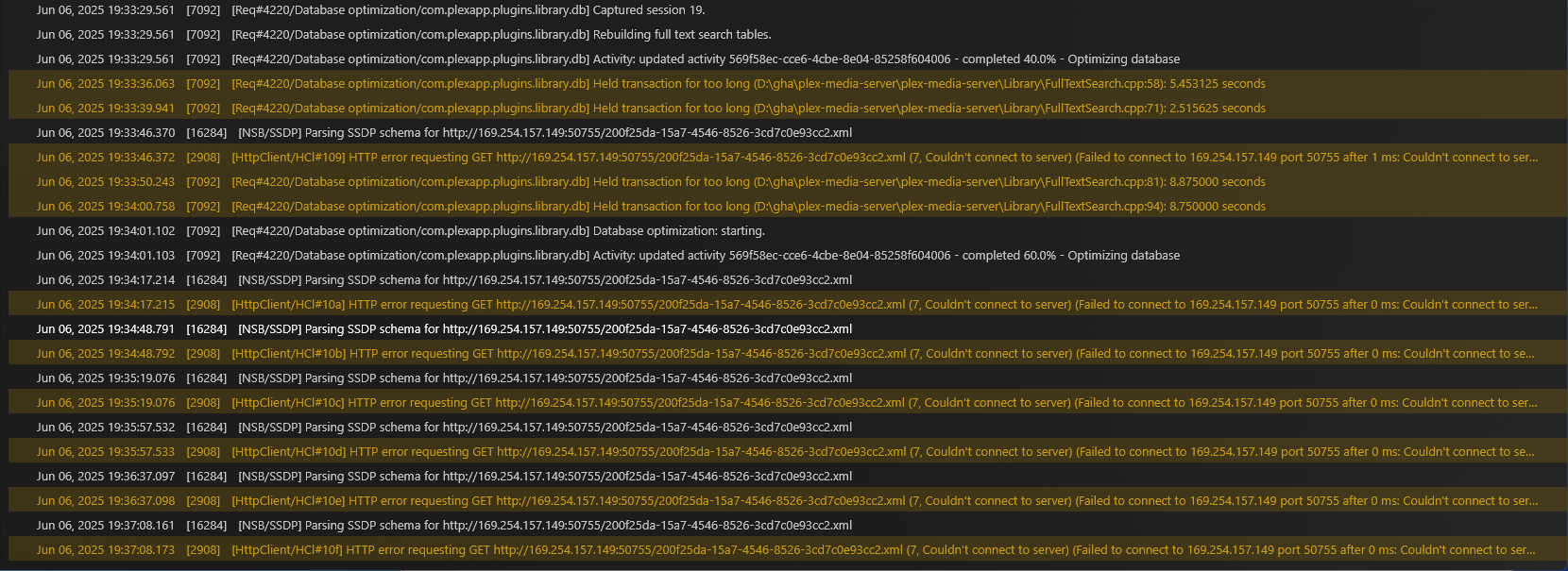
I noticed two lines keep repeating. Any idea on what’s wrong?

Nothing. Those are normal. Had a bunch of those when I ran it on my system.

1 Like

OK. The console froze up, but PMS is still active in Task Manager. I’ll let it run and see if it finishes in the morning.

My Plex Server is back online! Took ~19 hours, but it’s running now.

Thanks again @FordGuy61! I appreciate your patience and guidance.

Good to read things are up and running.

If the -wal db file is still huge (the size of the bloated db), stop Plex Media Server and it should go away (normal when PMS is stopped). When you restart PMS it will re-appear with its normal size.

Hi @FordGuy61. I meant to message earlier, but got busy.

Here’s my Databases folder after everything, including stopping Plex and restarting my PC. I’m guessing I could delete some of these.

Yes.

Delete the library.db and library.blobs.db files from 06-02 and 06-05. That will free up 60+ GB of space.

You can also delete the -tmp file from 2015 unless you want to keep it for some reason.

EDIT…

If you stop Plex Media Server, does com.plexapp.plugins.library.db-wal go away?

All the -shm and -wal files should go away when Plex Media Server is stopped.

@FordGuy61, OK the com.plexapp.plugins.library.db-wal went away after I stopped Plex this time. Not sure why it didn’t before.

Do I need the files from 2016 and 2018? How about he DBRepair.log or the dbtmp folder (it’s empty)?

Thank again!

If you are not using the DLNA server or iTunes integration then you can delete the dlna.db and itunes.db files. Stop Plex Media Server before deleting the files.

You can also delete dbtmp. That was created by DBRepair. Any contents would be backups from when you last ran it. DBRepair will re-create the folder the next time you run the tool.

1 Like

This topic was automatically closed 90 days after the last reply. New replies are no longer allowed.
