I have a problem with Plex not recognizing some of my TV shows as TV shows, but as other videos. This happened after I moved all my TV shows to a separate folder from my movies, because they were showing up in my movie library. Before that, everything was working fine without any folder separation. Now, my movie library is fine, but my TV library is missing most of my TV shows. I did not change the names of the files or anything else. Does anyone know what is causing this and how to fix it?
File organization and naming is key when it comes to setting up your libraries.
Also make sure to assign those folders to the correct type of library (e.g. using a TV Show type library for tv-show content).
i did it and stil is showing me tv show as other videos
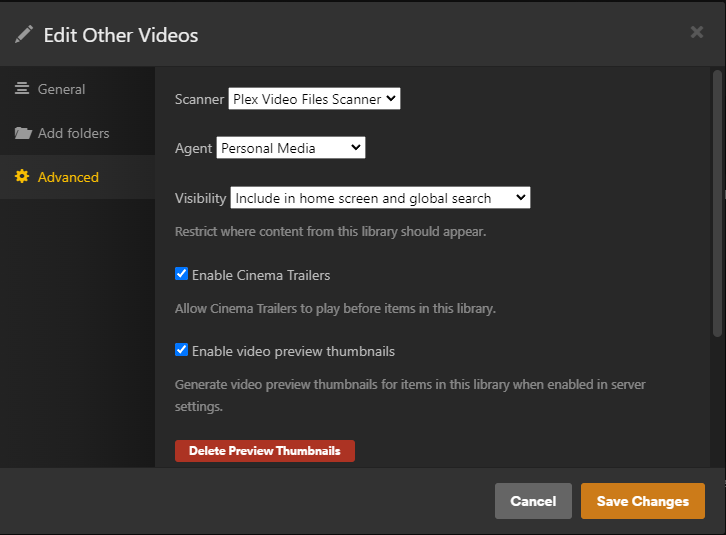
Can you please share a screenshot of the different library settings (⋮ > Manage Library > Edit...)?
-
General→ is the library set toTV ShowsorOther Video? -
Add Folder→ what folder do you have added and how are the episode files organized within that folder (maybe you can share an example)? -
Advanced→ what options do you have selected forScannerandAgent?


Thanks… those settings seem ok. How does Plex display your library?
It’s showing me same episodes from several of my TV shows, but if I open the library of other videos it’s showing me all my TV shows(of course without a matching)


Both TV shows and “other videos” are in the same TV Show folder on your file system and Plex is looking at that same folder for both libraries.
You need to have a different folder for each library.
TV shows → D:\PopcornTime\TV Shows
Movies → D:\PopcornTime\Movies
Other Videos → D:\PopcornTime\OtherVideos
I know they are in the same folder. The “Other Videos” library is full of tv shows. I only opened this library because I wanted to see if all my missing tv shows be in Other Videos, and they were. I just want my tv shows to be in the right library and with the right match.
Can you click on “Get Info” for one episode that DOES show up in your TV Show library? I want to see the folder structure you use. The “Get Info” pane will list the full folder path to the file, and I want to rule out a common organizational mistake.
In case you wonder, the issue can be if you have any sub-organizational folders after the D:\PopcornTime\TV Shows folder. For example, I use this for my shows folder. The part highlighted is where my library targets, everything after is the root folder of a single show:

A common issue is if you use genres to organize your shows. Or, in my case, I had a “Batman” folder, with all related Batman shows under that. Plex got confused, thought the root “Batman” folder was a show and matched ALL files within it to the same show, resulting in huge metadata errors and “missing” shows.
