I’ve been looking but haven’t found a good answer just yet. I would like to get my featurettes for my TV shows to show on the season level, but don’t know how to do that, or if it’s really possible.
My set up:
Synology 1821+, using plex 1.21.0-3744 going to a Samsung 65" TV using Plex 5.47.1 (client version) and 5.5 (platform version).
As an example of my folder setup:
TV Shows / Bridgerton / Season 1 / Bridgerton - S01E01.mkv
TV Shows / Bridgerton / Season 1 / Featurettes / Costumes of Bridgerton.mkv
TV Shows / Bridgerton / Season 1 / Featurettes / Official Season 1 Trailer.mkv
TV Shows / Bridgerton / Season 1 / Featurettes / The Backdrop with Composer Kris Bowers.mkv
TV Shows / Bridgerton / Season 1 / Featurettes / Official Season 1 Teaser Trailer.mkv
So, to get those to show up within a season, not in the list of episodes, but on the season page itself, how do I do that?
I do not want to do the “rename to S00E101 (or other high number” trick to do so. The other trick of adding “-trailer” to the end of the file and placing it in the Season folder also did not work.
I have dozens of other folders with extras I want to see on my TV, which is why I got them off their discs sitting in my library. So, my question is, how is this possible to get a TV show bonus featurette to show on the seasons pages?
Organization: Supported at the show and episode level. No support at the season level.
Client support:
Note: Certain clients do not yet fully support TV extras but keep an eye out on our forum as our support pages will be updated once official support is available. Currently, the only clients that fully support extras at all levels are the mobile iOS and Android apps. Other apps like the Web client, Android TV, Apple TV and Roku have limited support while the modern TV interface for Smart TVs does not yet have support for any local TV extras.
I stand corrected. There are season level extras. I tested this on my server. Note that only mobile clients, and possibly Roku, have full support. Other clients may have partial or no support. Also, refresh metadata after adding the extras.
See file structure below.
Show Level: show_level_interview and show_level_featurette appear in both Plex Web and Plex Android Mobile immediately below the cast list.
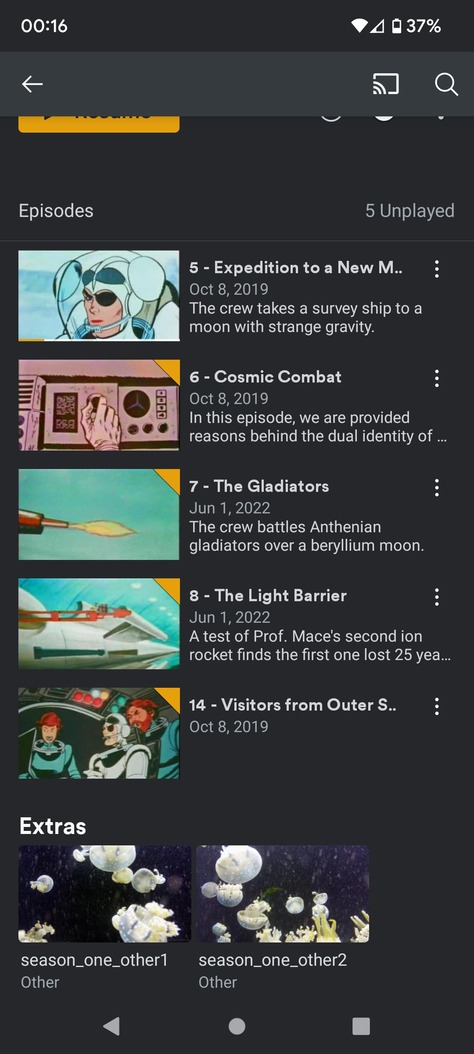
Season Level: season_one_other1 and season_one_other2 appear in Plex Android Mobile immediately below the list of episodes. They do not appear in Plex Web.
Episode Level: Space Angel (1962) s01e05 Expedition to a New Moon-deleted and Space Angel (1962) s01e05 Expedition to a New Moon-featurette appear in Plex Android Mobile below the video/audio/subtitles information. They do not appear in Plex Web.
File Structure:
O:\tv-scifi-classic>tree /f "Space Angel (1962) {tvdb-269322}"
O:\TV-SCIFI-CLASSIC\SPACE ANGEL (1962) {TVDB-269322}
│   show_level_interview-interview.mkv
│
├───Featurettes
│       show_level_featurette.mkv
│
├───Season 01
│   │   Space Angel (1962) s01e05 Expedition to a New Moon-deleted.mkv
│   │   Space Angel (1962) s01e05 Expedition to a New Moon-featurette.mkv
│   │   Space Angel (1962) s01e05 Expedition to a New Moon.mkv
│   │   Space Angel (1962) s01e06 Cosmic Combat.mkv
│   │   Space Angel (1962) s01e07 The Gladiators.mkv
│   │   Space Angel (1962) s01e08 The Light Barrier.mkv
│   │   Space Angel (1962) s01e14 Visitors from Outer Space.mkv
│   │
│   └───Other
│           season_one_other1.mkv
│           season_one_other2.mkv
│
└───Season 02
        Space Angel (1962) s02e08 The Donavan Plan.mkv
        Space Angel (1962) s02e13 They Went That Away.mkv
        Space Angel (1962) s02e14 Power Failure.mkv
        Space Angel (1962) s02e15 Scratch One Chimp.mkv
1.21.0-3744 was a beta release meant to support beta DSM 7. It is no longer supported and not fully compatible with DSM 7 production releases. Unfortunately, Synology will not update or remove it from their systems.
Perform a manual installation via Synology Package Center.
This will create a new shared folder, PlexMediaServer, where the Plex Data Folder will be located. The folder exists in a non-user accessible location when running 1.21.0-3744.
Depending on the size of your libraries, it may take some time to relocate the Plex Data Folder information. Do not stop the process, even if your DSM session times out.
TV Shows / Justified / Season 1 / Featurettes
became:
TV Shows / Justified / Season 1 / Other
In the folder I have:
Justified Meet the Characters.mkv
Long Hard Times to Come - Music Video.mkv
Meet the Marshals.mkv
Season Two - A Look Ahead.mkv
Shooting for Kentucky.mkv
The Story of Justified.mkv
What Would Elmore Do.mkv
Refreshed metadata, and looked again on mobile, no change, no features.
So, I took the specifically season 1 featurette that is not a show-level featurette in any way, and put it in the show folder. Named it: Justified Meet the Characters-featurette.mkv
Refreshed metadata, restarted the app, no feature.
I looked on Justified, and if I do want an episode-level deleted scene, that works by doing what you said in the mobile app only.
For the episode:
Justified (2010) - S02E01 - The Moonshine War.mkv
if I name it:
Justified (2010) - S02E01 - The Moonshine War-deleted.mkv
then it shows up as a deleted scene, but with the name: “Justified (2010) - S02E01 - The Moonshine War” I wouldn’t name it that, but I don’t know how to cause it to have a different name.
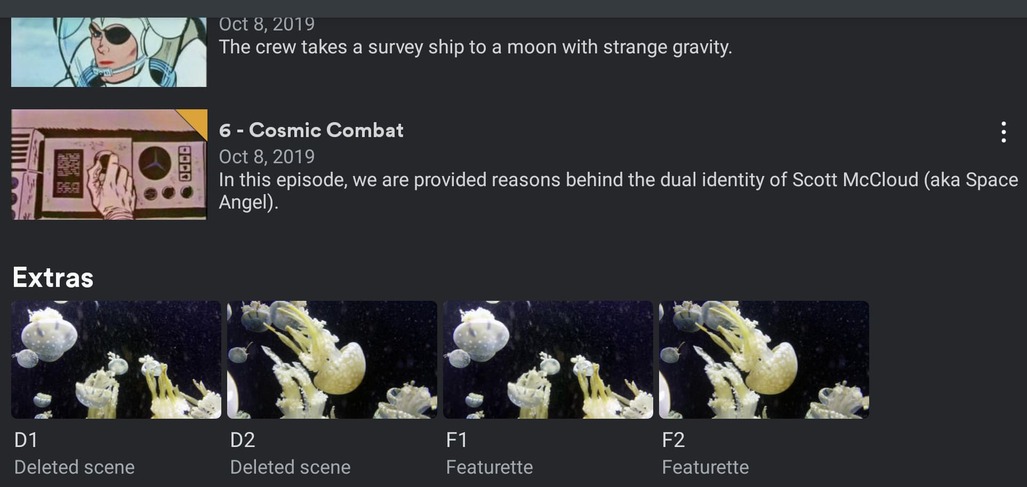
Season-level I had a folder “Featurette” with 4 items in it, and a folder “Deleted Scenes.” The four files in “Featurette” show up correctly as featurettes on the season level in the mobile app only. The Deleted Scenes do not show up unless I tie them to an episode as above. That’s okay for this specific series. Now the question is how it can show up on the TV.
You can tag movies with the TMDB or IMDB ID for better matching.
You can tag TV Shows with the TMDB or TVDB ID for better matching.
The tags tell Plex exactly which movie/show to match.
For TV Shows, you can organize episodes using the Aired order (TMDB/TVDB), DVD order (TVDB), or Absolute order (TVDB). For some shows, the DVD order is different than the Aired order. Many people prefer using Absolute for Anime.
Advanced Settings (using local metadata, etc) are configured on a per-library, not per-server, basis (the options in Settings → Agents do not apply to the new scanners/agents).
They are written in some variant of C (I don’t know which), so they run faster than the legacy agents/scanners which are written in Python (compiled code vs interpreted code).
For details on configuring settings for a library, see the two “Advanced Settings” articles in the Scanners & Agents section of the Plex docs.
For details on adding TMDB/TVDB/IMDB tags, see the naming and organization articles in the Your Media section of the Plex docs.
Looks like you found a bug.
Workaround: Add a “1” after deleted. It will appear as “deleted1.” Justified (2010) - S02E01 - The Moonshine War-deleted1.mkv
Example on my system.
Notice that -deleted1 appears as “deleted1” but -interview appears as the full file name.
And I don’t know why featurette2 is listed before featurette1
Space Angel (1962) s01e05 Expedition to a New Moon-deleted1.mkv
Space Angel (1962) s01e05 Expedition to a New Moon-featurette1.mkv
Space Angel (1962) s01e05 Expedition to a New Moon-featurette2.mkv
Space Angel (1962) s01e05 Expedition to a New Moon-interview.mkv
Unfortunately, we have to wait for Plex to add the capability to additional client apps. I have not seen any updates (Plex rarely publishes feature timelines).
Not sure about this one. Both folders appear on my system & phone.
Two thoughts (aka guesses)
a) refresh the mobile app
b) file/folder permissions
Refresh the app
I’ve an Android phone, not sure about iPhones.
At the library level, swipe down on the screen. The app pulls a fresh listing from the server.
Alternately, in the Android Settings, force quit the app and clear cache. Don’t clear storage or you’ll have to login again.
File/Folder Permissions
Try resetting permissions, even if they look OK. It is rare, but Synology can sometimes lose file permissions.
In DSM File Manager, right click on the folder containing the TV Shows and choose Properties.
Choose the Permissions Tab.
The user PlexMediaServer should have Read or Read & Write permissions.
Check the box next to Apply to this folder, sub-folder, and files.
Save.
Example from my server
SPACE ANGEL (1962) {TVDB-269322}\SEASON 01
│   Space Angel (1962) s01e05 Expedition to a New Moon-deleted1.mkv
│   Space Angel (1962) s01e05 Expedition to a New Moon-featurette1.mkv
│   Space Angel (1962) s01e05 Expedition to a New Moon-featurette2.mkv
│   Space Angel (1962) s01e05 Expedition to a New Moon-interview.mkv
│   Space Angel (1962) s01e05 Expedition to a New Moon.mkv
│   Space Angel (1962) s01e06 Cosmic Combat.mkv
│
├───Deleted Scenes
│       D1.mkv
│       D2.mkv
│
└───Featurettes
        F1.mkv
        F2.mkv
Not many apps fully support TV show extras. iOS and Android mobile are okay.
Making complex extras will often hide them from other apps.
It’s possible to get a custom name for an episode level extra
But you must start with a tersely named episode. Below is an example where Star Trek 1x15 has a deleted scene that I gave a special name. This works in iOS and I suppose Android mobile, but only with this exact naming style.
├── Star Trek - s01e13 - [the.conscience.of.the.king.720p.hddvd.x264].mkv
├── Star Trek - s01e14 - [balance.of.terror.720p.hddvd.x264].mkv
├── s01e15 - Sure Nuff That Worked-deleted.avi
└── s01e15.mkv