I’m ripping them as MKV files because they also contain a video which usually plays back when you’re listening to a Blu-ray Audio disc, but because of this, I’m having issues adding them to Plex.
If I just throw the .mkv files into my “Music” folder, Plex simply won’t find them at all. If I create a new library just for those files, it won’t see those files either if the library type is “Music” and if I create a new video-type library, it will display each file as a separate video so I’ll lose the standard tracklist view I would have in a “Music” library.
I realize that the simplest solution would be to just pull the audio track out of those .mkv files and they’ll probably work fine in a normal music library, but is there any way to avoid this and make it work with audio+video .mkv files? Any way to force Plex into recognizing them as an album?
You will probably need to add them like a music video. Give this article a look:
I am not sure if it will pull metadata as expected (depending on the content) but this should at least get the files to show in your music library.
I tried that and it didn’t work either. I’m guessing that it only works if you have some regular audio files in the folder and then a -video file on top of that, but if it’s all just video files, it won’t recognize them.
I have a misc-video library, which is configured for library type ‘other videos’.
this library doesn’t pull any metadata, I use it for non-movie/tv content, such as workout videos, demo videos, and other testing.
I also use it for bluray audio+video, like you describe above. I only have a handful of them, and I don’t listen to them on a regular basis, so its ok to me to have them in a generic video library.
I don’t think I ever considered or tried to use as ‘music video’, but if that worked, it might be better.
edit: The support article linked above indicates support for MKV, so as long as you have the files named correctly in the applicable music album folder, or in a configured global music video folder, then you should be able to incorporate them into your music library.
The key to the naming, as described in the article, is to add -video at the end of the file name, but I tried that and it doesn’t work if all the files in the appropriate folder are MKV.
To confirm my suspicion that there must be a mix of audio and video files, I pulled the audio from one of them and I can confirm that I was right… at least partially.
I thought that the existence of the audio-only MKA file would reveal the remaining MKV files as separate tracks, but it doesn’t. What happens is that I only see the one MKA file as one track and it has a screen icon next to it. When I click on the 3-dot icon on the right side, I see a “Play music video” option so basically this works the same way as when you have two versions of a movie and then you get a “play version” option.
Technically, that would allow me to at least preserve the videos and have an option to play them while still having a normal tracklist, but to do so, I would need two copies of each track - once as a MKA and then a related MKV.
Another “dirty workaround” I thought of would be to create a video library, don’t pin it to the home screen so it remains hidden, throw all the MKV files into it and then create a video playlist for each album, but that’s quite messy.
The first method: add them into a ‘Music’-type library
I rip them with makemkv
open MKVtoolnix
then remux the file and disable the video track and leave only the desired audio formats in
then remux again and split the file on chapter markers
you now have one mka file for each track
the 2 times remuxing does have its purpose. If you try to split the file with a video present, you’ll get worse placed cuts, due to mkvtoolnix considering only key frames of the video track as valid cut points
Ususally, I now change the audio format from DTSHD-MA to flac 5.1 with eac3to commandline utility and a little batch file.
Then tag the flacs properly and rename them, then add them into my music library.
Second case:
If you want to keep the audio in the original Atmos format or whatever, you cannot add them into music-type library in Plex at all.
I have a separate ‘Other Videos’-type of library for this kind of stuff. (but with Scanner set to ‘Plex Movie Scanner’ in order to be able to use local extras)
I usually recompress the video track heavily and leave only a select number of audio tracks in there.
Add names to the chapter markers, again with MKVtoolnix.
Put bonus material (only videos) into there as well.
One album is then one file and you’ll have to use the chapter navigation to switch to the desired tracks. But this is the only way to send the audio to a surround decoder, e.g. with Plex Media Player or a nVidia Shield.
Thanks, so basically… it can’t be done. I mean, you can’t have a list of tracks, similar to a music library only where each track is actually a video file.
Too bad, the option I mentioned earlier with having two files for each track (MKA and the associated MKV “music video”) wouldn’t be that bad if you could multi-select tracks and then use “Play music video” for all. I’ll add this as a feature request.
if there is only one mkv for the whole bluray, the chapters should still be there.
you may not see the ‘track list’ on the preplay screen, but you should still be able to change 'track’s by using the chapter list in the player.
I was in the middle of experimenting with the ‘global music video’ setup, but had not figured it out yet either.
/data/media/plex/MusicVideos/ <<< agent musicvideo path
within musicvideo folder
/R.E.M/R.E.M. - 2017 - Automatic for the People - ATMOS Bluray - 01 - R.E.M. - [AftP full album ATMOS]-video.mkv
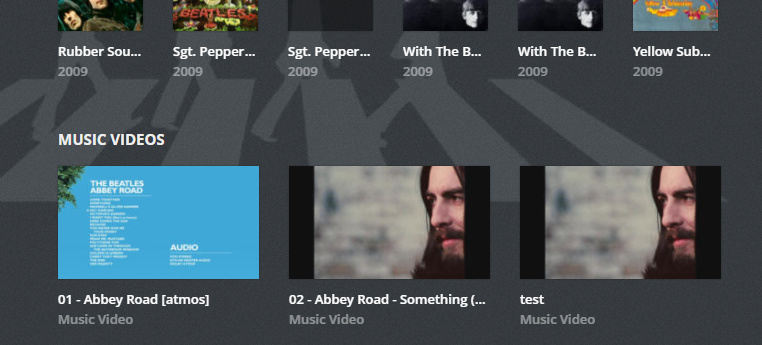
/The Beatles/The Beatles - 01 - Abbey Road [atmos]-video.mkv
If you have a video file for each individual track of an album, you can associate each video to its appropriate audio track.
But you cannot select all the audio tracks and say ‘Play Video’ and thus enqueue all the videos.
is there a way to view all available music videos without having to navigate to individual artists and/or albums ?
should a rescan pick up new videos? or does that require ‘refesh metadata’ ?
how will the music videos display in plex web (while browsing)? I need to know what/where I am supposed to be look for, can you post a screenshot ?
Refresh Metadata of the artist is required.
Album preplay:
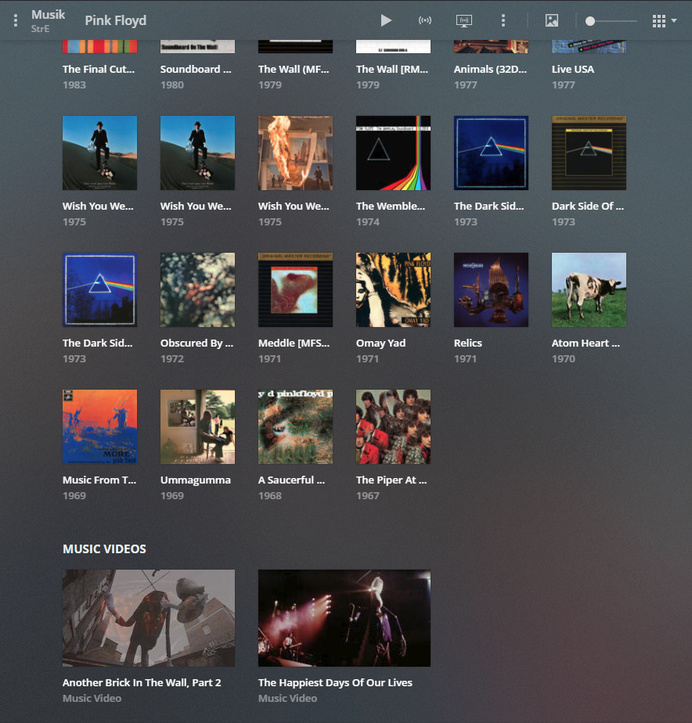
Artist preplay: (videos from all albums)
The circled video shows the possibility to give the video a different title than the album track has.
There isn’t. The disc stored them as 20+ different files, each containing a few songs/chapters. I know I could merge them, but I prefer the opposite - split them so that 1 song = 1 file.
OttoKerner:
If you have a video file for each individual track of an album, you can associate each video to its appropriate audio track.
But you cannot select all the audio tracks and say ‘Play Video’ and thus enqueue all the videos.
Yes, my point exactly - this would be a good solution, but I wish I could use some “play all” option where it would play all the videos, not just audio. I’ve added this as a feature request, would be great if Plex could implement such option if all selected files have a video 
Yes that would be nice, also would be nice to be able to see just all music videos (at the root library level without having to navigate into each artist/album).
I can’t seem to get plex to see any of these videos in the global music video path
tekno@proximo:~$ ls -lah /data/media/plex/MusicVideos/*
/data/media/plex/MusicVideos/R.E.M:
total 690M
drwxrwsr-x 1 tekno dvrapps   48 Apr 22 11:28  .
drwxrwsr-x 1 tekno dvrapps   60 Apr 22 11:28  ..
-rwxrw-r-- 1 tekno dvrapps 690M Apr  8 17:54 'R.E.M. - test2-video.mkv'

'/data/media/plex/MusicVideos/R.E.M. [video]':
total 21G
drwxrwxrwx 1 tekno dvrapps  620 Apr 22 11:28  .
drwxrwsr-x 1 tekno dvrapps   60 Apr 22 11:28  ..
-rw-rw-rw- 1 tekno dvrapps 8.8G Apr  8 17:54 'R.E.M. - 2017 - Automatic for the People - ATMOS Bluray - 01 - R.E.M. - [AftP full album ATMOS]-video.mkv'
-rw-rw-rw- 1 tekno dvrapps 690M Apr  8 17:54 'R.E.M. - 2017 - Automatic for the People - ATMOS Bluray - 02 - R.E.M. - [bonus song]-video.mkv'
-rw-rw-rw- 1 tekno dvrapps  11G Apr  8 17:54 'R.E.M. - 2017 - Automatic for the People - ATMOS Bluray - 03 - R.E.M. - Videos-video.mkv'
-rwxrw-r-- 1 tekno dvrapps 690M Apr  8 17:54 'R.E.M. - test-video.mkv'

'/data/media/plex/MusicVideos/The Beatles':
total 15G
drwxrwsrwx 1 tekno dvrapps  284 Apr 22 11:29  .
drwxrwsr-x 1 tekno dvrapps   60 Apr 22 11:28  ..
-rw-rw-rw- 1 tekno dvrapps  13G Feb 28 18:50 'The Beatles - 01 - Abbey Road [atmos]-video.mkv'
-rw-rw-rw- 1 tekno dvrapps 983M Feb 28 18:51 'The Beatles - 02 - Abbey Road - Something (video) [atmos]-video.mkv'
-rwxrw-r-- 1 tekno dvrapps 983M Feb 28 18:51 'The Beatles - test-video.mkv'
edit: hmmm finally, the beatles decided to show up
and REM

so ok seems to be working, just took a lot of refreshing/waiting.
now that I got the basic functionality working, I can make cleaner names.
thanks all for the topic and discussion.
AFAIK, the videos in the global music video folder don’t need the -video suffix.
Don’t try to cram the album name into there, or the track number. Association with an album or album track won’t work in the global music video folder.
Only create subfolders per AlbumArtist and keep the file names short.
These do work for me: