they do, as long as they’re considered “popular” (from a last.fm perspective).
Yep, sorry, was replying to the other poster about the 2 stars vs unrated 
I don’t want to exclude unrated tracks. But I might want to include lower ratings than 2.5 in the radio.
I rarely rate tracks I don’t like, because I don’t really have music I don’t like. But I might every now and then give a track I think is ok a 2. In that case a 2 is better than unrated for my personal use.
I have been on Plexamp V1.1 until recently because the latest version button kept telling me I was already on it. I now have V3.1 (Windows) which is hugely better but I am struggling to find my way around it.
Yesterday the album art suddenly disappeared and was replaced by a vizualiser. I must have clicked on something. I cannot find how to get the album art back and get rid of the vizualiser. Resetting all options did not work. Please can someone help.

Sorry, it is 3.4. I couldn’t find how to check what version was running. I checked the download file this time.
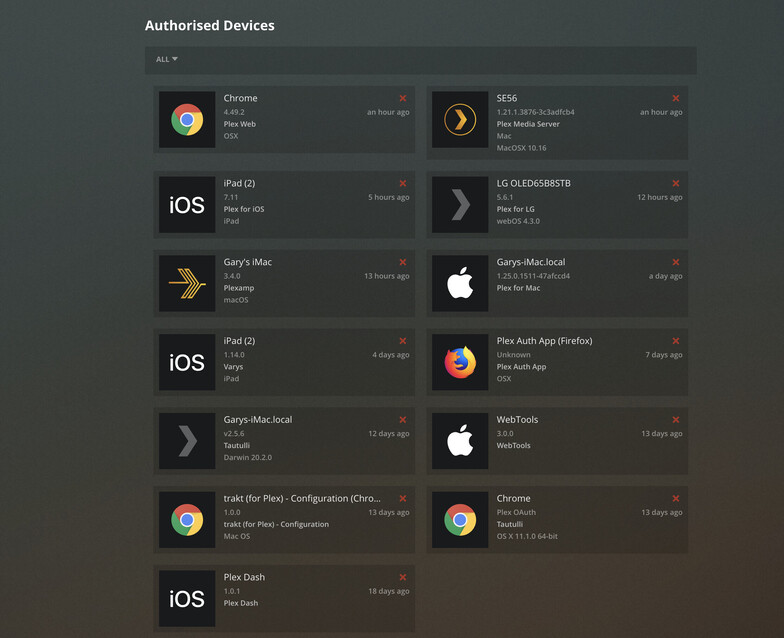
settings > about
Where might one find this “hidden preference” you mention? 
Thank you, I have the 2017 Shield TV so it looks like I will be adding a SD card now and moving my PMS over to it. Been seeing “Your Shield TV is low on memory” lately anyway so I guess it is due time.
Thanks for the amazing app Plex devs!
Am I dense or does the Artist Radio still only play tracks on the server, even if I have external media set to unlimited?
It doesn’t seem to be pulling tracks from Tidal, no matter what. Related is showing Tidal tracks just fine and those play perfectly. Is it because I don’t actually have any Tidal tracks "saved’ to my Tidal library?
LOL I set mine to 28
“you can change this via the hidden RadioDaysSinceLastPlayed preference. it defaults to 2, i have mine set to 7, e.g.”
Is this supposed to be in the Preferences.xml? I moved my PMS data files to Removable USB on my ShieldTV but I looked at the Preferences.xml and do not see this line?
Yep, and you would need to add it if it’s not already there.
your memory must be better than mine 
I’ve seen the “New Releases on Tidal” section in a few screen shots, but it’s never appeared in Plexamp for me. Any idea what combination of settings/voodoo causes it to appear?

- you need to have a TIDAL subscription.
- there need to be releases which match artists in your library.
for performance reasons, we track only the most popular few hundred releases, so if you have more “obscure” releases it might not match.
here’s what mine is showing now, for example:
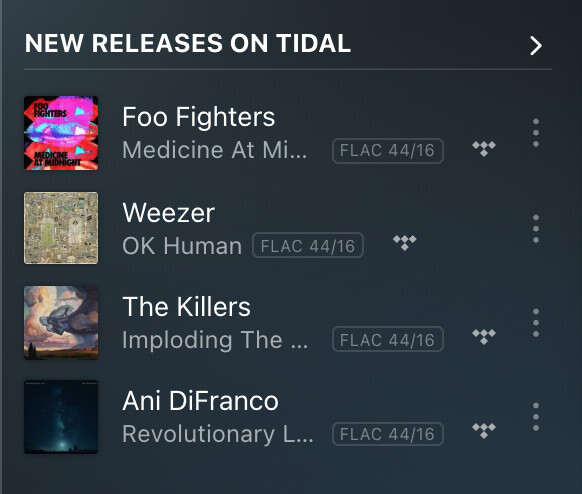
you can also check your server log for Music: Refreshed releases list with xxx albums
