Player Version#: Versione 4.72.0
I had my iMac set up as a Plex server which I recently replaced with a Macmini M1.
How to set up the Macmini as a new Plex server?
Thanks
Player Version#: Versione 4.72.0
I had my iMac set up as a Plex server which I recently replaced with a Macmini M1.
How to set up the Macmini as a new Plex server?
Thanks
This support article should get you most (if not all) of the way there:
Same as with the original one…
/Applications/ folderEdit:
If you want to keep your old libraries etc, follow the procedure from the support article linked by philipsw
Plex media server app does not start.
I think it is a compatibility issue with the Macmini’s M1 chip.
I did the Plex media server app launch operation on iMac and it works fine.
On macmini it does not start!
: (
From what I’ve been reading in the forum, PMS should be running fine w/ Rosetta enabled.
If it isn’t compatible, macOS will usually tell you.
You can try the following steps to see if there’s any details about why it’ s not running:
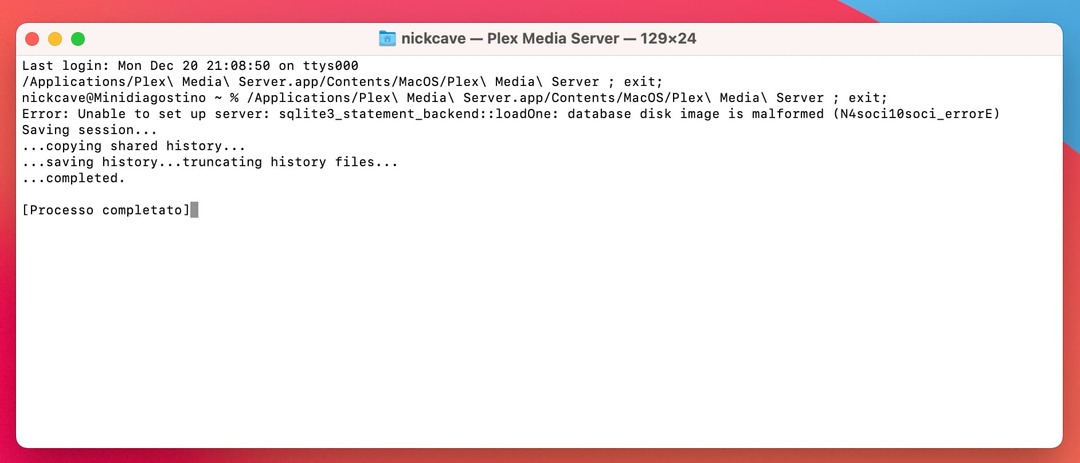
Plex Media Server app in your applications folder and select Show ContentContents/MacOS/Terminal appPlex Media Server executable from #2 into the Terminal window and execute the commandAny error messages?
How did you move your Plex data directory over? Did you stop Plex Media Server on the source system and then copy it, or did you restore from a Time Machine backup? Or something different?
I ask because that error message suggests that your database is corrupt. If you restored from a TM backup (or copied the database while PMS was running) it may not have been in a “good” state when you moved it.
You can attempt to repair it using the information in this support article:
If that doesn’t work, you could try restoring a backed up copy of your database:
Then I’ll explain what was done.
Originally Plex’s server was my iMac with its three external hard drives.
Then I bought the Mac mini and connected the three hard drives on the iMac to the Mac mini and tried to make the mac mini a Plex server without success.
Did you attempt to copy over your existing Plex data from your iMac, or are you setting up the Mac mini as a new server? The error message you posted means that your database is corrupt. If you’re attempting to create a completely new server, try the steps here:
I should have solved. The database was apparently corrupt. You were right!
I was able to start the Plex media server and set up the Mac mini with my three hard drives as a Plex server.
All my media files are loading right now.
I can’t find the words to thank you for all the support you promptly provided me with.
Thank you with all my heart!
You’re welcome, glad you got it working!
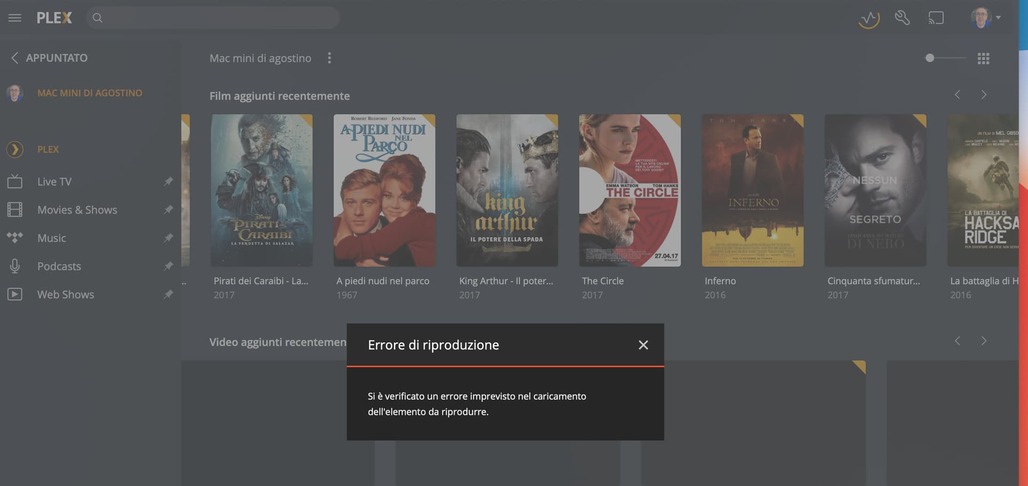
while loading my multimedia files it is normal that if I decide to play one of them I get the error message:
playback error
No, that’s not normal. Your server logs might provide some clues as to why playback failed.
where do i find them?
The link in my previous comment (server logs) describes how to collect the logs.
i can now play the files via Plex, everything is ok!