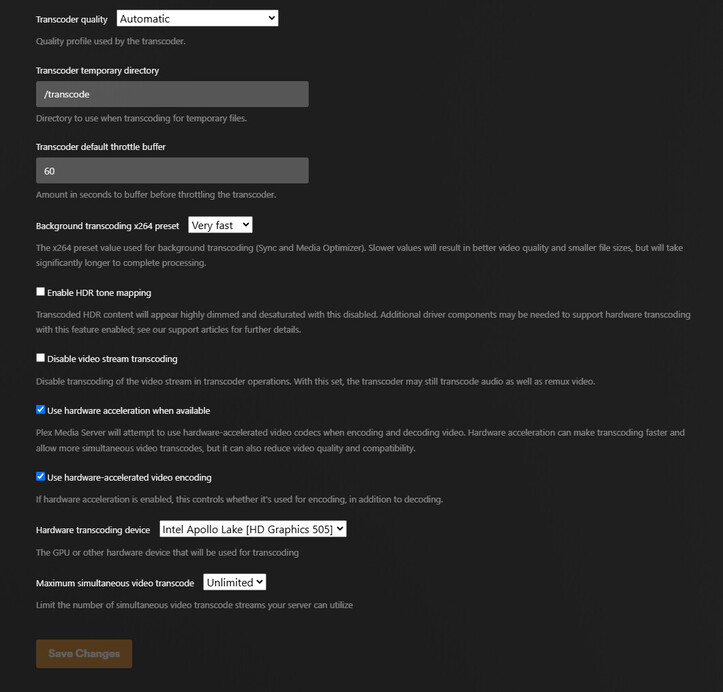
Roll back to 6.8, or even 6.5, kernel if you can. The ApolloLake N4200 does better with those kernels. I’ve found 6.11 does not like my older CPUs either but it loves my AlderLake
You don’t need the intel-media-va-driver. PMS doesn’t use it. PMS brings the driver with it.
Referencing 1.41.3.9463, I should also have you do the following:
– Stop PMS
– Get into the Codecs directory
– Delete everything you see EXCEPT the .device_id file (your license)
– Start PMS
– Observe the Codecs directory repopulate as you need those codecs.
I have tried so far with 6.8.0.54 - generic as well as 6.8.0.50.
It does not seem to help, I have the exact same behavior. With 6.8.0.50 more things break and the iGPU along with everything else connected to the PC.
I do not seem to have any options for 6.5, or I am missing something. Everything below 6.5 looks to only be 5.15.
and 3. Not sure If I should have expected anything by removing the Codecs contents, but it is clearer how Plex works now. Thanks for the explanation.
So it looks that the primary suspect is the kernel, but because I am hosting more than just plex on this small server I am a bit hesitant too play to much with the kernels, I feel like I could break something more than the HW transcoding.
I was planning to migrate to Proxmox on a Intel I7 8700. I guess I need to do that now sooner than later and hopefully the problem will go away with the migration. I will let you know how it goes in the coming days.
While I don’t profess any proxmox knowledge, I do have a test machine.
I’ve setup a PMS VM using the tteck helper scripts. It was 100% foolproof setup for me. (a noobie)
I have an i7-7700 machine here for PMS and it’s solid.
Regarding the codecs, the expectation was a clean reload of them (in case any were damaged after download)
I do know you’ll have a lot better success with the 8700 given it’s a UHD630 class iGPU versus the HD505 you have now.
The migration was successful and with that my problem resolved, things are running smoothly now.
Now I thought it would be interesting to dig a bit and see what caused the problem.
I like to keep ISOs locally I found that the Ubuntu I was using initially started with Kernel 5.15.0-60-generic. So I reinstalled the system to check if a fresh install would do anything. To my surprise, I would get some i915 related errors during booting - that’s odd, I would have remembered those if I had them before.
With the system now reinstalled when I try Plex, I am instantly greeted with the same artefacting.
Putting everything together, I am quite certain now that the iGPU died and those artefacts were it’s way of saying goodbye.
There were i915-related errors in the 5.0.4 → 5.15.x kernels.
5.19.x finally fixed the bulk of them. (user-facing side of the driver)
The 6.0.x kernel got the other part of the i915 driver.
I find that running Ubuntu 22,04 LTS is good for both my machines.
(24.04 has the HWE kernel 6.11. While that’s OK for my AlderLake machine, my older Xeon E5 v4 doesn’t do well with it so it’s going to stay on 22.04.5 for a while