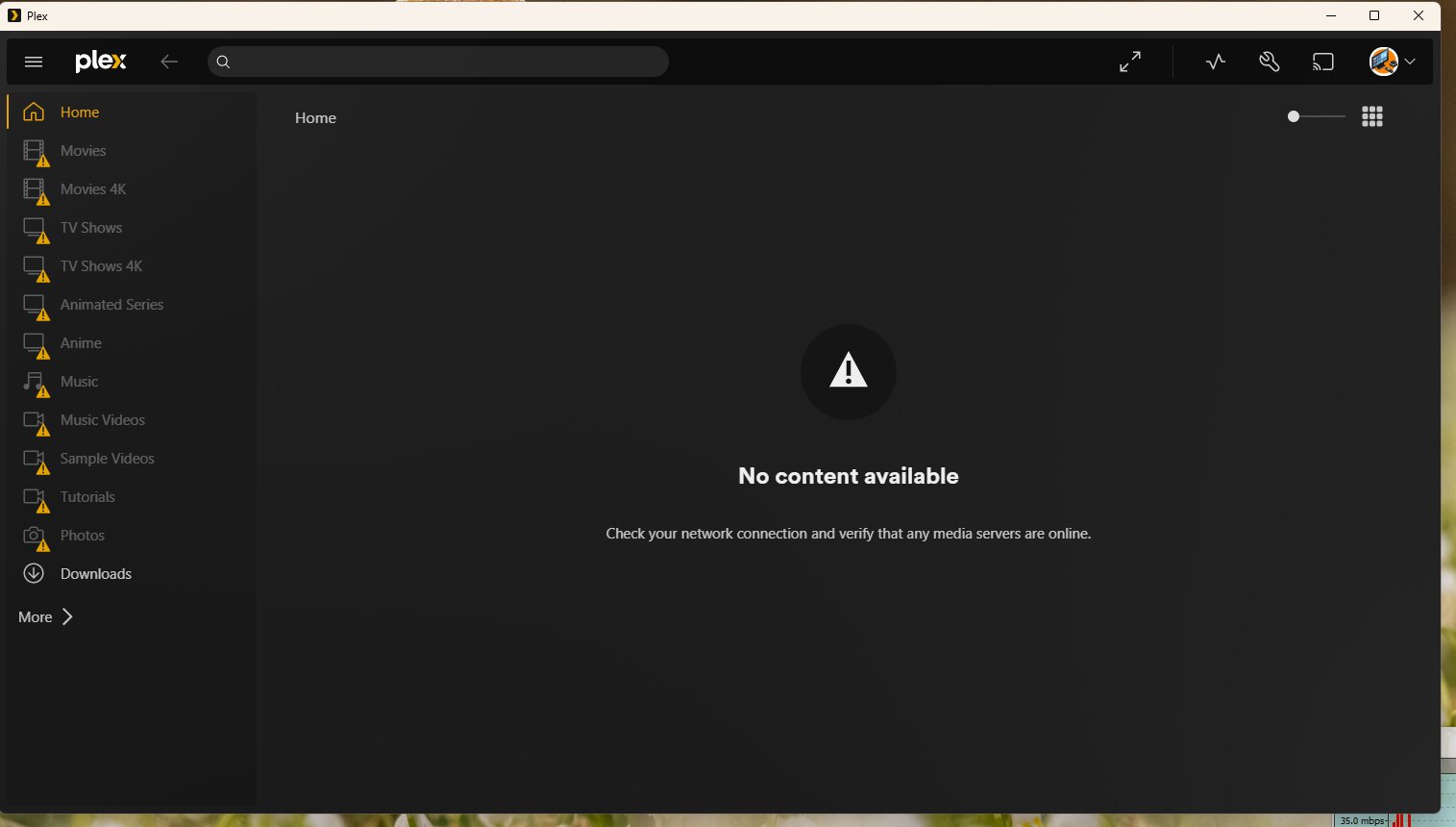
Server Version#:1.43.0.10467
Player Version#: Plex for Windows - 1.112.0.359-0d79a49f
Server OS: Windows 11
Hi,
I’ve been having a lot of trouble accessing the server for the past few days. Tautulli often shows that the server is down, and then within a second, it shows that the server is up.
Plex Server Log.zip (7.5 MB)
There are two folders - Logs1 (Dated 26/01/26) and Logs2 (Dated 31/01/26)
Whenever I try to play something, be it on a desktop, Fire TV Stick, or Android TV, it shows that the server is not online. In such a situation, if I wait for a while, the server appears online again. But waiting doesn’t always solve the problem. Then I have to restart the server. Sometimes when I try to play it, it shows “Unable to play”. Then I have to either wait a while or restart the server.
I tried to figure out the problem by reading the logs, but honestly, it all went over my head. I don’t know how to solve this. Please, help me. 

Here are some general tips for a more smooth plex experience:
- Put your Plex server inside a private network/home network
- Avoid home network “fragmentation”
- Use a designated private IP range for your private network
- Give the server and your NAS static local IP adresses
- Avoid using more than one network adapter in your server machine
- Use wired network connections,
- Use a manually configured port forwarding, instead of relying on UPnP
- Disable power saving for network adapters
- Don’t let your server machine sleep/hibernate
- Don’t let hard drives spin down their platters
- Don’t rely on Windows to store access credentials to file servers/NAS devices
- Configure “DNS rebinding protection” in your router/DNS resolver
- Make sure all involved devices have accurate date/time
- Provide an Uninterruptible Power Supply (UPS) for both Plex server machine and data storage (NAS)
- Always use a “staging” folder for preparing your media files
- Don’t point a Plex library to a “naked” drive letter
- Stick to the Plex naming conventions
- Never mix up media folders, Plex data folder, and the Transcoder temporary folder
- Before assigning an email address to a plex.tv account, make sure it’s actually ready to receive mail
In your case, I’d give particular attention to numbers 4 – 10.