Server Version#:PlexMediaServer-1.41.5.9522-a96edc606-universal
Player Version#:Plex-1.108.1.307-dd5b87aa-universal
Sequoia 15.3.2 (24D81)
I don’t get the option to add libraries in Plex media server settings.
Where exactly are you missing the option?
Do you already have setup other libraries or is this about setting up your server from scratch?
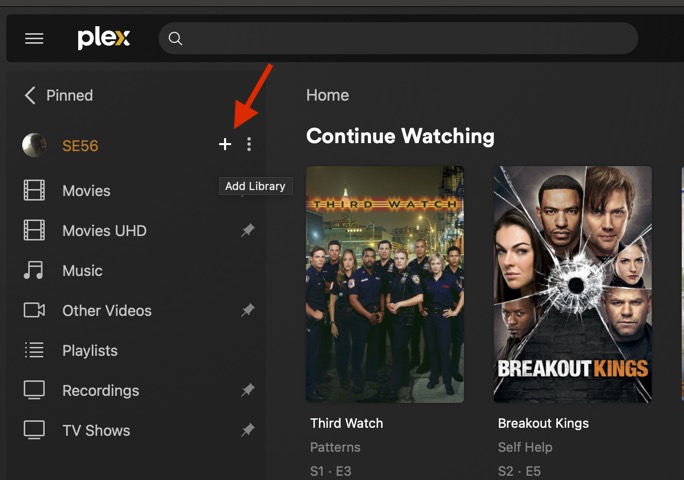
If the server setup is complete, you should be able to setup new libraries from:
- clicking
Morein the sidebar, hover over the server name and clicking the+button - open
Settings>[Server Name]>Manage>Librariesand clickAdd Library
https://support.plex.tv/articles/200288926-creating-libraries/
To add Libraries, go to More and hover next to Account Avatar
like below.
Look for Macintosh then Volumes to find your Storage Directories.
As Tom kindly provided More and + are the secret sauces
@tom80H
