Server Version#: 4.66.1
I confirmed that I installed a media server, but I didn’t find the option to add media

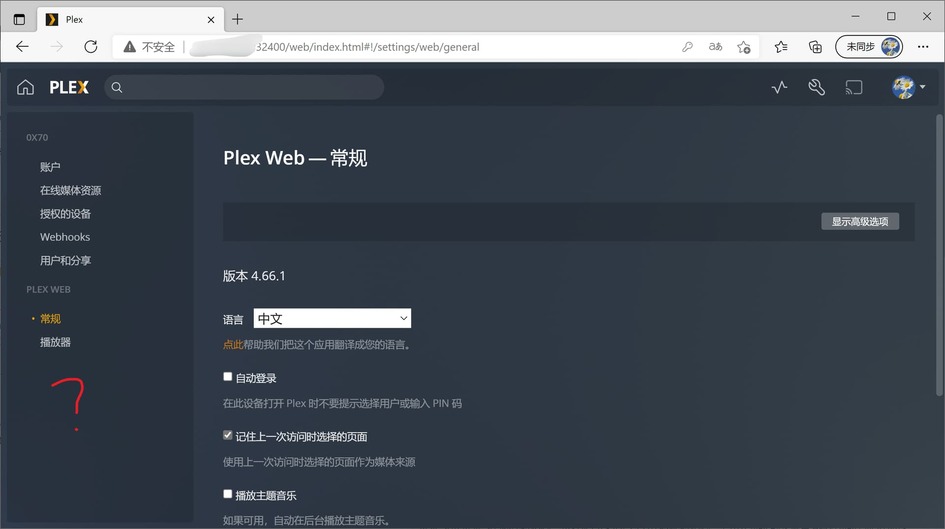
[Mod-Edit: minor fix of tags to show the screenshots]
Have you completed the setup by accessing the server through its local IP address? This last step of the setup is necessary to e.g. name your server and link it to your Plex account (as well as optionally creating your first libraries).
If you’re on the same device, open http://127.0.0.1:32400/web in your browser.
If the server is on a different device in your home network, use http://[PMS IP address]:32400/web instead
Once the server is linked to your account you can also access it from other Plex apps (incl. the hosted version of Plex Web → https://app.plex.tv/desktop)
edit:
Your 2nd screenshot implies you’re already accessing the server through its IP.
Make sure you’re on the same subnet when you do that!!
If you’re on the same machine / inside the same subnet… could it be you already had a Plex Media Server installed on that machine, using a different Plex account?
I have built a server. This is the second one I built. I want to declare it as the second server, but it is set as the web player by default
I’m not sure I understand what you mean.
Are you accessing your new/2nd server from within the same subnet through its local IP?
Yes, I access both servers locally at the same time (the two servers are not on the same subnet, one at home and the other in the cloud)
You can only complete the initial setup locally. If you’re not in the same subnet when you attempt to connect, Plex won’t let you access the server itself (otherwise everybody could access it).
You can establish a direct local connection using a SSH tunnel or remote desktop session. The SSH tunnel option is explained in the PMS installation support article.
It means that only one media library can be saved in the home and in the cloud?
You can have tons of libraries and servers.
But to finish the setup you need to have a local connection (=you and the server being in the same subnet).
OK, that’s too bad. thank you
Not bad at all… if you’re not in the same subnet, there’s ways to get this done.
e.g. the two I’ve mentioned above:
You can configure your server remotely, you just need to complete the initial setup (and claim the server). Plex doesn’t allow this process to be done on non-RFC-1918 (or non-loopback) IP addresses. The workaround is to create an SSH tunnel to the remote server to proxy the connection to your local system. It’s described in detail in the “On a Different Network” section of this article:
But the short version is that you create an SSH tunnel to the remote server and then access it via the local loopback address.
ssh user@ip.address.of.server -L 8888:localhost:32400
Once the tunnel is established, access the server via http://localhost:8888/web in your local web browser to complete the initial setup and claim the server.
After doing so, you can access the server “normally” via https://app.plex.tv or dedicated client applications.
Thank you. Now I’ve solved it successfully
Glad you got it working.
