Bonjour à Tous.
Je viens de me lancer dans NAS truenas. Suite a l’installation de celui-ci, installation de Plexmediasever. Je ne sais pas comment mettre mes films de mon pc ou bien d’un disque externe dans plex.
Merci pour votre aide.
Didier
Hi all.
I just started nas truenas. Following the installation of it, installation of Plexmediasever. I don’t know how to put my movies from my PC or an external drive into plex.
Thank you for your help.
Didier
The simple way is to just copy all the movies into the Movie foler you have for Plex and then scan the library.
Just make sure the movies (and their folders) got the right names.
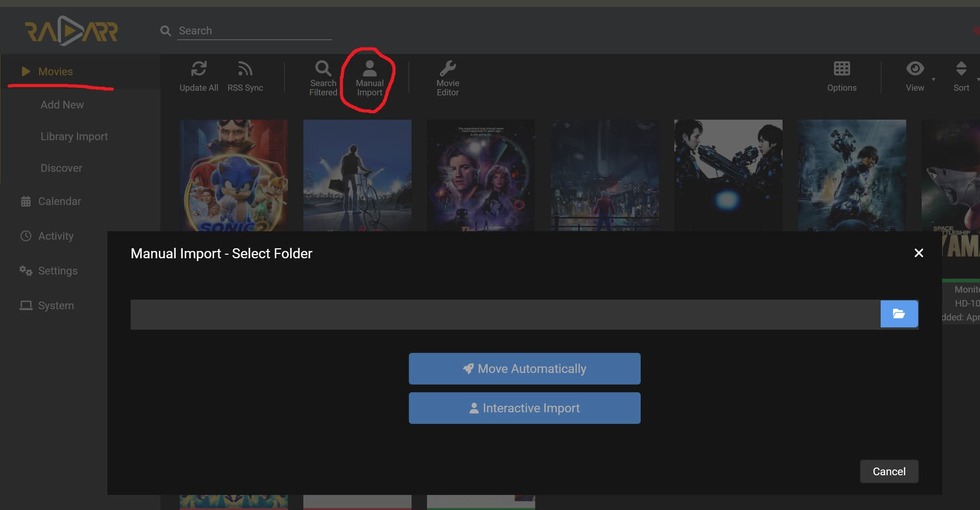
You can use Filebot for this, if you can find the FREE version, or maybe even use RADARR and using the “Import Library” function. OR jsut use “Import Manually”
Thanks for the reply, but I’m having trouble understanding:
I have already installed plex locally on my pc. Once the pac shared I can see my movies without problem but once the pc is off presto! nothing.
So I installed truenas to be able to watch the movies directly from the server.
My problem is that I don’t see my external hard drive, after creating a library, in “add folders”, “browse and choose a multimedia folder” at this time plex offers “plex icon” and “icon /” and I can’t find the movie folder of the external disk!!
You tell me “copy all the movies in the movie folder you have for Plex” but where is this folder??? On the nas there is no film folder since initially it is blank!
This means that the Plex server is running on your PC. Your TrueNAS box is not involved at all in this constellation.
If you want to have the Plex server running on the TrueNAS box, you need to give it direct access to the media files. Which is most easily achieved by copying them onto a hard drive which is attached to or built into the TrueNAS box.
Thank you for that answer.
“You need to give it direct access to media files. This is easiest to achieve by copying them to a hard drive that’s attached or built into the TrueNAS box.”
I hope not to say nonsense: Plex is in truenas on another pc, I access the pc truenas by 192.168.x.x, connected by an rj45 cable to the router! So am I on the server?
How to give direct access to media files?
How to copy to a hard drive that is attached or built into the TrueNAS box
I have an external hard drive with the movies.
Sorry if I don’t understand everything.
Sorry, I have no personal experience with TrueNAS. I am not able to give you specific tips.
But please allow this question: if you don’t know how to copy files to and from your NAS, why are you using a NAS at all?
I have the impression that you don’t know why you have set it up in the first place.
You need to answer this question for you personally.
I recommend you to start by making yourself familiar with the concept of network file shares. Particularly how they are used and accessed in Windows.
Only after you are halfway savvy with this, you should think about setting up additional services like Plex.
“But please allow this question: If you don’t know how to copy files to and from your NAS, why are you using a NAS?
I feel like you don’t know why you put it up in the first place.
You have to answer that question for yourself personally.”
The goal is to be able to watch my films on the network, once the personal pc is off!
I’m no expert but I installed truenas and the plex plugin with no problem.
The problem is that I can’t find access in “browse and choose a media folder” for the library.
Understood.
However, this functionality is not part of Plex.
It is handled by TrueNAS directly. You need to read up on how to configure it in the documentation of TrueNAS.
(Hint: Windows-style network file access is usually called “CIFS” or “SMB”. Sometimes also the name of the opensource software is used which implements this kind of networking protocol on UNIX platforms: “Samba”)
Once configured, you should be able to access the file share from your Windows file explorer by typing in \\192.168.1.123 and pressing Enter.
(you need of course to replace the IP address in my example by the actual IP address of your TrueNAS box.)
Any further questions I am personally not able to answer.
I can only give you support for Plex.
You have a TrueNAS server up and running with a storage pool built and you have your media (movies, TV shows, music etc.) in that storage pool. (The pool being accessible via SAMBA shares is good but not needed for Plex to use them. It is needed if you are copying files from a Windows system to TrueNAS)
You also have installed the Plex plugin so you now have a Plex Jail on your TrueNAS system.
To make the files in your pool accessible to the Plex plugin they first must be mounted into the Plex Jail. Then you need to set the ACL Permissions of your pool so that Plex has read/write permissions.
This video will walk you through the set up. With the assumptions above, you should pick up at about 4:40 in the video. I know it was written for FreeNAS 11.3 but the steps should still work.
Thank you for your help.
All of your proposals are operational.
Except for “you have your media (movies, tv shows, music, etc.) in this storage pool” My stokage is blank!!!
Hence the opening of my message in the forum.
I did not use acl because for the moment I am in root so logically with all the rights.
On the other hand, having hovered over the link of your video, there is the answer to my question.
So, I’m going to put my questions on hold after digesting the video, despite it being in English;
Goodbye ! I’ll keep you posted on my progress. Again a big thank you to all.
For the Plex plugin to be able to use your media you must have your media as part of a storage pool that you can MOUNT via a Mount Point into the Plex Jail. It will not work if you don’t.
EVERYTHING IS WORKING :-))
Explanation: I initially started with the root user, thinking that since he has all the rights, that would be enough.
So during my manipulations, I created a lambda use with access to the mnt/lambda folder. My storage pool was on lambda.
The network system put me TRUENAS/lambda/iocage. I therefore created in “iocage” folders films, music etc. I don’t know where the “iocage” folder comes from?
Once insert two three examples in the files, I did not see my architecture.
I went back to system network and presto “you need permissions for this action” Tried to change permissions to full control but nothing, no access results.
Before throwing myself out the window, I reinstalled everything by changing the storage pool to “media”. Once accessing the mnt/media for the user, I ended up with a network path TRUENAS/media.
I had all the rights to my film, music, etc. folders, and after inserting my media everything worked fine!!
So I closed the window ;-))