I just downloaded Plex and i cant add any media to my server.
When i follow the instructions from plex and it says to go into settings and click on buttons that i dont have.
I only have 8 options to click on in “settings”, where is everything else and how can i get to it?
What OS System are you running it on?
What is the Version of PMS your trying to run?
Post a picture here of what it is your seeing/not seeing…
1 Like
I have Windows 10
Version 4.35.1
I managed to fix the problem by deleting certain things in HKEY registry that internet told me about and it worked for a while. Then i didn’t use it for a week or so and when i started plex the problem was back (even when i tried deleting the same things in HKEY again) and now i also have a different problem;
When i open PMS on my computer, the symbol appears down in the right corner, but as soon as i even hover over it with my mouse, it disapears.
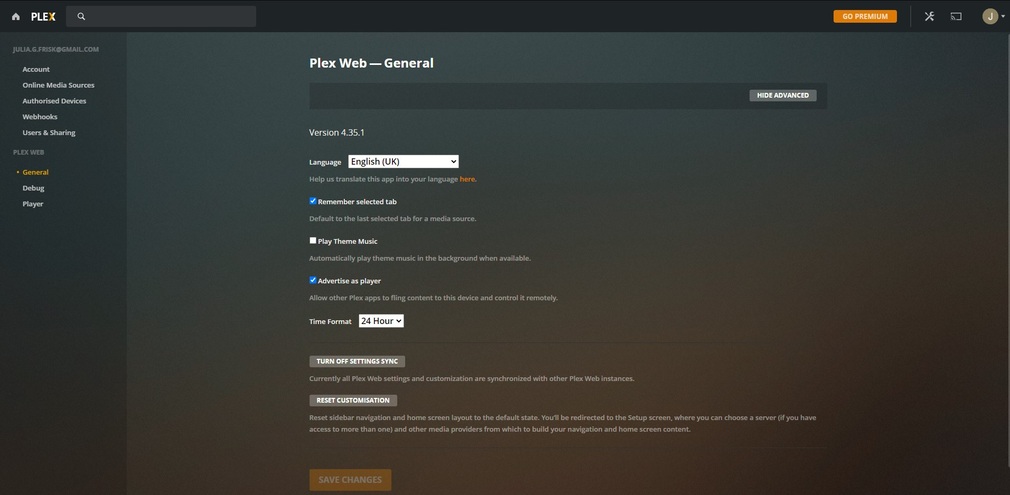
When i go to plex.tv on chrome i can get to the page but I’m missing all the settings again. (see pic
Have you other windows account on the same Desktop? I have the same issue on another computer with multi windows 10 users. When i’m not the first one to login after a restart it would not work try to restart and be the first one to connect and see if it works ?
This topic was automatically closed 90 days after the last reply. New replies are no longer allowed.
