Server Version#:1.13.5.5332-21ab172de
Plex Media Server
PC
Linux 4.15.0-33-generic (#36~16.04.1-Ubuntu SMP Wed Aug 15 17:21:05 UTC 2018)
Player Version#: I don’t know
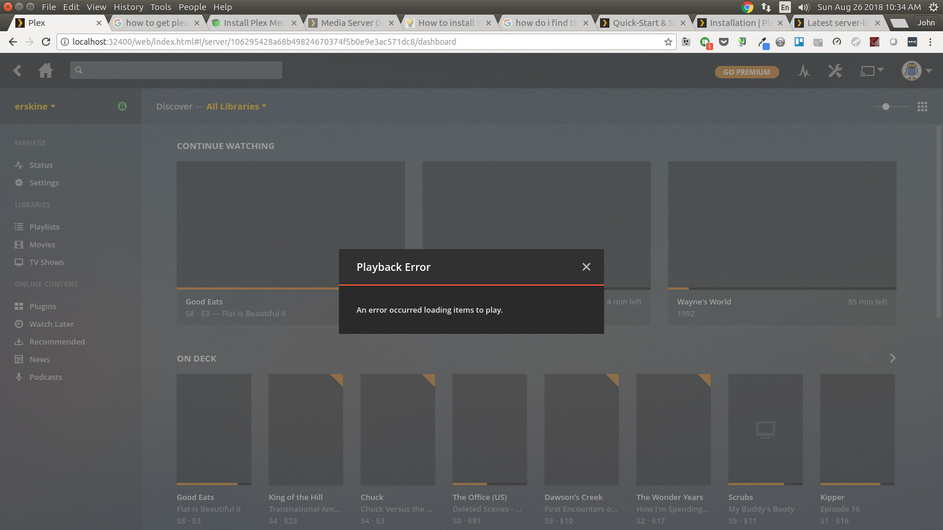
I backed up my database before reinstalling the OS. Now that I have reinstalled Plex and made sure the library is the backed up version instead of the newly created empty one I can not get anything to work. I can’t get the server to run. When I load the web app and go to Settings > Server I am told ‘Server settings are unavailable’. I am at a loss. I have had this set up for a long time and can not find the instructions on how to make it right again.
~ You made sure you have the exact same permissions as the previous install of PMS?
~ You switched off “automatically update libraries” setting in your new virgin install of pms BEFORE you migrated over ur old plex db?
~ Also there are the how-to migrate guides here on the forum somewhere and some bettah help will check this thread out probably when the week starts
I fixed permissions on /var/lib/plexmediaserver/Library and now I can access the server through the web page and play media there. My phone apps can not yet connect. They still show me as being offline and will not reconcile.