I use the desktop app, Plex for Windows. I’m trying to download a show from my friends shared library. The owner has granted me access and I can confirm it’s granted in his library information in the friend list. I bought Plex Plus, and my friend also has Plex Plus. When trying to download an episode of a show through their library, I’m not seeing a download button anywhere on the screen. I’ve looked at a bunch of forums about it, and it seems that everything is ok and should be working. I don’t know why I’m not seeing it.
Can you take a screenshot of the screen of something that should have download button.
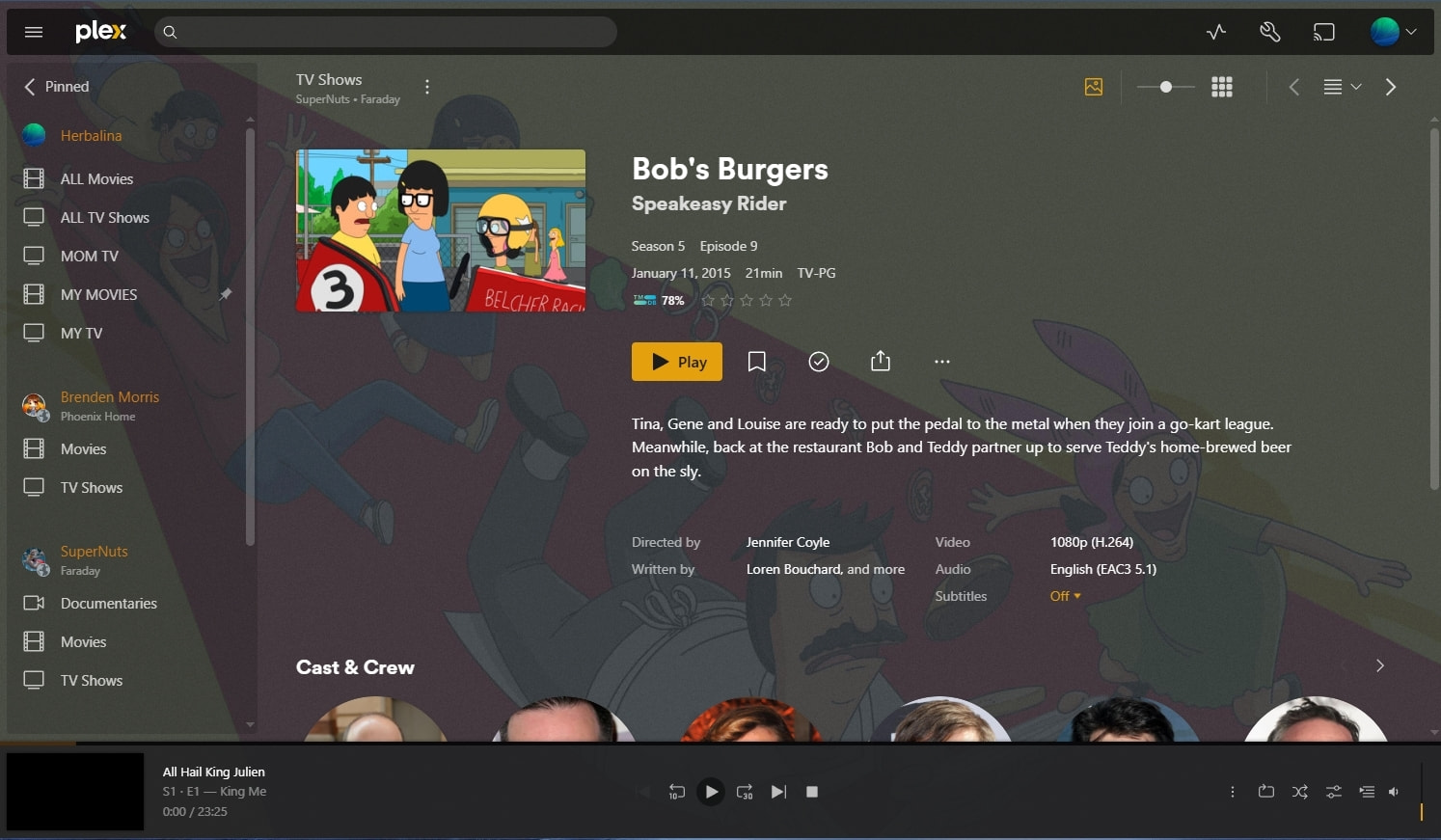

When your friend allowed you access, there are two parts.
- Libraries allowed
- Downloads Allowed
Are you sure that was enabled? Have you been able to do this previous with this Friend?
If not, contact friend and discuss removing your access. Then have friend invite again, re add with Downloads enabled.
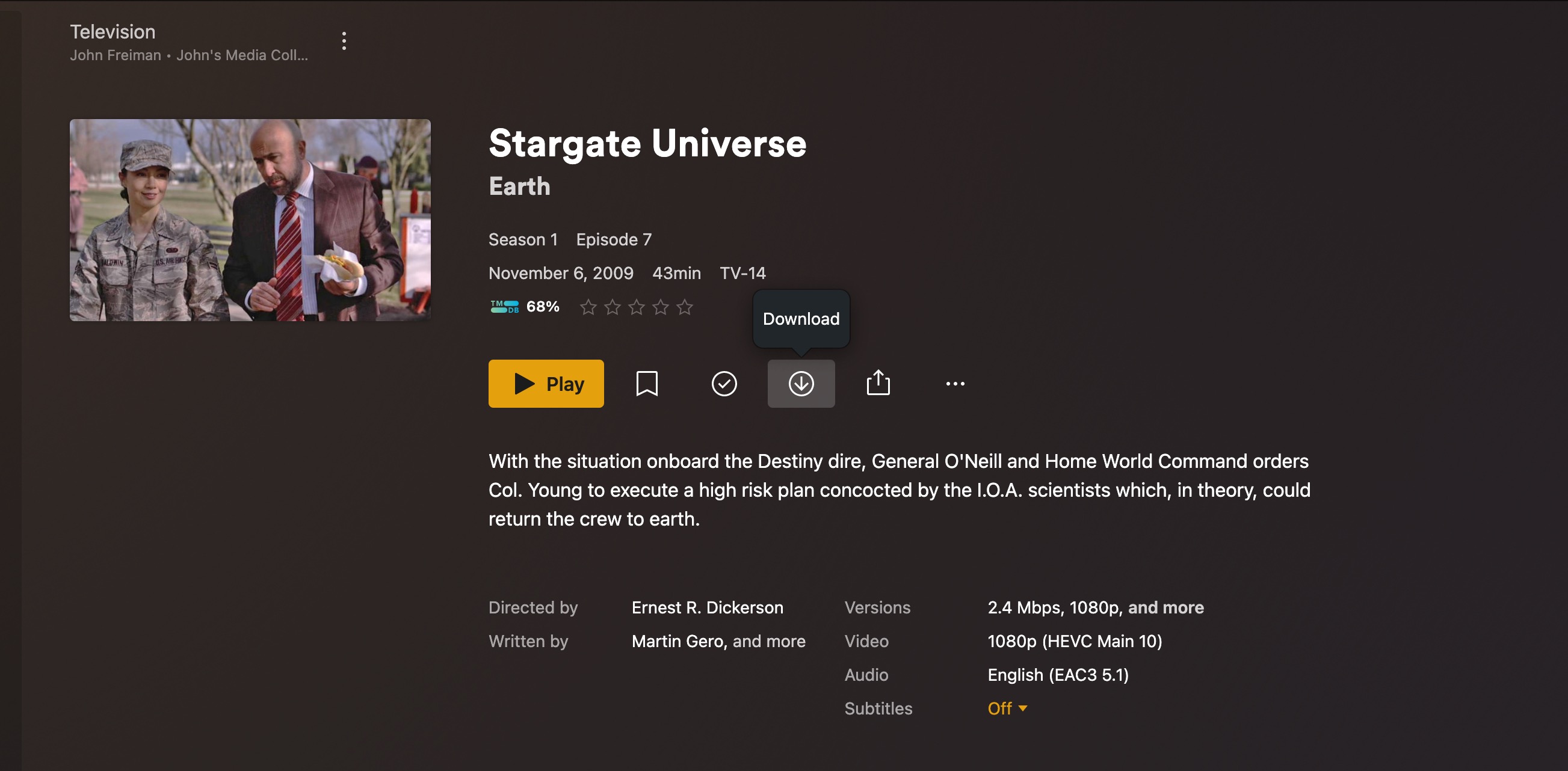
Should look like this in Plex desktop
This is a photo of that friends library access page, at the bottom it says I have access to their libraries and that downloads are allowed. And no, I have not done this before, with any of my friends. I’ve only had a free plex account since before today. This was the only reason I got the subscription though, was to get this feature.

Are you sure your using the Desktop app that is downloaded from:
Download / Desktop/ Your OS
In Plex for Windows, sign out then sign back in to your account (upper right corner). That will make sure it picks up your Plex Pass. It should do so automatically. The sign out/in forces the process.
Do you see the download button when viewing media on your own server?
I’m using Plex version 4.147.1 and I’m using it on a browser. I had my friend re-add me to their library and made sure downloads were allowed again. I have signed out and back in and still none of these things have worked. Under my account info it does say I have Plex Pass, so that seems to be updated in the account. I looked at my own media in my server and there is no download button there either.
Plex Docs → Downloads for Offline Use → Downloads Overview
Plex Web (the browser) does not support downloading.
As @SE56 mentions, use Plex Desktop.
Download: https://www.plex.tv/media-server-downloads/?cat=plex+desktop&plat=windows#plex-app
Docs: https://support.plex.tv/articles/categories/player-apps-platforms/windows-mac-desktop/
Thanks FordGuy61, I must have not been speaking English 
I mean, I downloaded the Plex program originally. When I click my Plex server, it runs and put an icon on my taskbar. So I right click the icon and select Open Plex.. then it opens a web browser and I use my plex app from there. It says plex desktop in the browser address. So am I using the the desktop or a browser because it seems to be both. Hm.

Americans sometimes have trouble with the Aussie accent.
I was just confused because I thought I was using the Plex App Desktop, but it opens on a browser. Which is why I’m confused, sorry to frustrate you. Not my intentions.
You need to use the Plex windows application, not the browser.
When I open the Plex windows application, it just puts an icon on my taskbar. When I click to open plex from that icon, it pulls up a browser.
If you need to keep your Downloads and put in a Library:
https://support.plex.tv/articles/downloads-on-desktop/#toc-3
it’s an app not the Default Browser, look similar. functions are similar. Have different Player and Download feature.
It is a bit confusing at first.
Plex Media Server runs in the background on your PC.
When you choose “Open Plex” from the taskbar icon, then it launches a web browser and loads “Plex Web,” the browser interface to Plex Media Server.
There is another Windows application, Plex Desktop. Although it looks almost exactly like Plex Web, it is a Windows application, not a web app.
Plex Desktop (or just “Plex” in the list of Windows applications), permits downloads for offline use. With it, you’ll see the download button like in @SE56’s earlier post.
Alright, yeah I think I just thought the Media Server I downloaded was the app. lol. Thanks for clearing that up, I appreciate it. Off to download the app. Cheers!
That’s great now, as I said previously you can keep your downloads in a Library if you like.
