I had a cable (and therefore internet) outage for several hours today. “No problem,” thought I, “I’ll just catch up on some shows on my Plex server.”
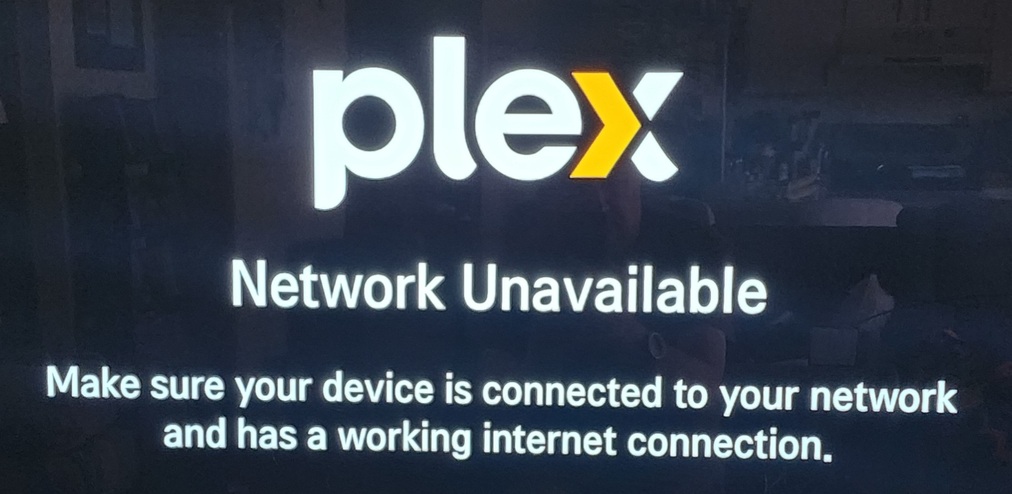
But noooooooo… This is NOT my personal media server! If it were, my player would have easily connected to the server on the same WIRED network. Heck, the Plex client running DIRECTLY ON THE SERVER wasn’t even able to connect! This is what I saw from the player on my TV:
I can understand the need to go through a central system for remote access (and all those extra features that I neither requested nor wanted), but it is simply, completely and totally unacceptable for me not to be able to use my server on my private networkwithout the internet!
There are zero excuses that will make me change my mind. Any excuse provided by the Plex people will sounds to me like they are saying that allowing private, local-only access to my server would allow the Russians and Chinese to take over the United States via Mexican vindaloo restaurants.
I’m sure this has been discussed before, but since it is still horribly broken (i.e. I cannot watch without allowing Plex Central access to any/everything it wants within my server) it needs to be repeated.
Hourly.
By everyone who cares about personal access to their own personal server.
As much as it doesn’t help you right now… this will work if your server is properly configured. Therefore… time to review your server setup in order to future-prove it for the next internet outage.
The issue here is that - by default - Plex uses online authentication for people to connect to and use your server. Unless you allow insecure connections ahead of time in an obscure server menu somewhere, local connections won’t be “secure” and thus will be blocked by the server.
Follow Tom’s link, it should get you started on allowing local computers to connect without authentication in the future.
To circumvent an outage via Ethernet, I have found using a Hotspot to Connect via 5G or 4G Cell/Mobile phone to your server solves my flaky Internet connect after storms, along with enabling my Smart TV to Authenticate with Plex.
The solution @tom80H mentions will not resolve your Smart TV connection, but at least that way you could use DLNA, not pretty but your up and going. You would have to turn on DLNA in the server settings and use the DNLA player on your TV.
I prefer solution one, but if everything goes down, solution two will work ok.
Thanks @tom80H! I didn’t have anything in the list of addresses allowed without auth (that setting apparently didn’t come over when I restored the files from my previous (now dead) Plex machine.) Hopefully I will still have access next time the cable goes out. I think I’ll even schedule some downtime to test it by powering off my cable modem.
However…
I feel that it would be quite sensible to have an option to allow the server’s local network without auth that would be located near the Secure Connections setting. Or Split that setting into Remote and Local and have a local option for no auth required (or something like that.)
It’s easy enough to authorize an entire network at once using CIDR notation. For example, if your server is on a network with an IP address of 192.168.0.5, then you can allow the entire network itself to connect without auth by entering the IP of 192.168.0.0/24. The 24 part of it depends on your network submask. 255.255.255.0 is 24 while 255.255.0.0 is 16. The latter is if you have a private network IP such as 10.10.0.5