As I’m going through and maintaining my movies, I notice I have a duplicate. Should I be switching the agent to TMDB instead of Plex? I’m trying to figure out which file to delete.



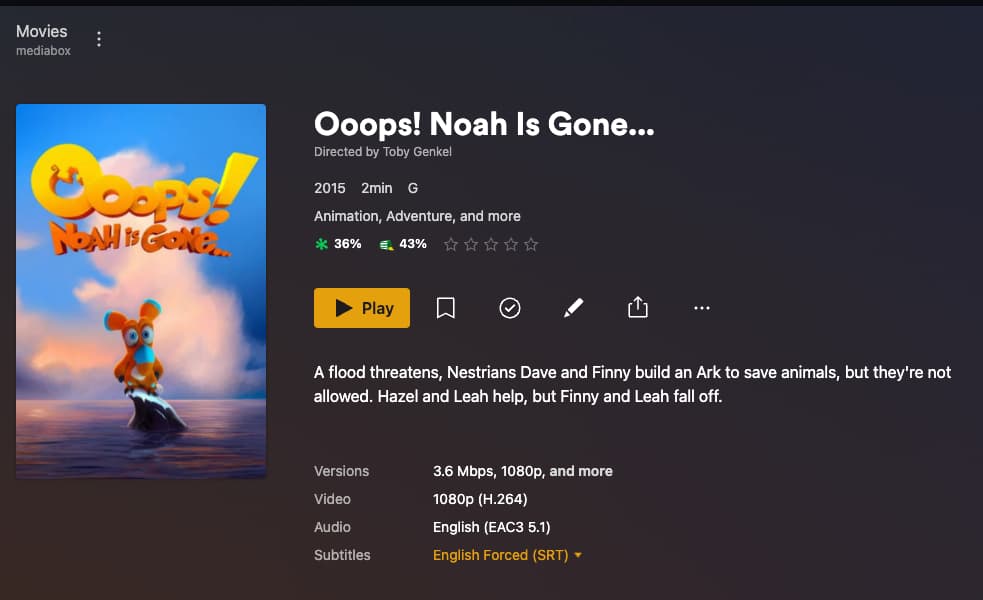
May or may not be related but I noticed a duplicate of this movie at tmdb a couple of days ago and I created this thread to get the dup removed Reported Problem for All Creatures Big and Small - Talk — The Movie Database (TMDB).
- https://www.themoviedb.org/movie/931366-all-creatures-big-and-small (now deleted)
- Ooops! Noah Is Gone... (2015) — The Movie Database (TMDB) (correct tmdb entry).
Its now been removed however the deletion may not have made its way into the plex backend metadata yet.
I also reported this as a problem on TMDB in the Ooops… page, giving the relevant link to All Creatures… and I see now that All Creatures… is gone. I’m wondering which version should be used, as IMDb states that the ORIGINAL title is Ooops… but the current tile (in the US anyway) is All Creatures.
So my report removed All Creatures… as that was incorrect. Ooops! Noah Is Gone... (2015) — The Movie Database (TMDB) has the correct information.
Original Title for the movie is Ooops! Noah Is Gone… with the alternate title https://www.themoviedb.org/movie/326215-ooops-noah-is-gone/edit?active_nav_item=alternative_titles set to All Creatures Big and Small for the US and Two by Two for the United Kingdom. This movie has many titles depending on the region it was released in.
Assuming if you play each file they are actually the same thing. If you mean which file, either can be used. using either name should match to the same thing.
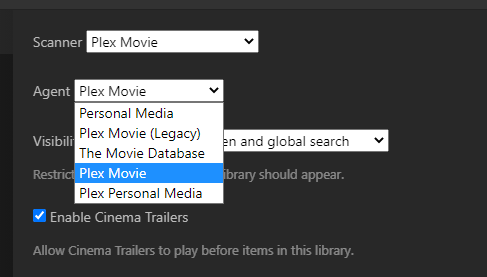
Don’t change the library agent as the others are legacy and will be removed eventually. ( i don’t have a exact date that will happen yet)
I understand either can be used, but I want to use the RIGHT one; my OCD requires it. If the name is All Creatures… then that’s what it is and I should delete the Ooops… one, for example. What I don’t want is to have the name mismatch if down the line Plex changes the agent and starts using the other filename. I’d like consistency, if at all possible.
I don’t understand what you mean by “right” one.
As above with my screenshots. It will be returned as “All Creatures…” first but you can set to to use original title which will change it to “Oops…” after a refresh.
It should do this regardless of which you chose to actually name file. (im assuming you don’t have “use original titles” set as the library default)
To you (maybe) they’re both the same movie. But to me, I have: two folders, two movies, two matches in Radarr even. Both with different names. The databases can’t agree on the proper title, and perhaps that depends on your location due to release titles. Plex uses only one title and matches the other file as a duplicate. I can set the name manually to be whatever I want, yes. But is it the correct title? Which one do I use? Either one is acceptable, but only one can be correct. In the grand scheme of things, it doesn’t matter which one is chosen, but to me, I would even prefer if the database websites could agree on one title and stick with it.
If your worried about the name of the media file itself then may I suggest you use a matching id ,example /Ooops! Noah Is Gone... {tmdb-326215}/Ooops! Noah Is Gone....mp4
Then the name makes no difference whatsoever as plex will match based on the id, {tmdb-326215}. Using matching ids like this guarantees a 100% match.
Then delete one of the duplicates you have and your done.
When i say “the same movie” i mean if someone else had both files and played each on different screens for you and didnt tell you which file was which, how would you tell? (assuming same quality and all that)
Maybe your two files have different title cards when it shows the name of the movie during playback. If they have the same then use whichever title is in the title card if that suits you. If they are different then just pick one.
As @anon5074910 mentioned regardless of what you name the title you can add the TMDB or IMDB ID to the folder name.
