Server Version#:
Player Version#: 8.45 (1) - Apple TV / 10.30.8.4222 (58d01a81) - SHIELD TV
<If providing server logs please do NOT turn on verbose logging, only debug logging should be enabled>
I’m having a very strange issue. My friend has a server in Ohio. I’m in Washington. His internet is >1gbps symmetrical and mine is 1gbps down. I get 400-500 mbps connections to his server reliably when watching with infuse and have no issues with buffering
When watching with Plex I regularly have issues with buffering. I get notified that my internet connection is not sufficient. I am currently watching a movie direct play (30.5mbps bitrate) and about 25min into it I experienced buffering with the “internet connection not sufficient” notification.
I have experienced this on both my nvidia shield and on my apple tv. We’ve run a bunch of tests and the only thing we’ve noticed is it seems like there’s a lot of latency between us and the connection takes a bit of time to stabilize at 400-500mbps. The only thing I can think of is the way plex burst downloads during playback is not always quick enough to fill the buffer before it runs out. As I mentioned before, I’ve never had an issue with the infuse player which tells me it’s probably two issues, something with the network combined with the buffer strategy on the plex player.
What testing can I run and how can I get to the bottom of this?
Measured anywhere from 75-150ms (I’ve seen up to 189ms a couple of times). I should also note that if I Speedtest directly to his ISP ping is solid around 75ms.
Yes it did. I have had it fail in the past but most often it recovers on its own.
Hi, it’s me, the friend. We got it a little more stable initially by increasing the TCP buffer sizes and increasing the backlog and queue depth. I belieevvveee I enabled BBR as well, but I’d have to double check and I don’t think that made much of a difference. That being said, it looks like he’s still having issues with the native plex app and I got nothing there. Let me know if there are any logs or anything I can provide to help.
Edit: confirmed BBR is on and buffers are at 128MB
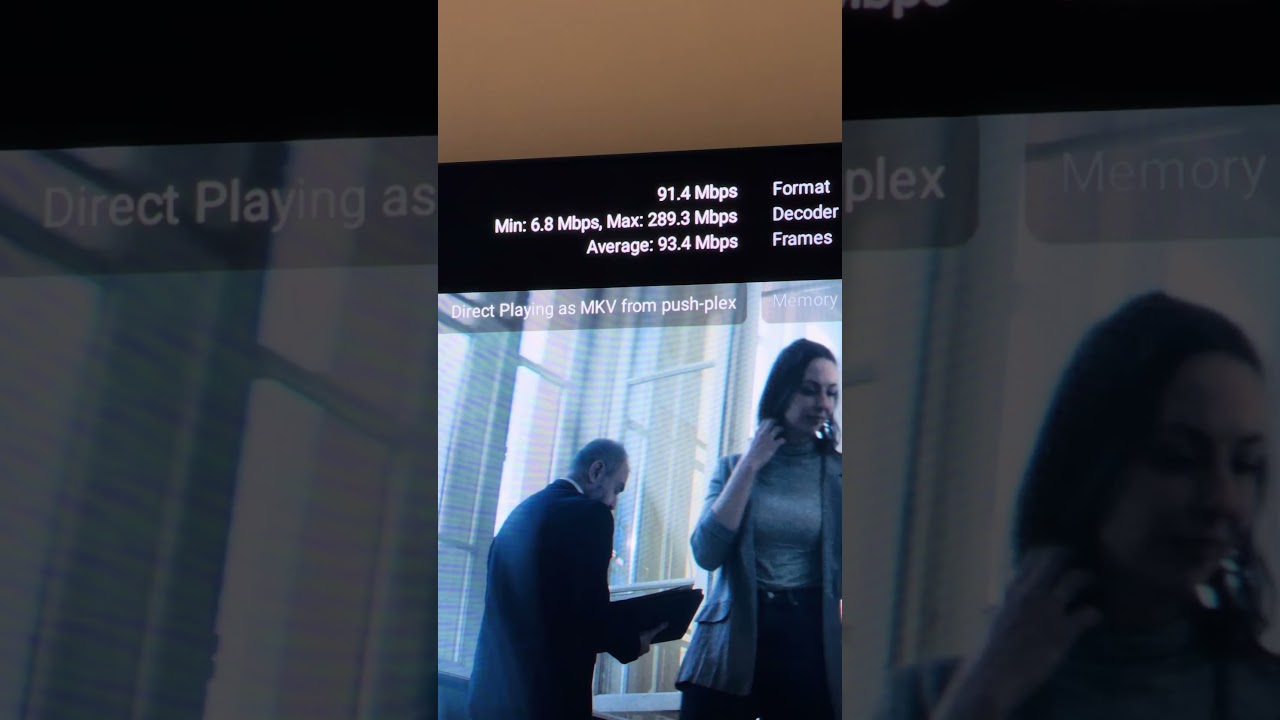
Updating that the nvidia shield version is 10.30.8.4222 (58d01a81). You can see instead of a sufficient buffer with a pause between download bursts it’s constantly downloading tiny chunks of the movie but that artificially drops both the average and peak download speeds since it never really settles in. It seems to me like a dynamic buffer length is required based on the bitrate. Or at least let us pick the buffer size.
Note that this is a hardwired setup directly to my UDM-Pro connected to 1gbps cable internet.
I’m not sure your point here. If plex just allowed a larger buffer it wouldn’t matter. The problem isn’t speed, the problem is that the buffer amount isn’t maintained. It gets “behind” regardless of speed.
Infuse doesn’t have this problem because it’s far more proactive with managing buffer.
200+ mbps residentially may have been crazy 20 years ago, this is pretty commonplace now. I routinely have transfers exceeding 1+ gig to other people on residential, no frills ISPs.
You can say whatever you like but these aren’t tiny chunks.
I mean, define tiny chunks? At a packet level, they are tiny. From what it looks like is that plex is requesting 2-4 second chunks of video at a time to keep its seemingly smaller buffer full (which I would consider tiny, again).
From my poking around, it seems to be a problem with how plex streams the content (HLS). It requests content in 2-4 second chunks (small), which on high bitrate content can be like 40+ megabytes, only then will it request the next chunk. Add some latency, some normal TCP backoff, and sprinkle in a little packet loss and it’s a recipe for disaster. Contrast that with infuse which is greedy and just says “fill my buffer” it’s much more efficient.
I think there are two potential avenues to fix it. Ideally, plex ditches HLS and adopts a more greedy, file streaming based approach, or they increase the buffer size substantially for higher bitrate content and delay playing content until a healthy buffer is obtained. The later sucks for the users because it introduces an even longer delay with loading content, but at least it won’t blow up mid-stream when HLS can’t keep up with the content.
At least the way Infuse works it plays almost instantly while the buffer continues to fill. I’m assuming they allow that if your connection speed > bitrate. So there’s no start of playback downfall that I’ve noticed but that could be due to a higher than average connection speed.
Can one of you share the XML info for one of the affected files? It will show the bandwidth requirements for the overall file (including the video, audio, and subtitle streams), and everything broken out by stream type individually.
These requirements are a series of 8 values, based on various buffer sizes (I’ll see I can find the forum post where this is explained in better detail).
These values are determined by PMS’ deep analysis of the media and are intended to describe what the server considers to be the optimum bitrate for the buffer sizes used by their client apps. (And is one of the factors which informs the decision of whether or not to transcode.)
As I mentioned in my previous post, the values here represent the bandwidth requirements, expressed in kbps, for various buffer sizes (unfortunately I was unable to quickly find the post where the buffer sizes were described).
I mainly wanted to see if the deep analysis results looked “reasonable,” They do.
Perhaps things will be better (from a performance perspective) when the new experience apps are released. The one for Apple TV is in TestFlight at the moment. The mobile versions for iOS and Android are out in the wild (it might be interesting to test on those, if available). Nothing on Android TV just yet though.
For what it’s worth, I used Infuse as my primary client for my Apple TV 4K for a while. I’m in the TestFlight for the ‘new experience’ Apple TV app I mentioned and I’ve been able to move back to it as my primary Plex client for at least the last few months and generally have a good experience.
It’s not perfect and does require some adjustment, but I’m starting to prefer it over the old interface after some recent changes.
All that to say, I’d be surprised if they didn’t roll it out to the masses in the not-too-distant future. You can get a general idea of the interface and how it will perform by using the iOS Plex app, if you have a compatible iPhone or iPad, or via the Android mobile Plex app.