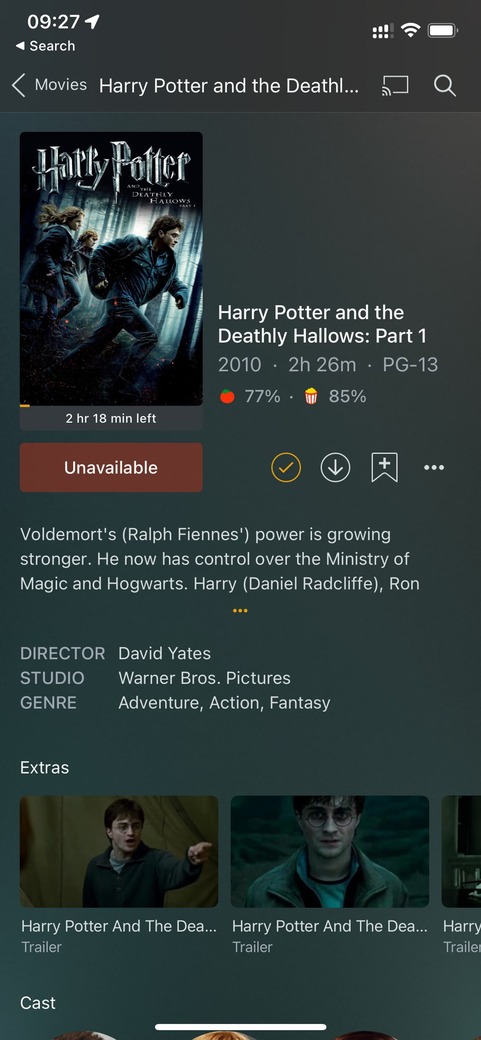
Plex on iPhone and web cannot see files on the Plex server installed on NVidia shield (files accessed via network drive), but I can play them on Plex installed on the NVidia Shield?
How do I get this working?
The iPhone local network files permissions have been enabled.
Do the iOS/Web apps not see the libraries at all or are they “only” failing to play?
Are all those devices in the same network or do you use separate subnets in your home network?
I can definitely play it on the shield plex app which is installed in the same device (NVidia shield) the plex server is installed. The plex server (on the shield) is accessing media files on a NAS.
Is there a way I can fix this? I would not mind even totally wiping and reinstalling plex.
Also I noticed that I can get the trailers streamed even on the shield plex app? I also can’t seem to find the tv tuner to install it - it used to work before.
I wonder whether this had to do with the update to the shield. It caused a mess with files not having sound and it asked for servers to be upgraded. I also could not access plex remotely… and after battling with the internet service provider they sent a new modem that now enabled me to bridge the connection and now plex settings show it is accessible outside of network…
I keep thinking maybe it would be a good time to just start from the start and reinstall the whole library?
If it’s working on another client, it doesn’t seem to be an issue with the server itself.
To be fair I’m not sure I fully understand what exactly is going wrong / isn’t working on the iOS client – or what exact error you get. Maybe you could share a screenshot?
Yes! All linked it has been a problem for a while . I got frustrated and just waited for shield to update thinking this was the cause. Last night shield got to 9.1 and I upgraded. I then set plex audio to pass through and now I finally have audio on the shield Plex app. I also wonder whether the issues are somehow linked to the fact that the original isp modem is in bridge mode now and google nest is doing the routing? This has resolved the remote access green light in plex settings but perhaps this new configuration has caused an issue with tuner and media access on other devices?
@tom80H do you think just deleting everything and reinstalling the library might be the quickest way to get everything working again?
Hi @tom80H . Would you have any suggestions on what I could try to resolve the issue? It seems I can see the plex server file but they are unavailable to play when accessing via iOS…
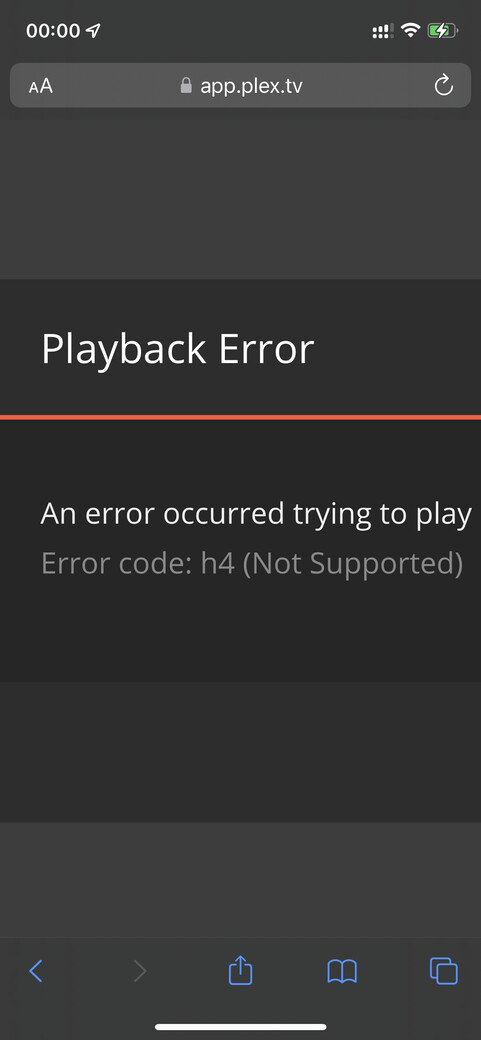
I also am unable to play via web . Similar story.. I can see the server file but when I click to play I now get a H4 error… (picture below)
Are you using some kind of VPN or other security app on your iPhone that’s messing with the mobile’s communication (or a badly configured piHole network ad blocker)?
From what I can see, the Plex app keeps losing connection to any backend incl. the Plex online video sources (but also your SHIELD server).
I am going though Google nest as the main router and bridged connection from ISP . Could that have something to do with it? How can I check and resolve?
Hey plex team. I still have the same issue. Is there anything I could do to resolve this? I updated Plex and iOS to the latest version. I reset my plex on the iPhone to default. Anything else I can do?
Another update. I have totally uninstalled plex client and server on the shield and iPhone. The same issue still persists browser shows “s1001 (Network)” error and Plex on iPhone Plex media server cannot find/access the file…