Server Version#:
Player Version#:
<If providing server logs please do NOT turn on verbose logging, only debug logging should be enabled>
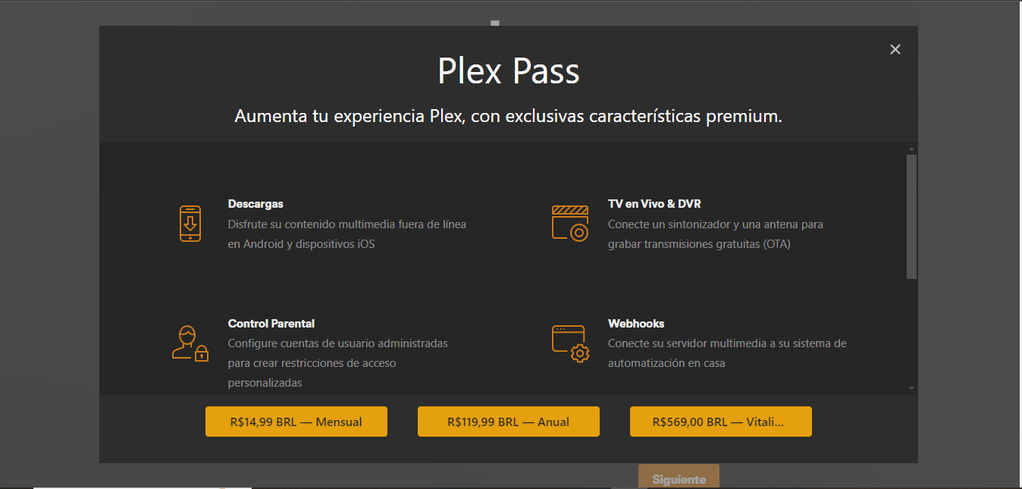
Hello, I have a big problem that I don’t know how to solve, basically it won’t let me close it to finish the installation, I’ve tried different browsers, even a friend in another country tried to do it and it just won’t let me.
It?
Where?
On What?
Need more details please about what you’re trying to do.
What you see there is the machine offering you a PlexPass.
You can click the “X” and continue
Man, I have clearly said that it does not allow you to close it, at least close an application.
On the other hand, I am using a dedicated server, in fact I have tried 3 different servers giving the same problem, using Ubuntu server 22.
I went and looked at past servers on this account.
- I see a Windows machine
- A former Hetzer machine (Hetzner is now perm blocked)
Is this a Hetzner-based machine?
If not, make a tar.gz / ZIP of the “Logs” directory under “Plex Media Server” and we’ll see what’s happening.
No, it’s not with Hetzner, it’s another company, but it doesn’t even let me claim the server, it just stays there, I click close and it doesn’t load anything, yesterday I installed another server for a friend’s family and everything worked correctly .
Where can I get the logs?
Logs.zip (106.5 KB)
Here it is!
Thank you for the logs.
I can now see the server is directly connected (Public IP) to the internet.
PMS defaults are set to be used in a home environment.
When you put it in a datacenter, you need to do a remote claiming (attach to your account)
I have a tool (shell script)which makes this step easier.
- stop plex
- Put this on the server in your home directory
- chmod +x on the file
- sudo ./UserCredentialReset.sh
- After it confirms success, start plex.
- Refresh your Plex/web page and start setup wizard
Follow the instructions
Examples are in the README on my GitHub
I already did what you offered and it did not solve my problem, but I must say that I installed a previous version and I was able to solve it.