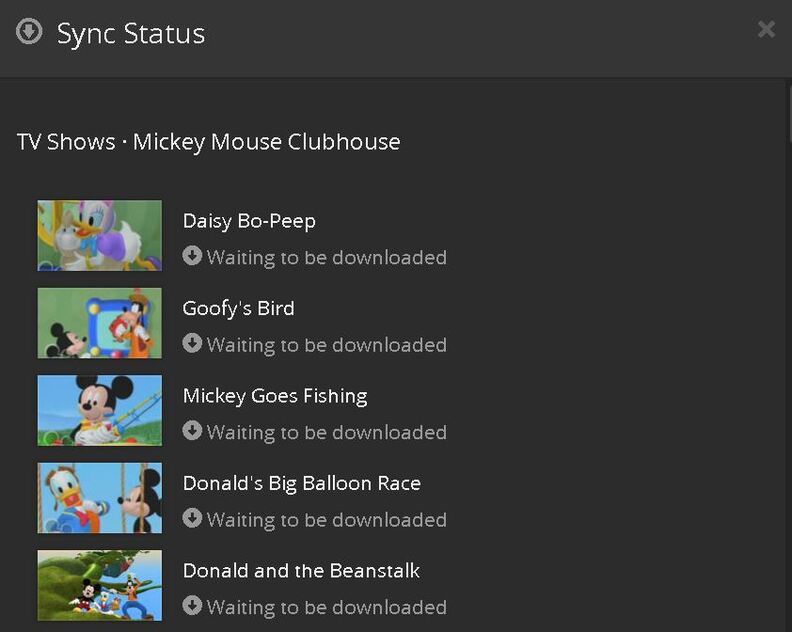
Plex sync on Kindle Fire HD 10 gets stuck on “waiting to download.”
Plex server running Version 1.15.6.1079
Fire running: Fire OS 5.6.4.0
Plex 7.15.0.10215
Storing to external SD card with enough space for what I’m trying to Sync (39 Gigs free space).
I currently have 26 movies synced to this device via Plex, but cannot sync anything else.
I see that Plex converts the media after I try to sync it, but the sync never happens.
Tried updating the Kindle Fire OS, as well as the Plex app on the kindle fire.
Plex server software is up to date as well.
Started pouring over the plex logs on my server, but not sure what to look for in there.
See some log entries referencing my Kindle Fire, but the syncs still get stuck:
May 28, 2019 14:37:54.247 [12216] DEBUG - Completed: [192.168.1.233:47239] 200 GET /sync/80748d09a7183472-com-plexapp-android/status (19 live) TLS GZIP 8ms 1738 bytes (pipelined: 1)
Any advice or pointers would be greatly appreciated, thx!
Andy
Thanks for looking.
The media was converted, but now there is nothing in the conversion section on my server.
When I check sync status on my server, its stuck on “waiting to be downloaded.”
In the app go to settings and find the option to turn on debug logging. It will show you a url. Enter that into a web browser, you’ll get a bunch of text. Save the page as a text file. Upload that file.
05-29 09:37:18.253 e: [Sync] Error 0 downloading path /library/metadata/23926/thumb/1557036300 from server ‘Lap Plex’ (0680f84246de5d58efcb772f308472528489200f).
05-29 09:37:18.295 e: [Sync] Error 0 downloading path /library/metadata/23926/art/1557036300 from server ‘Lap Plex’ (0680f84246de5d58efcb772f308472528489200f).
05-29 09:37:18.321 e: [Sync] Error 0 downloading path /library/metadata/24087/thumb/1557036335 from server ‘Lap Plex’ (0680f84246de5d58efcb772f308472528489200f).
05-29 09:37:18.331 e: [Sync] Error 0 downloading path /library/metadata/24087/art/1557036335 from server ‘Lap Plex’ (0680f84246de5d58efcb772f308472528489200f).
Using Plex Web, call up the preplay page for any video. In the URL you will see “metadata” and a number. Change the number with “23926”, then refresh the metadata for that item. Repeat for “24087”. Then back on the Fire HD, hit the refresh sync button and wait a minute to see if things get moving.
If you can’t get to those 2 items, that means you are trying to sync items that have been deleted. Enter the following into Plex Web (replace the token with your actual token) https://plex.tv/devices/80748d09a7183472-com-plexapp-android/sync_items.xml?auth_token=...bRCv&includeExternalMedia=1
That should give you a list of your sync jobs. That should give you an idea which job is getting stuck. Then find the sync job with those 2 items and edit the job to remove them.