Library disappeared on Synology NAS, help!

Hi, many thanks for any help in advance, I appreciate it!

I have been using plex installed on a Synology NAS for a few years without issue, regularly doing the manual update through the package centre.

Without any noticeable change happening, my library has completely disappeared from my account and does not show up logging in from any device.
HOWEVER, I know that it still exists and is functioning because I can see shared users watching content normally on Plex Dash! I’m the only one who can’t see it!

I am not very technical, so googling solutions I quickly get lost in SSH Tunnels and such. I hope there is a way forwards that simply restores it, with my Library data and without disrupting the shared users.

Thanks again

Server Version#: 1.31.1.6733 (latest?)
Player Version#:

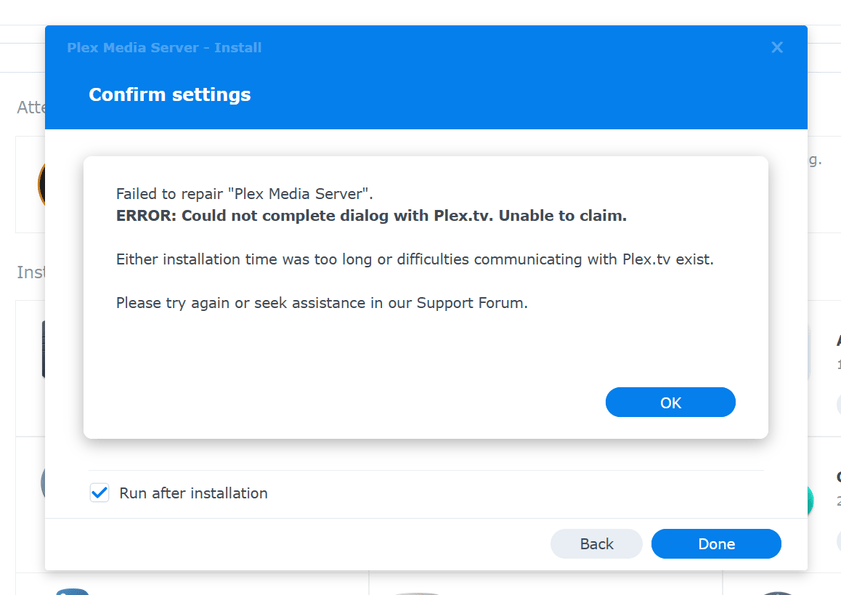
Tried to unistall, reinstall and reclaim the server using the token according to the FAQ posted by ChuckPA but it fails…

Need more info please.

DSM 6 or DSM 7 ?

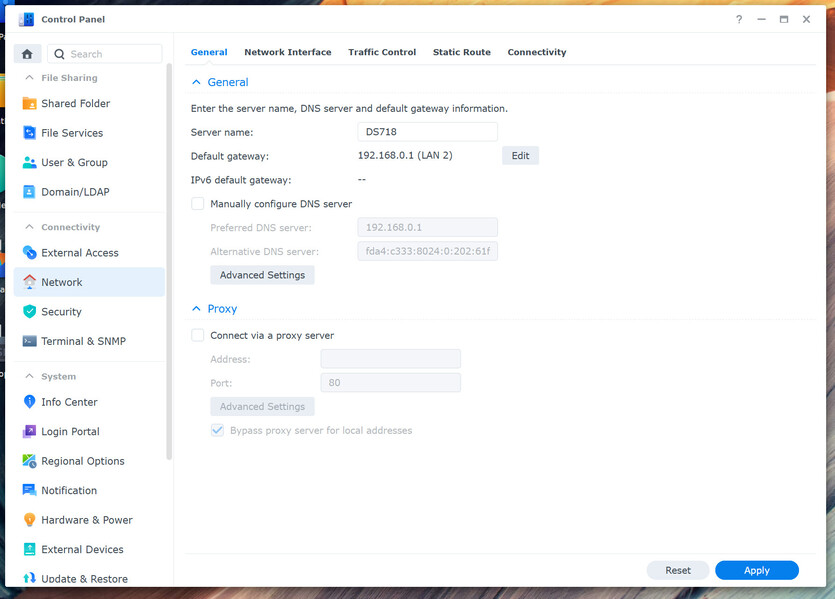
Regarding the message, Can you confirm the Default Gateway is correct on the Syno?

DSM 7 as of a few months ago.

Default Gateway is the correct address and that in browser would bring up the router’s ‘Wifi hub settings’.

Are you using both LAN adapters on the same subnet ? ?

Not super sure what that means, there is only one ethernet cable between the NAS and the Router if that’s what you are asking. I’m not doubling up if that is possible…

I’m asking because you show ethernet plugged into “LAN 2” meaning there is a “LAN 1” on the box.

Sometimes users will plug in both cables (thinking it works better) when it actually makes it worse.

May I see the PMS debug log ZIP file ?
(Settings - Server - Troubleshooting - Download Logs)

Gotcha, I didn’t realise they were numbered.

Hmmm, not sure how to access the server settings.

The Plex package on the Synology is still uninstalled and logging in to Plex web I see no option to view the server settings for the logs. I only have options for a smaller server running on my PC.
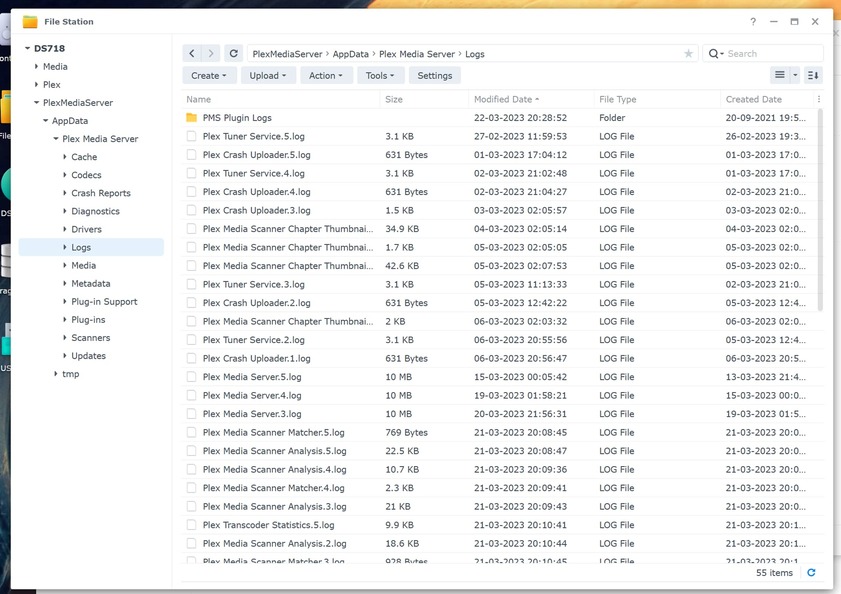
I can find logs in the Synology file system in the PlexMediaServer folder, is that helpful?

Just make a ZIP of that “Logs” folder (Plex stopped) ,

Download to your computer ,

Upload here for me.

I can easily handle the ZIP file

Logs.zip (3.6 MB)

Thank you.

I looked through multiple log files to confirm.

It looks like the trouble you’re having for the paste couple days is DNS errors.

Mar 22, 2023 20:28:54.317 [0x7f91ed0fdb38] WARN - [HttpClient/HCl#4] HTTP error requesting GET https://v4.plex.tv/pms/:/ip (6, Couldn’t resolve host name) (Could not resolve host: v4.plex.tv)

Given you can communicate with us here in the forum (through your modem/router) and the Syno,

As first step

  1. Control Panel

  2. Network

  3. General tab

  4. Make certain the default gateway points to the IP address of your modem router (which was found as usable at 192.168.0.1)

  5. It should look like mine. (I’m also on a 192.168.0.x network)
    Screenshot from 2023-03-22 16-31-11

  6. Restart DSM. (Plex will auto restart with it)

Okay fantastic, I did that, then reinstalled the plex package and it seems to have reclaimed successfully!

Just going to see how it looks, 2 weeks since I last saw my files!

1 Like

Thanks again ChuckPa, really appreciate your time and help. Seems everything is back to normal, cheers!

This topic was automatically closed 90 days after the last reply. New replies are no longer allowed.