Hey guys
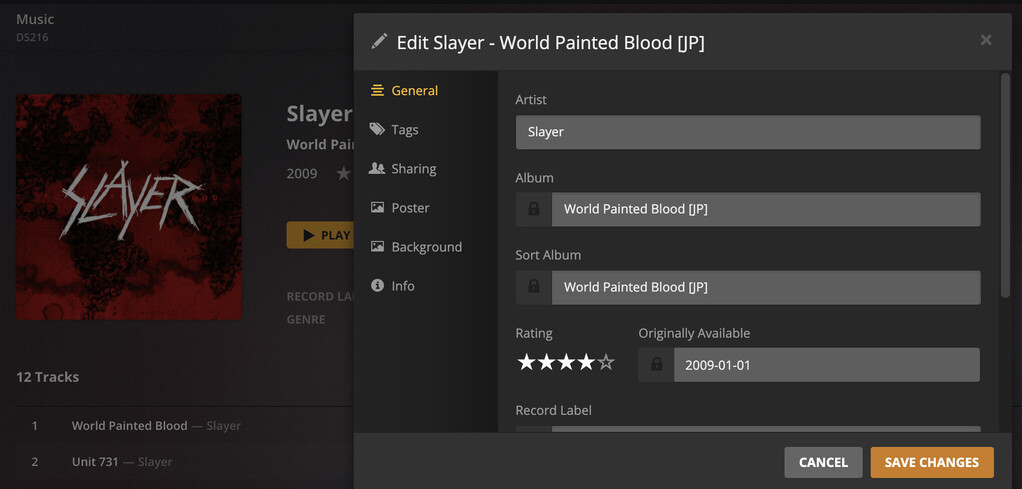
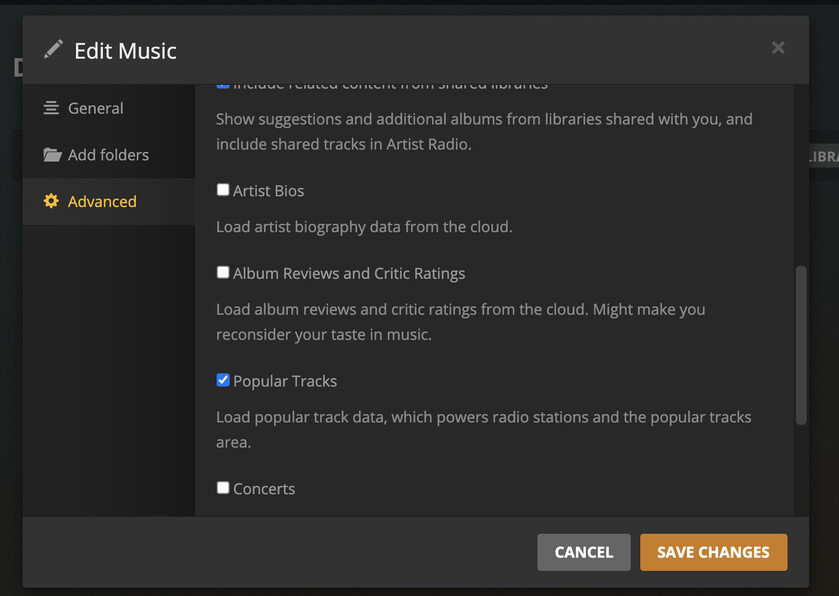
So I think I’ve got a corrupt library. I’m getting locked ratings appearing on any new music I add and also after turning off artist biographies and doing a full library refresh it’s all still showing up.
If I was to delete and start again, what’s the best approach? Would I delete the Plex app from my Synology and reinstall? Or is it best just to delete the library and create a new one? The thing with that is, I feel the support files will still just bring the errors back.
If you could help, that would be great. I can supply logs if that helps.
Cheers
Server Version#: 1.22.3.4392
Player Version#: 4.56.3
What exactly do you mean by “locked ratings”?
From experience I think it might help to (hard) reload the client and clearing the library bundles/cache if the expected result isn’t showing right away. – at least before going nuclear and starting over.
Hi tom80H,
Thanks for the reply.
I had started a thread (below), a few weeks back and wasn’t getting much help.
You can see I’ve put screenshots and more of an explanation there.
The thing that’s weird is anything new added is getting locked ratings, which I believe is from the critic ratings option, though I don’t have that selected.
Could you let me know how to hard reload? I could try that and see if it helps.
What you’re referring to is the critic rating that Plex gets from some online source.
You can still manually rate your album (see below; green boxes show the critic rating; the light blue box is your personal album rating – in this specific case I haven’t rated the album).
In my library settings for music, it looks like this. No selection on ‘Album Review and Critic Ratings’ and no ‘Artist Bios’. But even after a full ‘Refresh All Metadata’ for the entire library it still shows these things.
Got you and took me a moment to figure this out myself.
For what it’s worth it appears Plex will display the critic rating as the default value for an album rating – this is indicated by the white stars. Once you set your own rating, the stars will be displayed in orange.
Therefore, the “white stars” won’t go away. Even if they’re just an indicator of the critic rating.
If you clear your own rating, Plex will also revert to the “white stars” to indicate the critic rating. I’m reading this as “there’s no rating but we can give you an idea how the album was generally perceived by critics”.
Doing a metadata refresh after applying the settings as shown in your screenshot should do the job (double-checked in the background and got a positive confirmation from others where it’s working as expected).
If you refresh your library, wait for it to complete, reload the web app and still see the ratings… can you check out / share your server logs?
Ok, I’ve refreshed the whole music library, which took a while as I’ve got a lot of music. Then reloaded the web app, but it’s still showing critic ratings on the several latest albums I’ve added and it’s still still showing artist biographies.
This is a behavioral change, and as far as I’m concerned, a vehemently unwelcome one. I have absolutely no interest in what critics think. I buy music based on what I like, not what critics like.
Configuring to prefer local tags won’t change this. I’ve been configured that way for years. Out of curiosity, I removed/re-added an album, and Plex put a critic rating on the album, where there was never one before. None of the albums in my Plex library have ever shown a critic rating, but now this one does.
Hey guys,
Thanks for your feedback.
So based off what you’re saying, this is now what Plex does and there’s no way of getting rid of it?
It’s weird though, why has it just applied it to the new albums I’ve added and not to all my other albums? It just doesn’t really make sense. I was happy with how my library was before and now it just has this ratings issue.