Library missing

@BeeVee23

I’m looking at Plex.tv.

Using the email address for @BeeVee23 ,

I see:

Owner BeeVee23 
Version 1.19.1.2645-ccb6eb67e 
Machine Identifier 0fb486c8cd4b42cb1c92a894091c177ac4a6b245 
Created over 9 years ago 
Last Seen over 4 years ago

I also see three shared servers; Day****, Free****, Kev****

Which username/email is being used?

There are several servers shared with me (the three you mention), but there was a point where I was trying to give access to my server with a login because sharing didn’t seem to be working. I can get rid of the other users now

@BeeVee23

Allow me to rephrase? Where is your active server ?
I don’t see one for you under this username.

Sorry, my fault. My active server is on the PC called Mini. I have a Windows Storage Space set of drives attached with about 5 TB of content. This all worked last week and has done so for years, so I’m not sure what I did to mess it all up.

@BeeVee23

I think I’m starting to understand.

I don’t see anything registered (claimed) for you on Plex.tv

Given you have a server named “mini” but Plex.tv doesn’t see it,
I suspect the following:

  1. You removed the server from “Authorized Devices → Servers”
    – or –
  2. The server got signed out of your account.

The first action here is to attempt to reclaim it.

  1. close all browser windows
  2. Open the browser
  3. Open an incognito window to the server
  4. As you sign in, if the server is unclaimed, it will want to claim it
  5. Further, you can look at Settings → General (right side of the window) to confirm this.
  6. Go ahead and reclaim it

Does it have to be local, or just plex.tv?

Because going through Plex.tv, my two-factor authentication doesn’t recognise the code I gave it

App.plex.tv will work .

You must be certain to use the LAN IP of the server.

That sounds like I need to use the internal network address of 192.168.1.99:32400/web?

I don’t have either of these options

Let me get some help.
I’m not a windows person

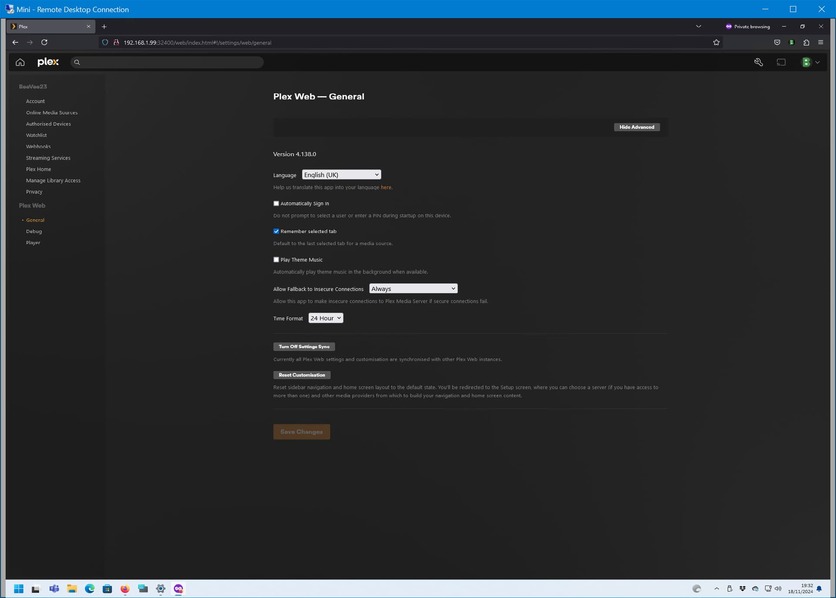
Go to your settings… in the left pane, half way down in the “Settings” section click on “General”.

Then in the right pane near the top you should see this.

If you don’t then the server needs to be reclaimed.

This is what I have there

Ensure you don’t have any VPNs, or internet filters etc. activated.

It appears you need to perform this procedure: You need to reclaim your server, but don't dare to touch the Windows Registry

Notice the link on that page which explains the new method to claim a Windows server: New Claiming Requirement for Windows

If you still cannot claim the server, try to use a custom DNS server in your local network. 1.1.1.1 and/or 8.8.8.8 are known working examples.

Right now, Opening Plex by right-clicking on the server icon in the taskbar gives me:

Skype_2024-11-18_21-50-57

Is this a DNS problem?

I don’t know how to set one up for my local network of Windows machines

You put the above addresses into the settings of your local router…

Is your server actually in your own network? Or is this a rented VM in a data center? And if it is, who is the operator?

Yes, my own network as I explain in post 14.

If I go to Mini (through RDP) and start Plex by right-clicking the PMS icon in my task bar, I get the repeated reloading like I showed in post 34. If I go to https://app,plex.tv, the page loads, but the servers shared with me are unavailable and my server is not present. In settings, I do not have the ability to claim my server and my libraries are not present. Do you have any advice? I have been a Plex Pass user for probably a decade or more and this is the worst state for my library.

Try this;
RDP into or directly in front of your mini, open a browser and enter the address
127.0.0.1:32400/web
See if it lets your in. Grab a screenshot if it doesn’t.