Server Version#: 1.40.5.8854
Player Version#:
<If providing server logs please do NOT turn on verbose logging, only debug logging should be enabled>
My library disappeared and when I looked to add it again, most of my settings menus were missing. I searched forums and found similar issues then followed troubleshooting steps including logging out and back in, uninstalling/reinstalling plex on the pc, removing registry settings and removing the server from authorized devices. Nothing helped and now I can’t get plex to find my sever at all. How to I start from scratch?
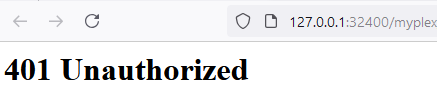
Thanks for the reply Otto, I verified it is running. When I open plex web at http://127.0.0.1:32400 I can see the server that is shared with me but not my local server (hdd) and can see no way to add it back.
Are you running on Windows 10/11 or on Windows Server Edition?
Have you checked the status of your network connection? If you are in your home network, the classification in Windows must be “private”, not “public”.
Are you using any 3rd-party anti virus or VPN software?
Where are you in the world?
In the US and running Windows 11, no VPN or 3rd-party anti virus. My network was set to public so switched to private. Restarted everything and checked but no change. I ran the .reg file and it did not seem to help. I have tried creating a new user and still don’t see the option to add a local library.
The reg file must be imported while Plex server is closed.
After importing the reg file, the server has to be claimed. How to do that is linked in the post as well. It is a new procedure which you haven’t performed yet.
Thanks again for the continued responses Otto. I followed these instructions again however it never tells me that I need to claim a server, it just logs me back in. If I log out and back in, I still see the same.
I use firefox but have tested with edge as well and see the same thing. I verified that no add-ins are installed. This pc is only used as a plex server so nothing has changed on it since original installation in 2022.
I was referring to a plex account. I just logged out and signed up for a new account to see if my user account was corrupt. I see the same menus with a new user (aside from the shared server).
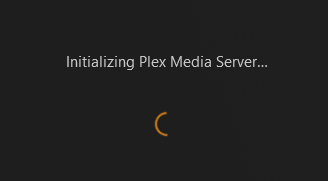
I just created a new windows user and attempted to claim the server using the html file. I see this and it never completes. I’ve tried claiming the server with plex running and without.
Is there a Torrent client software running on this computer?
If yes, disable/stop it, before starting Plex server.
Apart from that, I am almost out of ideas.
Maybe try setting the DNS server of your local network (in the the settings of your router),
or if that is not possible in the properties of the Windows network connection
to 1.1.1.1 or 8.8.8.8
Thanks again for trying to help me figure this out. I’m going to wipe the computer and reinstall windows. I’ll post the outcome after I have it online again.