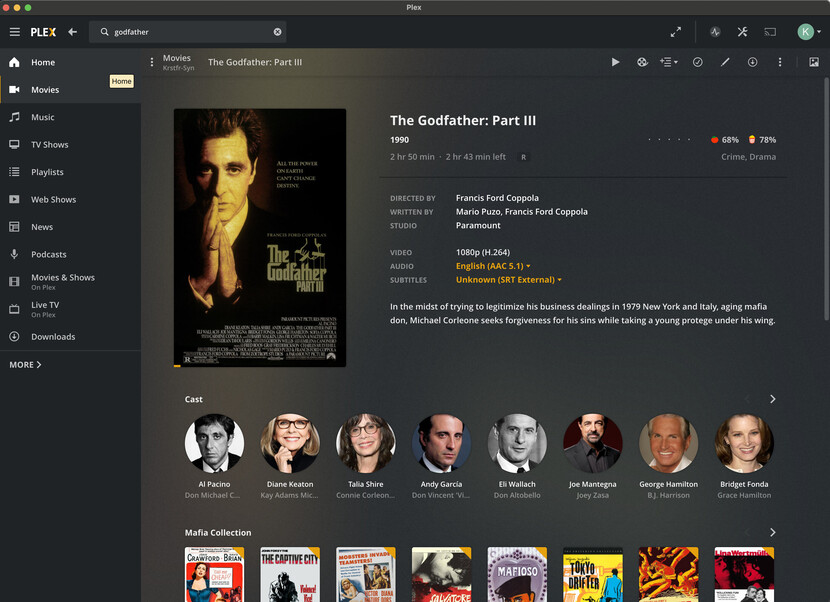
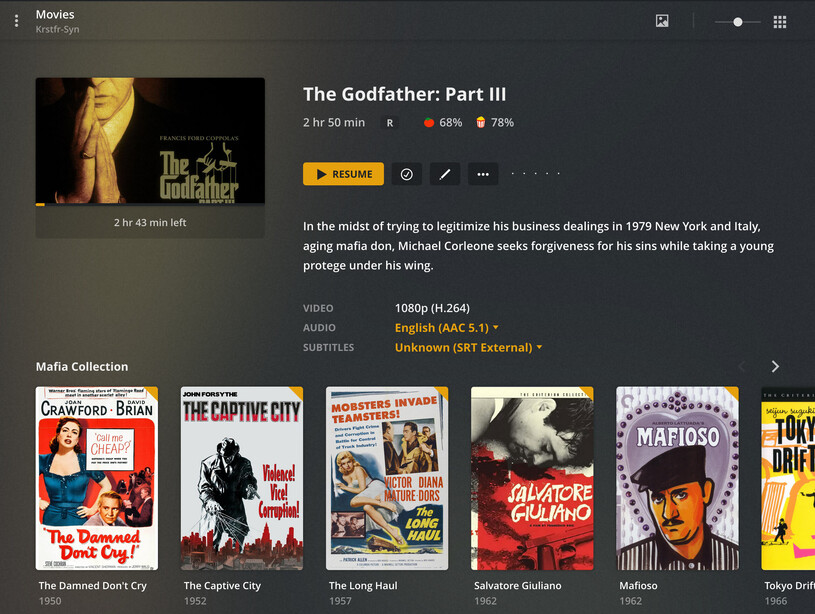
Without my doing - not sure how it changed. Luckily al the meta-data is fine, and the library view still shows posters. The issue is in the item view, which loses the cast and other details, along with landscape thumbnail versus portrait poster. Any idea on how to change this back (and why it might have changed in the first place?) Shows this view in Chrome and Firefox web clients, strangely though the stand alone mac Plex Player (1.25) still shows the movies view
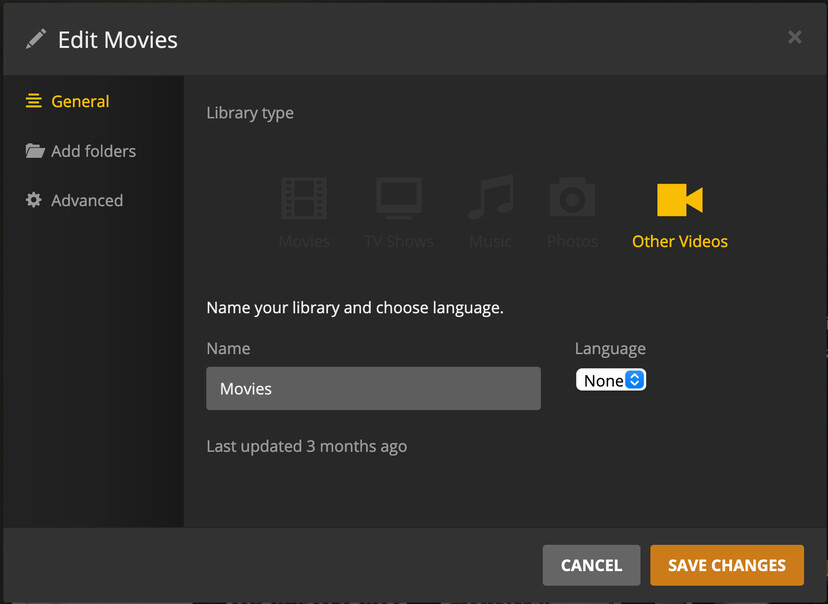
attaching a few screenshots. i know changes don’t happen by themselves - but it could be with a release that the change happened. I can’t actually change the library type (before or now) but know 100% it was listed as Movies type before, not Other Video. The scanner and agent don’t change the item view (as far as I am aware) - they are the scrubbers for getting the meta data. I have mine set to Personal so that I can set and not have it automatically overridden.
The Library is large (over 7000 items) so I’m not risking reimporting (and have had issues before that I had to clean up.)
thank you - that seemed to be it. I’m not sure when it switched to the new format but that makes sense how it changed the library type. The reason I had originally switched the scanner/agent is that it was overwriting the meta data I had set (losing collections too) and manually matching items was working well up until very recently. I’ll keep an eye on my next additions to my library - hopefully that won;t happen again. Thanks again for your help!