Hi, There used to be a setting when editing a library to allow visibility as follows
Visibility : Restrict where content from this library should appear.
- Include in home screen and global search
- Exclude from home screen
- Exclude from home screen and global search
I at one stage set a library to “Exclude from home screen” which worked fine however I now cannot re-add it to include in home screen as the setting appears to be missing.
Yeah, I’m really hoping the plex team aren’t so disconnected from their users that they actually thought turning “continue watching” into an all or nothing thing across all libraries was a good idea. I’m not a plex master or anything, but, after clicking around and trying everything I could think of, it does kinda look like they said to themselves “this feature isn’t useful. I mean, no one keeps content they might not want showing up next to their last watched episode of Seinfeld, right??”
I know right?
I loved the simplified home screen where I only had three items namely On Deck, Movies and TV Shows. Nice and clean and easy.
I have multiple movies libraries and anything I added in any of those libraries showed up in the singe Movies section on the home screen.
Same applied to TV Shows however I have a Series library and a Series For Teens library for my daughter. I used “exclude from home screen” for the Series For Teens library as I didnt want all the new episodes for her shows showing on the home screen and also the on deck (for some reason teens seem to watch parts of episodes at a time).
This worked great but now not so much and I cannot add it back to the home screen.
Now that I purchased a Lifetime Plex Pass in the last month I could add my daughter as a managed user which would solve the problem but thats beside the point
In the “new world” (i.e. with “automatic home” activated), principal inclusion of the library on the home screen is determined solely by whether the library has been “pinned” to the left side bar or not.
The inclusion of the library into global search can be still determined in the libray’s properties.
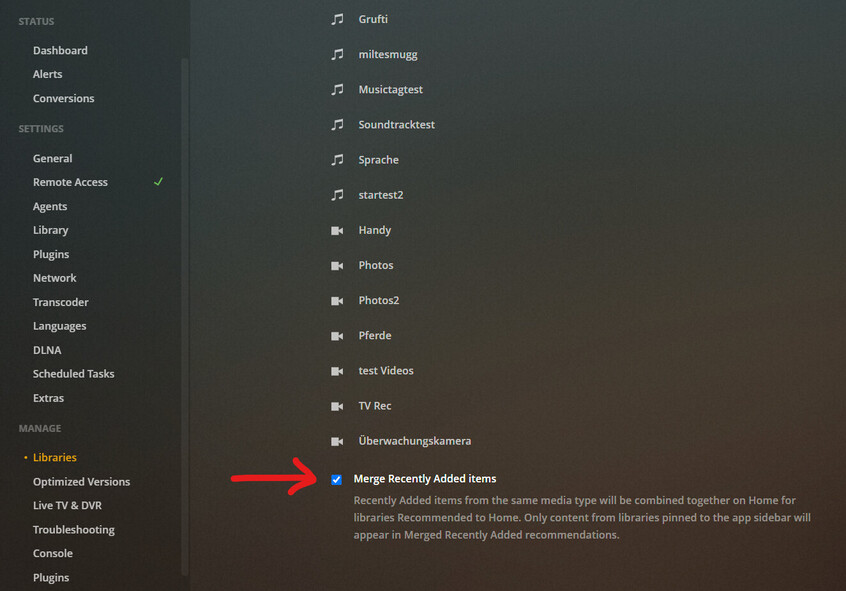
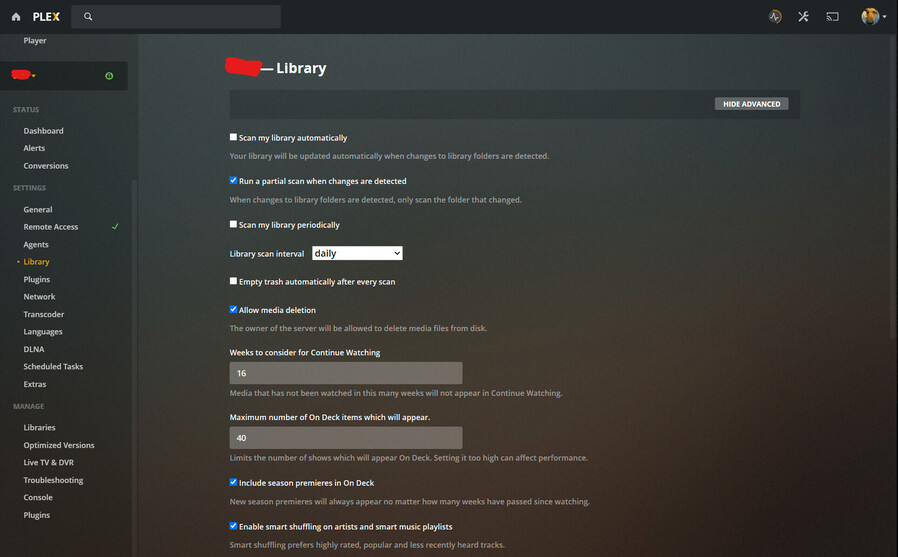
Some details of the home screen behaviour can be defined globally on the server with these settings:
Not all client types have been updated yet to support this new approach, so I recommend to use the hosted web app for now: https://app.plex.tv
Thanks for the feedback.
I do have the Series for Teens pinned as you indicated and it shows on the left but not the home screen content.

You can see in the pic that Mini Series is there and TV shows with Series for Teens in between on the left but in the content of the home screen
My Include in Global Search is set as per your snapshot
I dont have the last two option (yet) on the libraries as you indicated and I am on Version 1.22.2.4264
Incidentally the TV Shows is something which I just added and points to the exact same file location as Series For Teens and this is showing as per above. I will just delete Series for Teens and then rename the TV Shows as a workaround to the problem. Not ideal but it works
I see no sign of the Merge Recently Added Items on mine either.
Is that a yet to be released option?
or am I looking in the wrong place?
This is on the hosted app with PMS v1.22.2.4254
These might be made publicly available at a later date, after more testing has been performed.
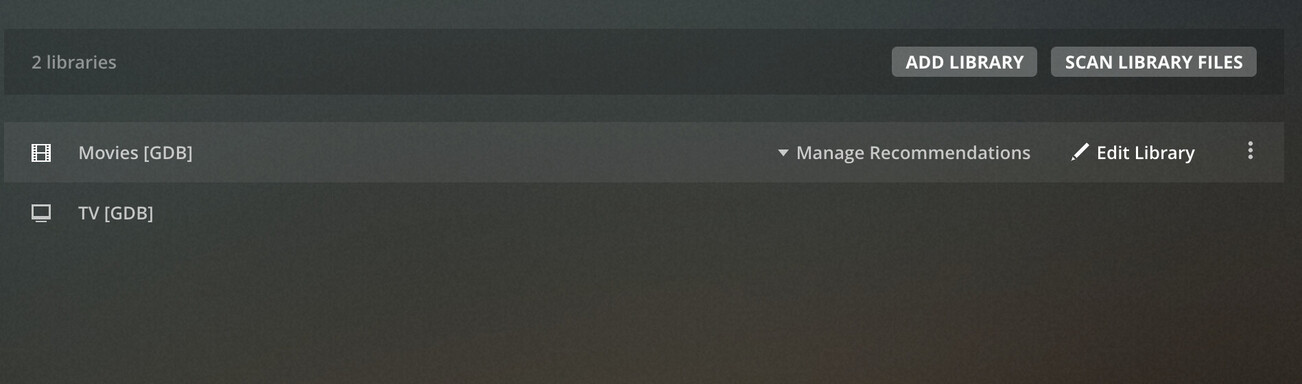
The manage recommendations is there if I use https://app.plex.tv/ but not the Merge Recently Added Items
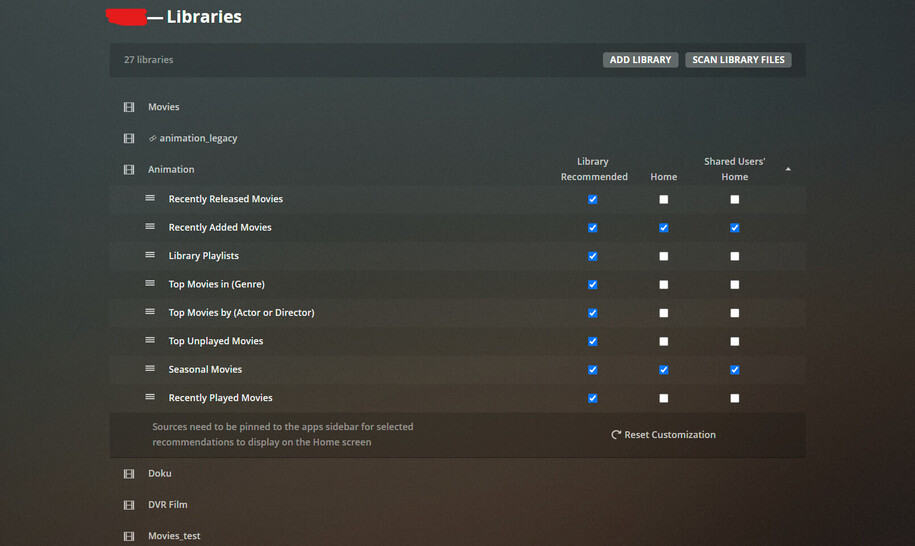
Is there somewhere where the functions of each of the below are explained in detail
Not yet, as these are still in development. What do you want to know?
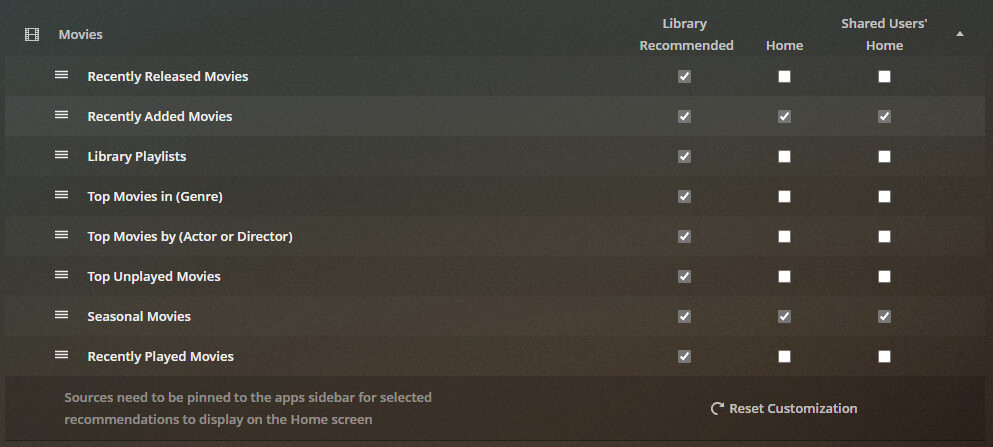
For a start what the checkmark in each column will do
It is pretty self-explanatory, if you look at the table headers.
Each checkbox determines the visibility of that particular “hub” on each of the 3 available locations.
(“Hub” means the horizontally scrolling categories which appear at the home screen and on the “Recommended” tabs of the libraries.)
- “Library recommended” means the page which you get when you click on a library on your side bar, and then activate the “Recommended” tab.
- “Home” refers to the home page as you (the server owner) see it.
- “Shared User’s home” refers to the home page as your “managed” and “shared” users are seeing it on their client(s).
(Keep in mind that you still can block / grant access to a certain library to a certain user in general, on your https://app.plex.tv/desktop/#!/settings/users-sharing page.)
Just got tipped off that a help article already exists: Manage Recommendations | Plex Support
Ok that makes sense and I switched some on and off and can see where the changes take place. Not really of much use to me as I never use the Recommendations and only view the library and sort movies by recently added and series by name.
Nice to know that exists though
This page is primarily intended for these moments when you cannot decide what to watch next. Some of the hubs can provide one or the other impulse.
Interestingly although the settings are only available on https://app.plex.tv/ and not on the PMS any changes made on the web app are applied to the PMS as well 
All settings underneath the server name are server settings and not client settings.
Don’t be misled by the URL in your web browser’s address bar.
This is only the location from where the web app has been loaded into the web browser’s memory.
Once it is there, it runs exactly in the same manner as the one you can load from the local IP address of your Plex server.
i.e. this is not a “web page”, which sends all input and actions back to the address from where it has been loaded. It is a genuine “app”.
Thanks, That explain it pretty clearly and makes sense.
Thanks for your help
I can’t figure this out for the life of me. So either I have something wrong with my PMS ( Version 1.22.1.4275 for Mac) or it’s not self-explanatory in the least.
I have a library of home movies that I (as the owner/admin/grand Pooh Bah) don’t want to see every single time I open Plex as the first thing I see. I’m pretty sure that screen I see immediately when I open Plex is called the “Home” screen but please correct me if that’s where I’m getting confused.
And if that is the “Home” screen as I truly expect it is after many years administering my PMS then my expectation after unchecking every single “Home” box (and “Shared Users’ Home” for good measure) on that particular libray that I don’t want to see on the home screen - well I shouldn’t see that library’s “Continue Watching” being recommended to me on that screen that I continue to suspect is in fact my “Home” screen.
So I guess I need someone to explain the concept of these rows, columns and check boxes a little slower and with smaller words. I mean I read the support article and they repeated the line about ‘the library has to be pinned to the user’s sidebar for recommendations to display’ three or four times as if thats the panacea. But if you mean that by actually pinning the library to the sidebar it overrides every single check box that you blanked out and instead will make recommendation show up on the home screen - well then I can see why it was repeated so many times. Because that would just be assanign and good gracious if that overriding IS the intended result then there is definitely a way to word that in a manner that actually is self-explanatory. But as I see everything written both in the support article and on the face of the screen as I’m unticking every single “Home” box it’s in fact the antithesis of - you guessed it - self-explantory.