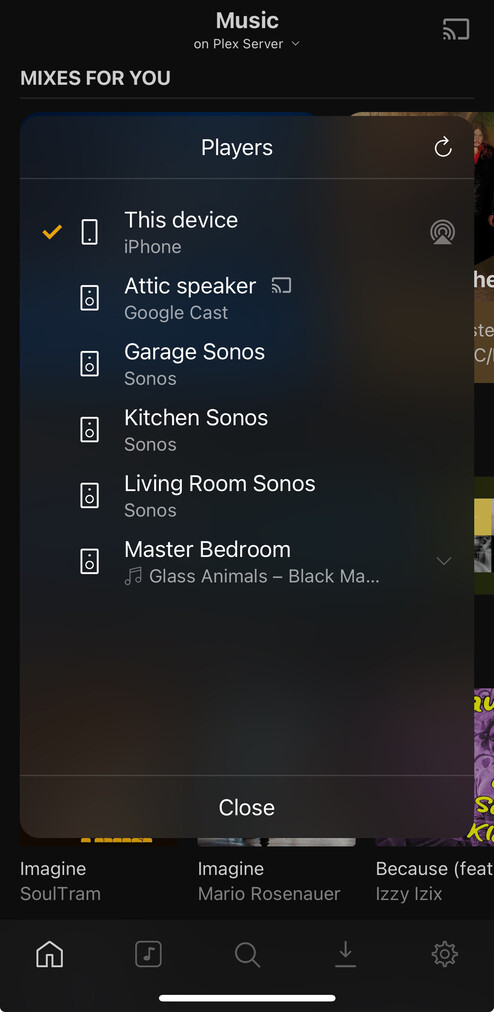
I’ve seen this problem posted many times but now closed on here.
As the admin, I have PlexPass and my wife as a home user also has PlexPass. From ALL the previous postings concerning this issue, Plex has responded that the reason a home user cannot see the Sonos speakers show up is because the Homeuser also needs PlexPass.
Our household meets this requirement but my wife still cannot see the Sonos speakers
To further explain, clarify:
Both my wife and I are Lifetime Plex Pass holders. I have shared my library with my wife. When logged in as her in Plexamp, she cannot see the Sonos speakers in our house. When I switch users back to me, the Sonos speakers show up again…. same device and same WiFi …switch back to my wife and the Sonos speakers disappear again. Over and over, banging my head. I have tried on multiple computers and iPhones, have also deleted Sonos, Plexamp and reinstalled multiple times on multiple iPhones and reset up again with still no luck. Very frustrating. Any feedback, advice would be greatly appreciated.
it isn’t showing the option to link her Plex account to her Sonos account in the menu? she is signing in herself on her own device? (without you signing in and switching)
The only thing that shows up is a Google Cast device that happens to be on the local network. I’ll send a screenshot of what I see selecting my wife as a user, and what I see selecting me as a user.
And if I logout completely on the iPhone or Computer and relog in as her (meaning not logging in as me a then switching the user to her), it doesn’t seem to affect anything.
Hallelujah! I don’t recall needing to go to that page at anytime when I added the Sonos for me as a user. Maybe I just forgot? Anyway, that did the trick. I never saw this suggestion in previous postings… always to just make sure the user had PlexPass. Thank you again!