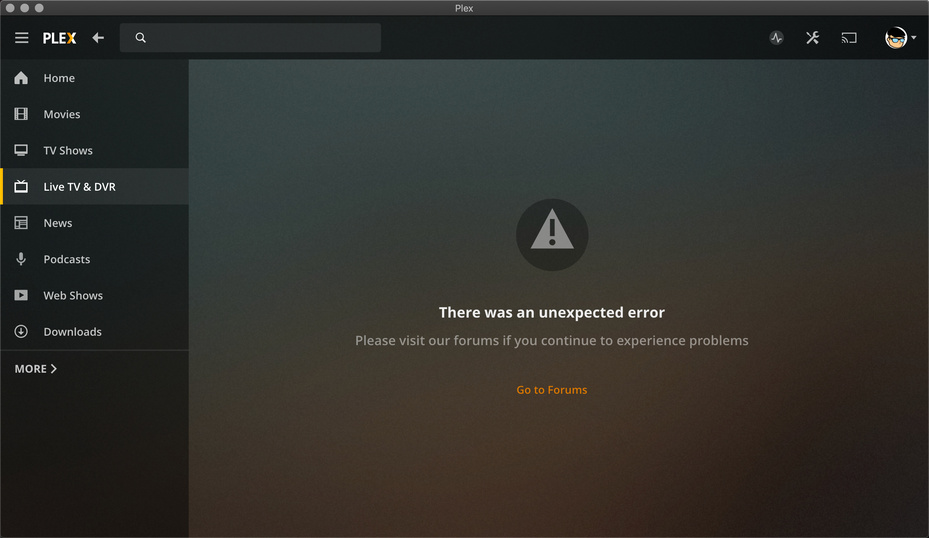
When viewing my Server via browser IP… all is fine and the guide shows fine for the TV DVR. I am using HD Homerun and it has been working great.
Today when trying to access the LiveTV guide via my apple tv it says it can not connect to the server. The same things is happening when using the new Plex Desktop app for mac. My iPhone is seeing the guide fine.
I’m having the exact same issue - just set up a “new” DVR.
I now get “there was an unexpected error” on the Mac app, and 2 listings of “Live TV & DVR” only on the TV.
I can send logs if anyone wants to attempt to debug this reply to this comment.
Same problem. Had everything working and my HDHomeRun died. Got a replacement and now it won’t work on any device. If I try it through the HDHomeRun apps, works fine.
Same thing here. This first started for me on the MacOS player, but then folks suggested to download the preview for 1.4 for MacOS. I did, that resolved the issue on MacOS desktop. Then all of a sudden, the iOS and Fire cube apps started acting up and now Live TV doesn’t work. The DVR still continues to work in the background, but Plex is unable to stream to the native applications.
I’m using HDHomeRun Prime as the tuner. Funny enough, even though the apps bomb out, I can see activity on the tuner where it goes from unused to showing that whatever channel is now being picked up.
I’m having the same issue. Live TV says “There was an unexpected error”. The Live TV Stream works when I view it via the plex media server web interface.
I am having the same issue.
If I use the web based application to look at the Live TV & DVR Guide data all works fine on either PC or MAC. When I use the PLEX application on either a PC or MAC I get the error message.
If I use an IOS device all works fine without issues.
Anyone have any ideas how to fix the issue on the PC and MAC Plex applications.