Server Version#: 1.41.4.9421
Player Version#: 4.141.0
Tuner Make/Model: HDTC-2US Firmware 20230713
Tuner Setup
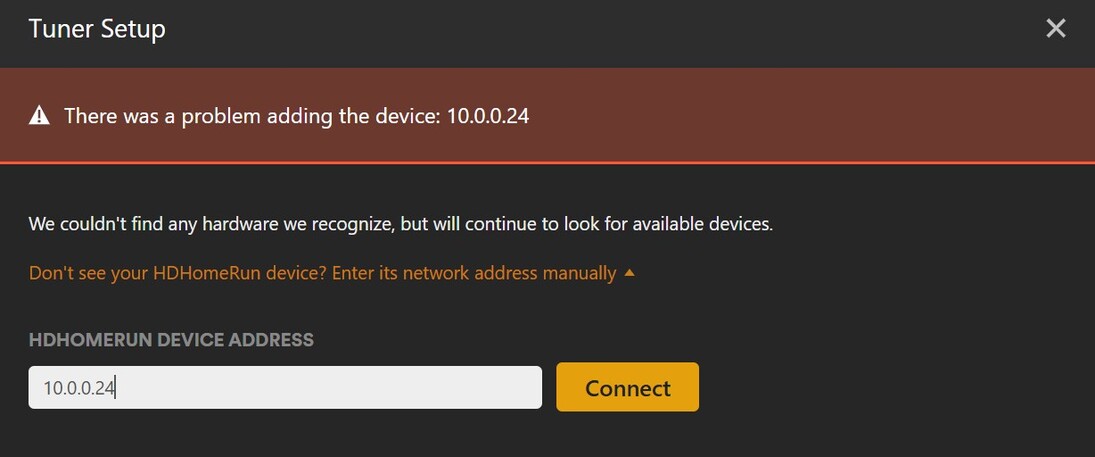
IP Access Works

What next?
Server Version#: 1.41.4.9421
Player Version#: 4.141.0
Tuner Make/Model: HDTC-2US Firmware 20230713
Tuner Setup
IP Access Works
What next?
Plex Media Server 1.41.4.9399 broke DVR Setup
Are the server and the tuner on the same logical network (presumably 10.0.0.0/24)? I ask because, normally, SSDP would be able to find the tuner automatically, obviating the need to manually enter the IP address.
I understand that you’re able to browse to it using the same address from your browser; but that doesn’t necessarily mean your server can see it particularly if it’s not a flat network.
Same network - worked two weeks ago before last two up dates
Weird. I just set up a new DVR on version 1.41.4.9421 with no issues (HDHomeRun Flex 4K tuner). I was using the hosted web app (1.145.0) instead the embedded one (1.143.0 as of this server version).
I’d recommend you try that as well before downgrading: https://app.plex.tv
It’s always the latest version while the embedded one is normally (at least) a couple of versions behind.
No Go - even tried complete new install with PlexMediaServer-1.41.4.9421
Also verified Lifetime Plex Pass is active in signed in account
PlexMediaServer-1.41.4.9421 ONLY looks for DVR at address x.x.x.127
Set HR address x.x.x.127 and setup works
Can someone please fix this?
Again, weird. The test I ran earlier suggests that’s not the case, at least not for everyone, as my tuner is at 10.10.0.243. What seems more likely is that your previous DVR configuration wasn’t properly deleted from the database and Plex may be erroring on trying to add a tuner at the same IP address as one it already has in its DB.
How are you with SQL? Open your Plex server database (com.plexapp.plugins.library.db) in your Plex data folder, in the “Plug-in Support/Databases” sub-folder. Dump the ‘media_provider_resources’ table to see if there’s an orphaned entry for the tuner at the URI http://10.0.0.24:80.
Please, pretty please, backup your database before doing this.
Unfortunately I won’t be able to suggest how to do this in your environment as I have no experience with using Plex on a Synology NAS device. On a Linux server (on which Synology bases their NAS devices, I believe), you would simply navigate to the sub-folder I referenced above and run:
/usr/lib/plexmediaserver/"Plex SQLite" com.plexapp.plugins.library.db
This would open the database. And then on the SQLite command-line run:
SELECT uri FROM media_provider_resources;
This would dump ‘uri’ column the table.
Sorry - your suggestion is beyond my ability.
I did go a complete delete of PMS and a clean install (dates on all files reflect clean in stall date).
This maybe a problem with Synology version of PMs
