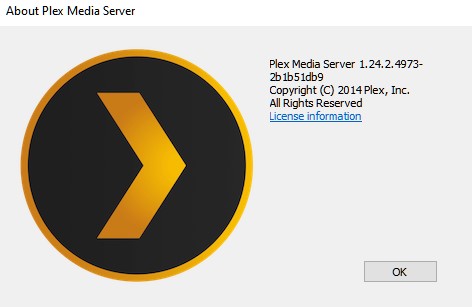
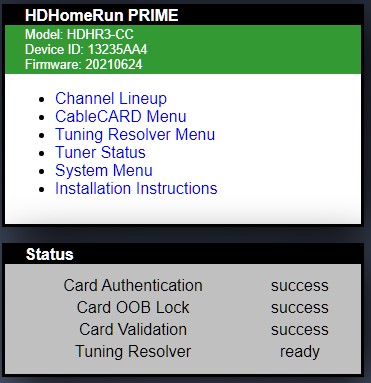
I am relatively new to plex and don’t understand the most complex concepts. I have been using plex for about 3 months and have been using an HD Homerun Duo to watch live TV. I just upgraded my Plex account to the lifetime membership and my live TV stopped working. Attached below is the error message I receive.
Playback Error
Could not tune channel. Please check your tuner or antenna.
I know the HD Homerun works because I can still view live tv in the HD Homerun app, but not in plex. I have tried deleting the HD Homerun from my server and re-setting it up, but this produced no change.
The problem is from the new version of Plex. From my findings Plex won’t play any channel that has a name like “Name TV”. All the channels that are named as “Channel” are running perfectly. I tried in my VBox to rename all the channels but no luck.
The problem is that Plex doesn’t parse correctly the source link, i.e.:
url src=“http://192.168.4.210:55555/TVR%201” - this will give error because of the special character (%20)
url src=“http://192.168.4.210:55555/B1” - this will run without any issue.
So until Plex Team fixes this parsing error we won’t be able to use our TV Boxes (at least not for all the channels available).
I know that if you downgrade you might fix the DVR issue, but downgrading is not the way.
Plex must fix this issue, and me as a paying user shouldn’t have to be forced to use an older version to be able to use a function of the plex server.
Totally agree that this needs fixing! Just trying to help with an interim fix from a different discussion thread with a topic that may not seem relevant to this problem.
I also have this problem with my Fritz!WLAN Repeater DVB-C (my own problem with that got no answers here).
The strange thing is that it is not working in the morning at my Mac and my iPad/iPhone. But in the afternoon suddenly it is working without any problems. But then it stops working sometimes again. It is really annoying!
But when it works I can play all channels on my Mac/iPhone/iPad. But on an Amazon Fire TV HD 10 some of the channels are not working.
It is very strange!
I’ve tried everything I can think of, including everything I can find in the forums here. Deleted and reinstalled the HDHomerun Prime with no difference. Checked firewall setting for PLEX and the HDHomerun Prime, and there are no problems or restrictions. I can watch every channel on the HDHomerun viewer and in the Windows 10 HDHomerun app. I’ve checked my router settings, and everything seems good (although the HDHomerun was listed in device profiles as a Linksys Router, which I changed to a Digital Media Server).
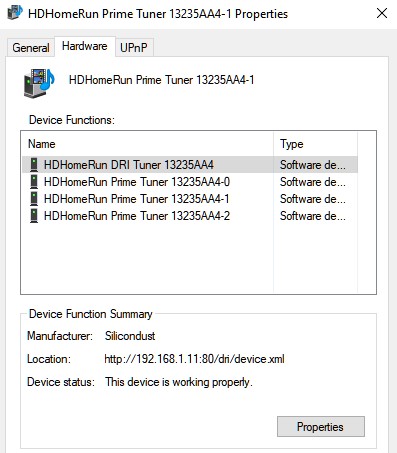
One thing is that in Windows 10 Devices & Printers, the HDHomerun is listed TWICE. The properties screen seems to be pretty much identical for both listed devices:
@jonw1701 you’re not missing anything as i said in linux this issue is because of the channel naming (any channel that has a space in the name wont play and will give you that error).
I believe now the problem is in Windows too (try to find a channel with no space in the name like “ABC” not “ABC TV” and see if it works.
If it works then you have the same problem we have. I’ve seen a recommendation to downgrade to an older version (if that’s an option for you - it’s not for me) and that might solve your problem.
Thanks. I tried renaming the channels, but it didn’t seem to change anything. Also downgraded Plex, but didn’t get to check it as for some reason suffered a catastrophic failure of the main system SSD drive. Luckily, I had backed up Plex and had been in the process of switching to a new server I built. I upgraded the transferred Plex version to the newest version first. After rebuilding my media directories and folders on the new server, I dived into the Live TV/DVR. (I had followed all the transfer directions found in the Plex forum, with the exception of copying and transferring the registry file(s) recommended in the forum, since the old system drive crashed before I’d had to e to copy the registry.) I renamed the channels without issue, then shut Plex down, and shut the PC down. I restarted, then updated the guide, and poof … Live TV/DVR worked perfectly. I’m at a loss for exactly what changed, be it transferring to a new PC server, not transferring the previous registry file(s) to the new machine, renaming the channels or whatever else changed, but everything is working seamlessly. Even logged in from another state while I was travelling, and I was able to watch my home area local football game. I’m hoping it continues like this.
I will add this just in case: one of the techs who works for me told me he had a lot of the same issues with Live TV/DVR. He investigated in depth, and found a number his PC components were having conflicts with Windows 10 Pro version 20H2 Build 19042.1237. He upgraded his hardware (new MB, RAM, GPU), then moved up to Win10 Pro Version 21H1 Build 19043.1237. After a clean install of PMS, his HDHomerun Prime and cable card, and rebuilding the guide, everything worked seamlessly for him. He noted that he had NOT renamed the channels, and hadn’t heard anything about that until I told him.
I don’t know if any of that makes a difference, but I wanted to share it for informational reasons if nothing else.