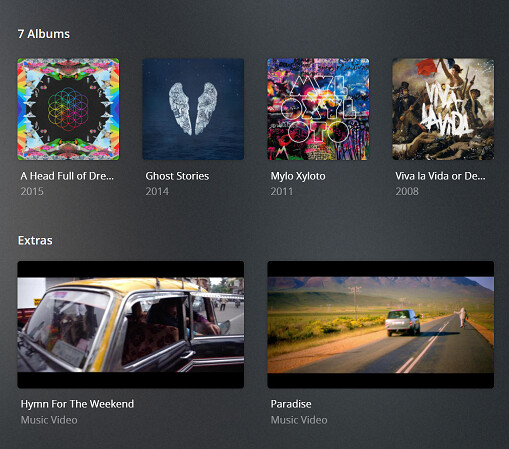
Server Version#: Version 1.23.3.4707
Player Version#: Version 4.60.3
Hi
I am still having issues with local music assets (videos,. interviews etc) showing correctly. I believe I have named my files correctly but there must be something that is preventing it from working.
For example, attached is a screenshot of the Pink Floyd - Endless River album directory with associated local video assets…I expect to see them as part of the Artist page…I’ve refreshed metadata for both the album and the artist but they don’t appear.
Thanks, I appreciate the reply. I’ve never had an issue until recently and nothing I do seems to fix it. I’ve tried cleaning bundles, emptying trash…it’s a real mystery. Yes, I removed any link in that agent and of course local media is checked and on top…refreshed … no luck… Don’t suppose you know what I should be looking for in the logs do you ?? …or anyone else that can help?
I’m having the same problem. It appears as if things have gotten to the point that I am no longer trusting Plex to manage my music library. I have always properly “tagged” my correctly named Music files. I add them to my music folder “scan” the library and three out of four will be added. For example today I added the following:
Lasgo - Far Away (2005) {FLAC}
Lasgo - Smile (2009) {FLAC}
Lasgo - Some Things (2002) {FLAC}
Lasgo - Something (Maxi-Single) (2001) {FLAC}
3 of those 4 are recognized and appear in my library. No matter what I do Plex does not recognize Lasgo - Far Away (2005) {FLAC}. This is only my latest example. I have even tried deleting my library and then re-creating it with the Music files in the exact same directory. I have so many instances of this that I’m beginning to start looking for another solution. I do not know why this has become a problem now since I have used the above naming convention for years and have not had any issues. I would be nice if a Plex engineer would actually reach out and help.
Would you mind sharing the exact configuration of that library (e.g. from the library’s context menu: ⋮ > Manage Library > Edit → Advanced). I’m particularly interested in which scanner/agent is set for the library.
Do you currently experience this issue for all local music assets or only some of them?
For a test… could you try the following (at the risk that you already did the same)?
Move one of the files outside your library’s scope (some folder above the folder linked to your music library)
On the album, click ⋮ > Refresh Metadata (just to make sure it’s out of Pl ex’ “system” (in case it previously got stuck)
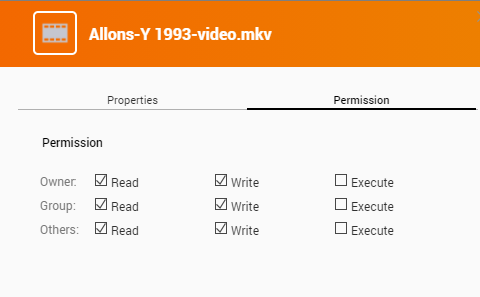
Rename the file from #1 and drop the artist name at the beginning of the file name (e.g. Allons-Y 1993-video.mkv instead of Pink Floyd - Allons-Y 1993-video.mkv) Those names are generally ok but I remember having seen some issues when Plex found “too much information” in the file name and subsequently stumbled trying to make sense of it instead of just adding it as-is
Return the renamed file to its original place in your album folder
On the album, click ⋮ > Refresh Metadata
If the music video is showing… we have a lead on how to fix the others.
If it doesn’t… let’s have a look at your server logs from that little exercise (the files in question will probably vary depending on the agent used for your library
Hi Tom, I really appreciate you taking the time to help me here. I’ve done as you asked above. Still no luck. Strangely, I think it may have something to do with just the Pink Floyd assets…other artists seem to be ok.
Can you do the Refresh Metadata on the artist level to see if that’ll find your videos? I have a vague memory that I used to have some trouble finding music videos if only scanning individual albums (not sure I imagined that… but it’s worth trying).
OK…I have refreshed metadata for both artist, album and library. No change.
I also copied one of the files to another artist’s album and refreshed. It found the video! I then removed the video and put it back to the correct album and refreshed both the old album and artist, as well as the new album and artist. It would NOT find it in the correct location and it would NOT delete the thumbnail reference in the other artist’s location. …even though it doesn’t exist there anymore… It is driving me insane. I’m wondering if I should just delete my entire library and start again.
Any idea what i should be looking for in the logs?
Thanks for the tip. Unfortunately, this made no difference either. I’ll delete the Music library and see if that fixes it. I’ll let you know. Thanks for your help so far.
Well, it didn’t work. Still have issues. I am experimenting trying to figure out why some videos do display and others do not. I can’t seem to get any consistency at this stage. I can’t seem to find the thing that is common with those that won’t show. Do you know of any other caches that I can clear?
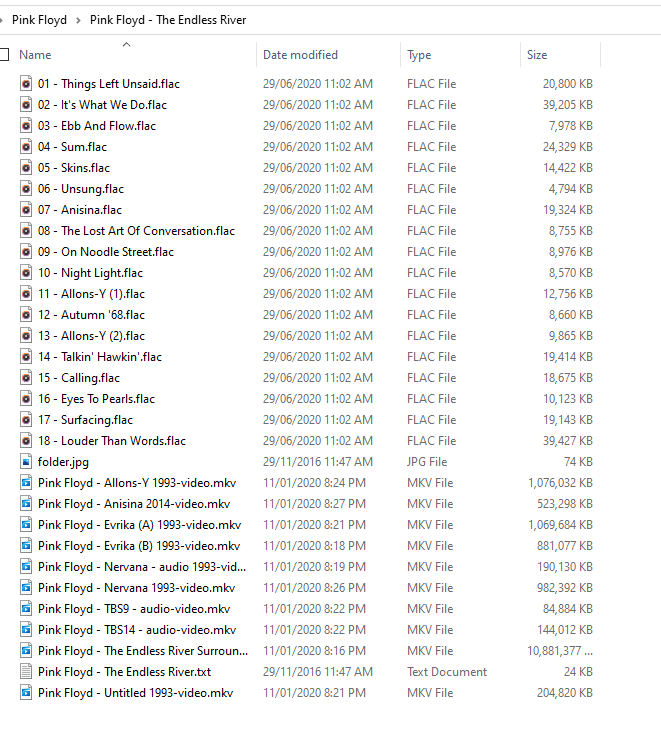

 I’m using the Plex Music agent.