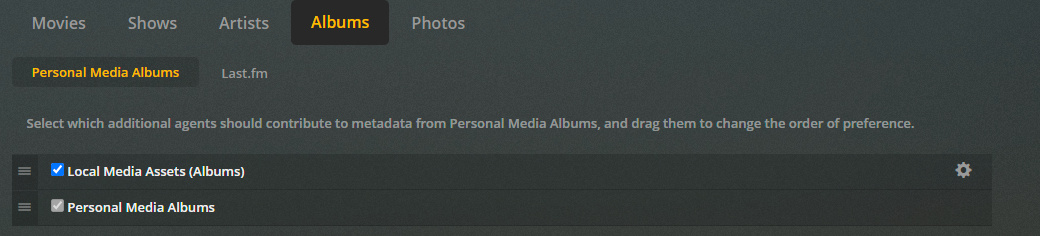
Do they show in the artist tab before you drill into the album? I’ve only seen them there if not showing there maybe try removing the track number from the file?:
Unfortunately no, Not seeing any extras showing up at all. if there’s anything i can provide screenshots of or info, let me know, happy to try clarifying
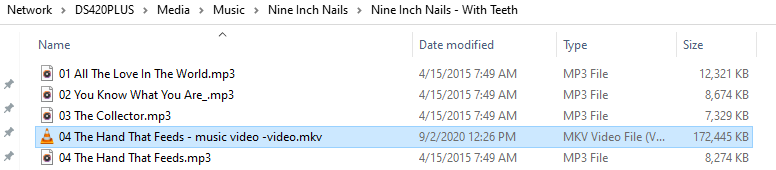
Is the associated music file named exactly04 The Hand That Feeds.mp3 (meaning the spaces and hyphens are exactly as shown)?
The first part of the video filename must match the music filename (minus the extension) precisely:
If you’ve got that right, then after you run ‘Refresh Metadata’ on the album in Plex, you should see the music video icon and the ‘Play Music Video’ command in the overflow menu:
As @russbgrant showed, the video should also appear in the ‘Extras’ section on the Artist Detail page.
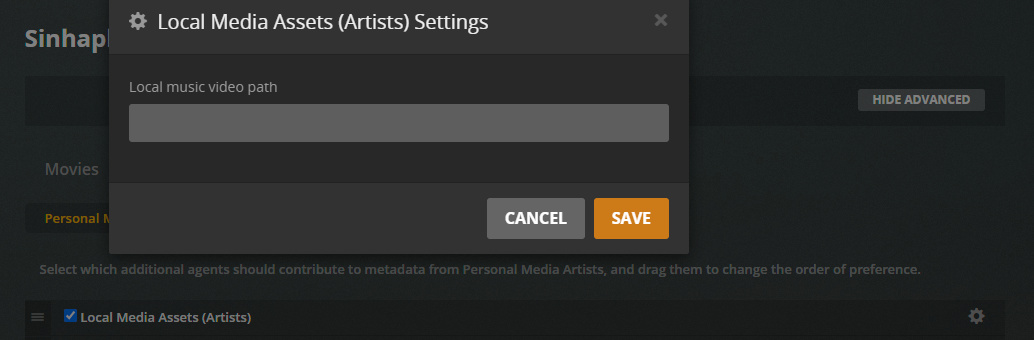
Okay, that all looks good. I’m running out of ideas, so this is a bit of a stretch, but if you click on the gear icon next to Local Media Assets (Artists), can you screenshot that?
OK, I believe I solved it. The trick was that after naming things properly and setting up the local media assets properly, you have to:
Do NOT just “scan for assets” on the folder. This will detect the files but they won’t display.
Do NOT just “refresh metadata” on the album under which the files exist, they won’t show up in artist extras.
Instead, REFRESH METADATA on the entire artist. It then was able to pick up the files and display them for me.
I hope this helps someone else (or even myself) in the future.
Glad you found a solution, but that’s weird. I was experimenting with mine while trying to figure out what was happening to you, and Refresh Metadata on the album always seemed to work.
Maybe a browser or OS caching difference (I use Linux).
With the way the refreshing metadata worked to fixed this, I wonder if “The plex dance” would have solved it too. I find when things aren’t showing up that should, the plex dance typically fixes it. Something to keep in your back pocket the next time, maybe haha.
I didn’t realize you could go this specific, I’ll be updating my library.