Hey,
I am running a server on Windows that’s streaming to my PS4. The are both local, connected to the same router by Ethernet cables. But I noticed in the last couple of months that they are streaming through the internet instead of directly. If I have a 1080p file on the computer, it plays on SD on the PS4. It was not like this before only after a certain update. I got a lot the settings to high but no luck. Any way I can fix this?
If there’s some glitch in your network setup, changing the video playback quality alone won’t change that.
You might want to verify that both devices are on the same subnet. Some routers segment their home network in different subnets for guest/regular networks or wired/wireless connections… the same can happen if you have multiple active network components that create their own subnets (e.g. a WLAN access point establishing its own home network inside your home network).
In such a setup, Plex might not know the server/player are both “local” and therefore treat the stream as remote. If your remote access setup is a bit off this could even result in an indirect connection (which has more bandwidth limitations).
Thanks for the reply. How do check the subnet of each device?
The most basic check will be to verify their IP addresses. Usually your home network is setup to contain 255 slots – so the 1st 3 blocks of their IPv4 addresses should be the same, e.g.
- 192.168.0.1
- 192.168.0.2
- 192.168.0.x
- 192.168.0.255
Yea they are the same. Both 192.168.0.X 
I have tried everything. It’s extremely frustrating. I have a whole library of 4k movies that I can’t watch because they are too blurry. My PlayStation and PC are literally right beside each other, on the same network but it’s streamed through the internet.
Whaddya have set for the settings I blocked out in my screenshot? I covered my own IPs, but it wasn’t really necessary to do so, since they were all internal IPs.
But do you have anything in those fields? If you do, post the IPs, minus the last quad (for example, I only want e.g. 192.168.0.X, not 192.168.0.15
-Lan Networks:
-Custom Server access URLs:
-List of IPs allowed without auth:


Click on General under Settings and let us know what version of the Plex Server you have installed.
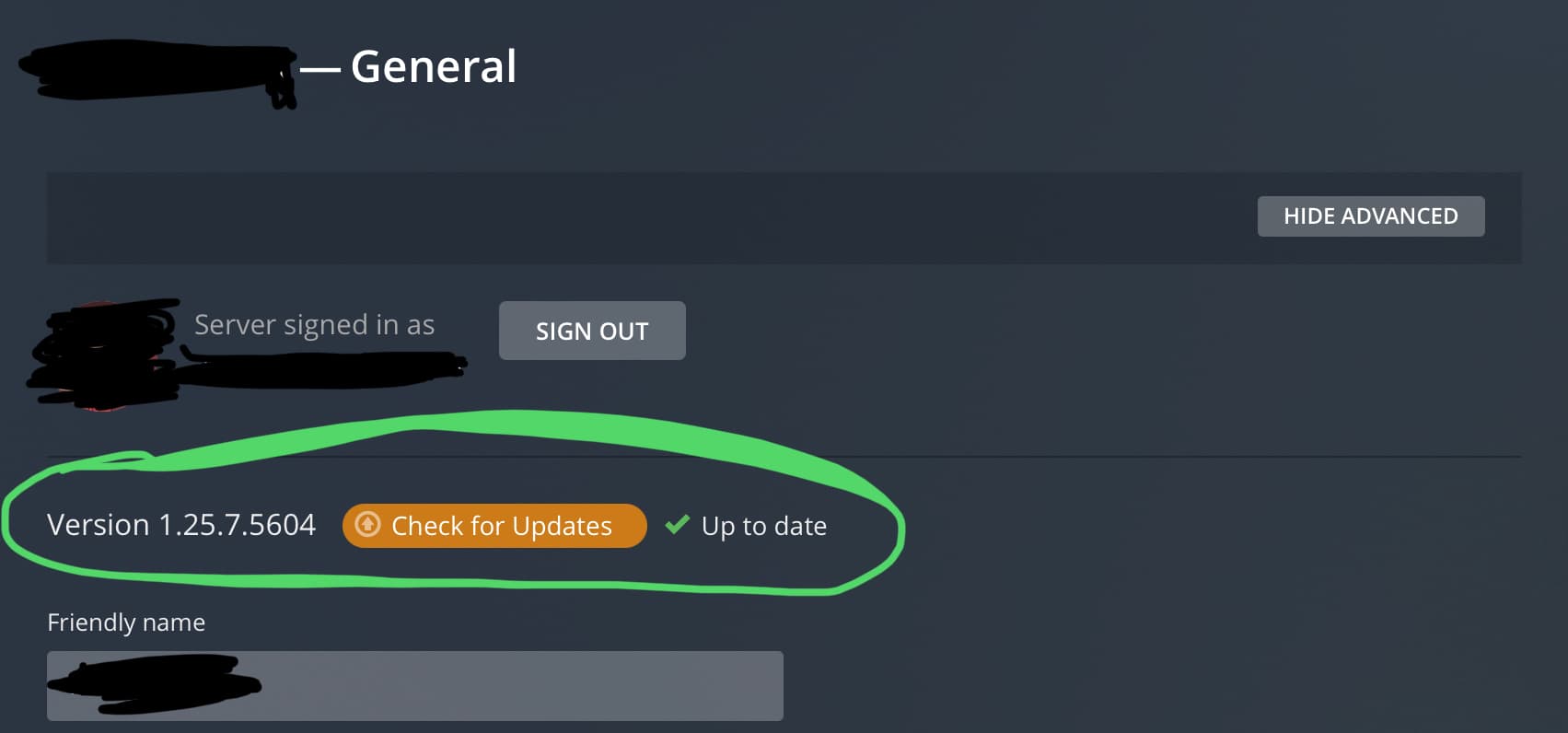
Interface might be different because my Server has a Plex pass, which might unlock advanced networking options.
Hmm. The custom server access URL field is blank (AS IT SHOULD BE), which is what my theory was about. Dunno what’s up.
I’m curious to find out why your remote access is red, but it’s probably not relevant if you are doing local network streaming anyway.
Are the two devices (Windows server, PS4) connected by wire to the same network hub/switch? Are you using wifi? Are either connected directly to the router? (Hell, while we’re at it, does anyone know if Windows network set to Public network style would disallow 3rd party service connections to the computer?)
But I vaguely remember that there was a mishap, it might have been last year, where the LAN network options were being re-introduced or tweaked with better info tips and was NOT included in one of the version updates. It was a mistake but who is to say that he just so happens to have that exact one or possibly just on a very very old version at this point.

You have a point there. However I’d say that OP hasn’t given us enough information about their setup still.
Plex Pass vs. Free has nothing to do with the settings.
Downloading or aka Sync, Extras (metadata) and some other stuff are part of Plex Pass but anything on the Network Settings page is standard no matter what. What might change are the bug fixes or improvements of the settings and I do suspect OP is on an old version that just needs to be upgraded again, OR as far they can go on their Windows 7 or Vista OS machine.
Version 1.25.6.5577
Wow, something seems off if you’re on the latest public release and don’t have the components that you’re suppose to have.
So I just installed the version number you have on to my laptop PC to see if I suffer the same problem of not seeing the proper fields but I actually have everything showing as it should be.
You might want to grab a new copy of the Plex Server download from plex’s download link again and try re-installing.
You really need that LAN Network section.

It’s using the relay. You have SOMETHING that is keeping your PS4 client from seeing the Windows server. A fallback Plex uses to connect two devices is to relay traffic between two devices through themselves. The relay is limited to 2Mbps (to keep us from flooding the Plex corp’s internet with 4K video streams), which is most likely too small to do anything more than 480p (DVD) quality, so the server transcodes it to a small enough stream. We’re trying to understand your setup to figure out why you have a failure to communicate between the two things.
- If you are using Windows, you could have a firewall blocking the port used locally by the server.
- You could have the network discovery turned off, which prevents devices from even being able to see eachother.
- You could have the PS4 on wifi, and the PC on wired connections to the router. Some routers separate the wifi traffic from the wired traffic, if you use “public wifi” as the choice in the router. This is used to keep rogue (not owned by YOU specifically) devices connecting to your wifi, and then being able to destroy local computers by dropping in viruses.
Without some network troubleshooting, we can’t be sure what it is. But the most likely reason now is house network.
It was the Firewall! It was set to untrusted network instead of trusted network 
Thanks everybody for your help. I love Plex again.
