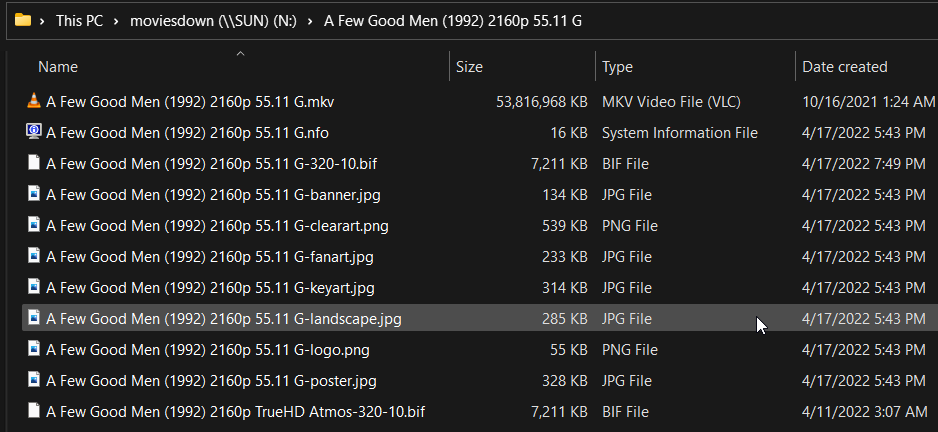
I’m getting ready to turn on thumbnails, but want to make sure I use a certain folder. How do I make Plex use the folder I want to contain all this metadata which I assume will be A LOT of data.
I use TinyMediaManager first before moving any content to my libraries. This leaves lots of artwork, banners, logos, etc. in the movie folder but the naming convention is from TMM. Can Plex actually use this metadata or will it not know what it is? I want to make sure on this because accumulative it takes up a lot of space and if Plex does not use it I want to delete it. I’ll take a screen shot of what a movie folder looks like.
Metadata such as chapter and preview thumbnails is stored in the Plex Data Folder.
You cannot relocate just the thumbnails. You can relocate the entire data folder.
Do not move the Plex Data Folder to a network drive, such as a shared drive on a NAS. Doing so can lead to database corruption. Also, Plex Media Server performance will suffer due to the increased latency of a network drive vs a local drive.
That’s really too bad because TMM produces great results on metadata and renaming. Almost to %100. Plex only scraps for it’s own metadata, too bad there wasn’t like an option in Plex to tell it to try and use the image files and banners in the movie folder.