My intention was not to be rude, my apologies if I came off that way.
because it is NOT a music BROWSER
to PLAY music
Use the ‘stations’, and especially the ‘mix builder’. or the search to find specific artists/albums/tracks.
Try it, you may come to not even miss ‘browse by artist’.
It would be nice to be able to swipe left or right to change songs.
For me Style Radio is missing, all the other options are there (and yes, I have the “new” music library and the styles are there in the tags)
I think ‘styles’ are for tidal linked accounts.
Otherwise without tidal it uses genre/moods.
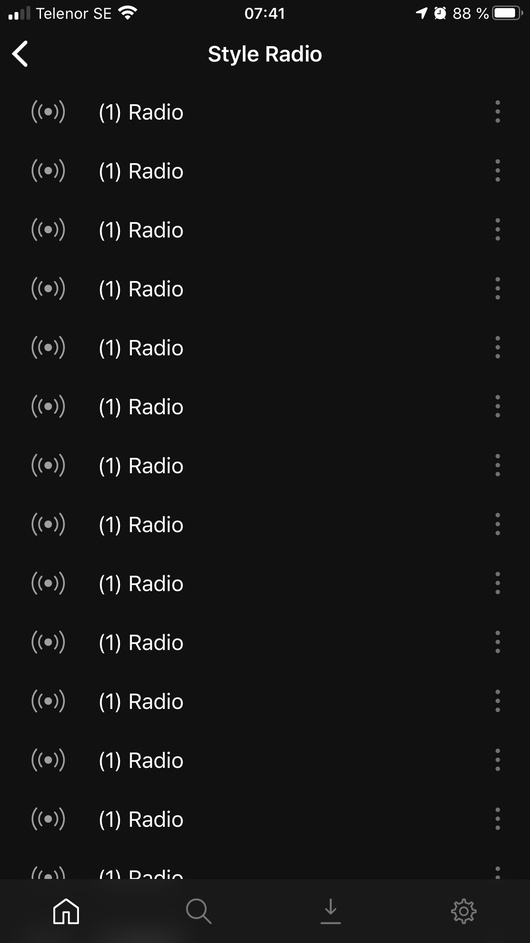
Tidal is linked, so that’s not it.
edit your music library > advanced settings
make sure you have the various extra data options enabled

I believe…
genres = embedded = genres radios
genere = plex music = styles radios

you will probably have to ‘refresh metadata’ for the whole music library in order to pull in any newly enabled options.
[quote=“TeknoJunky, post:68, topic:575330”]
genres = plex music = styles radios[/quote]
Yep, turns out that is the option that’s need to be enabled.
I prefer my own genre tags, so I guess I’ll do without style radio for now. Not a big deal to me, since there are plenty of other cool ‘mix’ options.
yes I’m the same.
I use mix builder heavily.
on the mix builder context menu there are 2 options;
mix = only selected artists
radio = selected + related
so you can choose how much variety you want
Can somebody explain what does it do “Degrees of separation” in settings > playback > radio.
I have a funny feeling that this is the ground work leading to that.
degrees of separation controls how much variety a station will play related artists from the source.
like
if you start with TOOL and degrees = 1
then you should only get artists who are directly related to tool.
if degrees = 2
then you get artist who related to tool, and another layer of artists who are related to the direct tool relations. like second cousins.
different stations may be affected more than others, depending how much of a particular type/style/genre or how many related artists may be in your library.
Personally I keep mine set to 2, this gives me some variety but not too much.
Also, the above is just my observation from use and other discussion.
what actual algorithms are likely to be considered part of the plex secret sauce so we won’t see any specific/exact details.
for real nitty gritty see @
Ok, I’ve tried the mix builder and decade radio and I’ve got say they are great! Really enjoying listening to my collection in a new way. Mood and Style don’t work for me for some reason, but hey!
I do still really miss having the ‘option’ to browse my music, but I can get round it. If the player gets android auto support in it’s current form then that would be amazing.
you can already ‘browse’ your music, just tap the context menu for ‘recently added music’.
you can set it for artists/albums/tracks, but really unless you have a small library, scrolling through hundreds/thousands of artists/albums/tracks is not fun.
search is your friend, and as you say mixbuilder is awesome.
plexamp is primarily for PLAYING music, not BROWSING it.
Recent plays only save 20 so again it would be nice to be able to save especialy a Mix builder.
By the way love the app.
Sorry if this has been addressed before but is there a way to use plexamp as a controller of other plex apps? I would really like to be able to use plexamp as a remote and have it use another plex app (plex, plexamp, etc) as the player. I believe this used to work in the old plexamp as shown here:
Additionally I see that controller functions were mentioned in the medium article announcing plexamp 3.0 but I don’t see anywhere in the UI to choose the player output device to ‘cast’ to.
If I use the regular plex apps I can fling/cast whatever you call it to any device on my network so I don’t think it’s a network issue I’m having.
Thanks for building such a great app. I can see it becoming my controller of choice for my home audio system!
I like having a simple music player for my daily commute, but am I being a complete nitwit here?
I can’t for the life of me figure out how to, when I’ve started my playlist, browse the next tracks in the playlist. Sometimes I want to look at the first 10-20 songs and pick one before heading off to work, start the day right. It’s just much nicer to view the list rather than “next”, “next” etc.
So am I missing the obvious or is the playlist simply not able to be viewed while playing?
Cheers, have this internet point my man.
