Server Version#: Version 1.41.0.8992
Player Version#: Version 1.100.1.221-94aa83fb
For a while now automatic updates are not working for me on two different Macs.
Plex Player has stopped updating a while ago, but Plexamp was ok until it also stopped updating a couple of weeks ago.
Tried a lot of things for the past couple of months, including things mentioned here.
Updates are just not working.
Also, it would be nice to have an option to force update manually…
@vaxter Can you please check out your plex.ini file located in ~/Library/Application Support/Plex. We do have a param to disable the auto update feature that requires modifying this file. Here is the process to disable auto updating the Plex for Desktop/HTPC:
Find the [debug] section - add one if one does not exist
Add disableUpdater=true directly under the [debug] header
Save your changes
So if disableUpdater=true is there, close the app, remove disableUpdater=true, save, and restart the app.
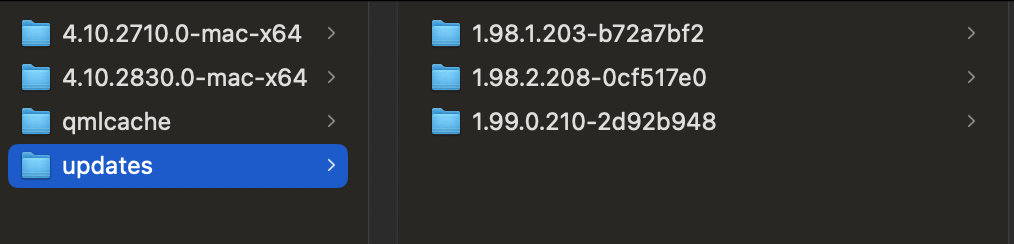
Another directory to check is ~/Library/Caches/Plex/updates. This is where previous versions are stored and where the new version is downloaded to to eventually kick off the auto updating task. You should be able to monitor this directory after starting up the app to see any new version be downloaded. Usually takes a couple minutes after launching the app to grab the release. Once the release is there, close the app, and restarting it should kick off the update.
I just checked my plex.ini at ~/Library/Application Support/Plexand it doesn’t contain any instance of disableUpdater=true
I opened the file in bbedit and did a find on disableUpdater=true and disable and went through all the instance and found none.
Checking ~/Library/Caches/Plex/updates and found the past versions, 1.100 is where it stopped auto-updating and @Swifter8520 posted that other thread. Can zip and send the plex.ini if it helps.
There is definitely an issue here. Thanks for raising @vaxter and everyone else with the extra details. We have an internal issue tracking this problem.
@vaxter and anyone else, this issue should be resolved. There was a backend bug that wasn’t populating the necessary data that the updater needed in order to fetch the latest update.