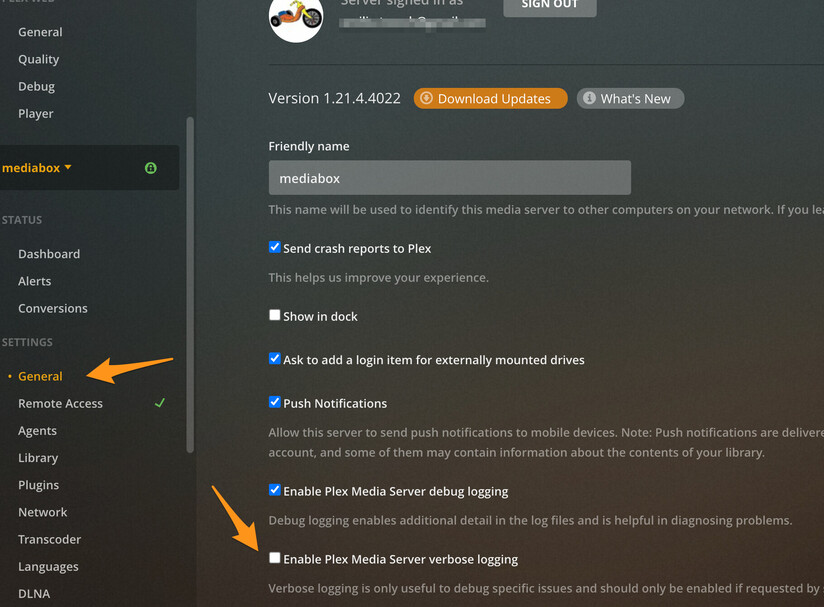
Server Version#: 4.51.1
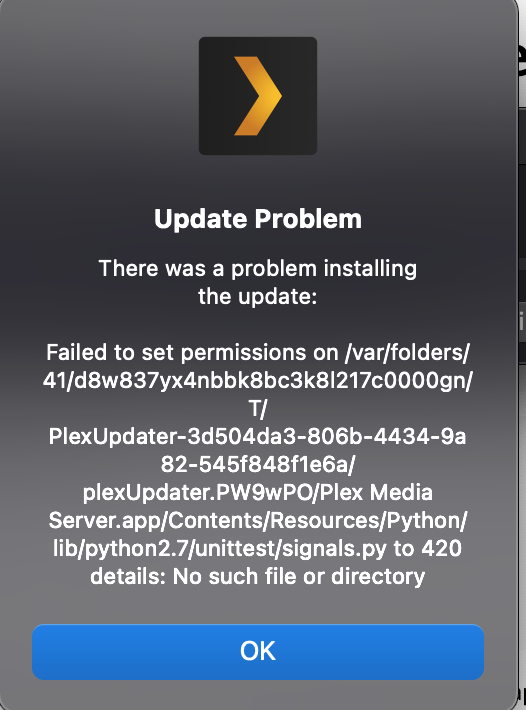
I received the following error when trying to update Plex Media Server from 4.51.1 to the latest on my Mac:
“Update Problem: There wasa problem installing the update: Failed to set permissions on /var/folders/41/d8w837yx4nbbk8bc3k8I217c0000gn/T/PlexUpdater-3d504da3-806b-4434-9a82-545f848f1e6a/plexUpdater.PW9wPO/Plex Media Server.app/Contents/Resources/Python/lib/python2.7/unittest/signals.py to 420 details:
No such file or directory”
So there was no way to copy/paste the popup, so I did my best to be accurate in what I wrote. I took a screenshot and attached it. I also attached logs in case that’s helpful. I’m not sure if logs record this type of error.
Thank you so much!
Patrick
There is a separate update log in your Plex Media Server folder called Update-log.txt. It is not with the server logs because the server is not running while updating.
As a side note in your server logs I see you have Verbose enabled. You should disable that unless someone asks you to turn it on to reproduce an issue. It causes too much stuff to get written to server logs.
Hello! Thank you! I deleted the server log from my original post by simply deleting the text to it within the post. Is that all that’s needed to get rid of that verbose log from the forum?
I unchecked verbose as well.
Weirdly, on my Mac, I’ve tried looking for Plex folders but there isn’t any file called Update-log.txt. I looked in Library as well. I’ve also searched for the Plex Media Server folder to no avail. This is very strange as the media server is working.
BUT I was able to update the server successfully this time around, just by trying again! I’m not sure what happened, or where the files are.
Yes. “orphaned” files that don’t have a link anymore get automatically deleted in about hour.
There are multiple Library folders and the one needed is hidden by default on some versions of MacOS so you might not see it or the PMS folder. CNET: Product reviews, advice, how-tos and the latest news
But regardless glad it is working.