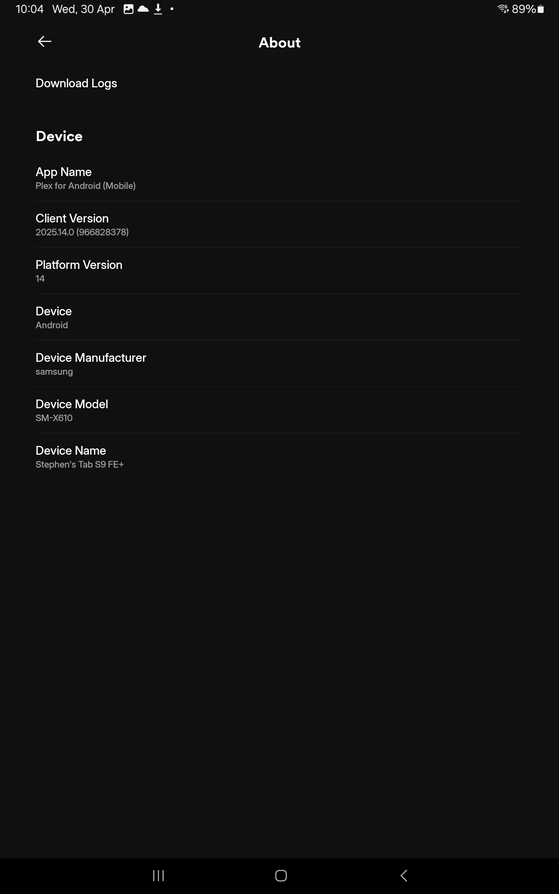
This brand new Android Client has a Major Bug.
Every time you run it, or switch between apps and back again,it prompts you to select your user name???
Why am I not able to save who I am so I don’t have to keep selecting it constantly??
This brand new Android Client has a Major Bug.
Every time you run it, or switch between apps and back again,it prompts you to select your user name???
Why am I not able to save who I am so I don’t have to keep selecting it constantly??
Enter the settings of the app - User account
and enable automatic logon
The option to automatically sign in as a managed user appears to be missing.
Edit: on 2025.15.0
Which version of the Android app is this?
Sorry, that statement is pretty much useless.
The screenshot says it is 2025.14.0, which was neither released today nor is it new.
Are you using a different user Plex account than the one you are using to post in this here forum?
Plex client just updated itself today
Has the new startup tapping next through everything
This new version you pushed out doesn’t save who you are and keeps asking
Checking android play store this is the latest version
My pixel 8 pro also upgraded today to this new version, and now has same problem
So this new upgrade is broken on both tablet and phone as of today
When I tap log on your website it just logs in with my google account doesn’t give me a option or even a chance to log in with my Plex account which has the life time Plex pass
Just tried using incognito mode.. this lets me enter username and password, think I’m now logged in with my Plex account on this forum
Try restarting the phone and/or uninstall / reinstall the app.
I’ve a Pixel 6a / Android 15 with app v2025.14.0.
In Settings, the top menu is Account, where you can enable Automatically Sign In.
The About screen also looks different, with more information than your screen shot.
Thank you, you are indeed.
I can now see that you have connected the app with your plex user account.
So the settings menu should include a section named “User Account” at the top.
Try the recommendations by @FordGuy61 above.
Do also look into the settings of your mobile device. The Plex app will need the permissions granted to write its settings and access the network.
Ok looks like this is a bug in the design, worked out the setting to auto log in is missing from all users except for the actual primary account user
First screes shot all options are missing if you select a user name that’s not the primary account name
To get around the missing menu options all family members need to switch to the primary account name, configure their client and set it to auto login
Then they have to switch back to the user they want it to auto log in with
That is not a bug, but fully intentional.
It’s like this so that managed users (often kids with restricted access permissions) cannot enable it.
This makes no sense because everyone can switch accounts without knowing the password
If kids are smart enough to edit menu options they are smart enough to switch accounts
They cannot, if the user they are switching to has a PIN set.
See https://support.plex.tv/articles/categories/features/plex-home/
Would be better if when you configure users you have a option to disable settings for kids
Not just blanket disable settings on the whole family
Isn’t logical to have to switch names just to configure your own client
Mine updated, same as 2 friends. Neither of us can view my “Audiobooks” folder anymore. Tried deleting and re-installing Plex app. Shows on Browser, just not our phones. They also logged out / logged in to re-pick their shortcuts and “Audiobooks” is not an option. Anyone else see this?