Server Version#: 1.18.7.2438
Player Version#: 4.24.2
Tuner Make/Model: HDHomeRun CONNECT QUATRO
Guide/Lineup name: Unsure
Using XMLTV?: Unsure, probably not
Channel number/Name: 58.1 WDJT-HD
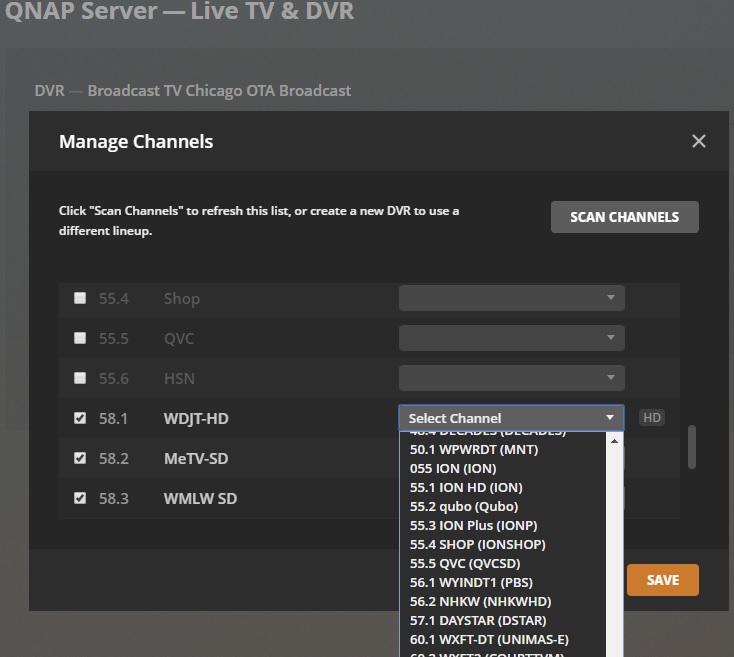
I’m trying to dial in the channels I want/need and cannot see some that I know exist. When I look in the HDHomerun player I can see 58.1 (WDJT-HD), 58.2 and 58.3 and those show up when I do a “Scan Channels” function in the setup area. The issue is that for those channels they all default to “Select Channel” and when I look at what is available none of the 58 channels are there. I have tried starring them in the HDHomerun setup screen, done multiple scan channels, have updated my server version to the latest, reset my server. I’m running out of options.
My Plex server is on a QNAP NAS drive. I’m not familiar how to navigate it but was thinking if there was a setup file that had the channel lineup in the pull-down I could potentially edit it. I’m pretty tech savvy but feel I’m stuck. Attached is a screenshot of what I’m seeing.
It looks like the guide did not have the channels I need mapped in so I filled out a request a few days ago. Do you you know how long it typically takes for them to make the update?
Hello, I’ve submitted the form multiple times and not even an acknowledgement that it was received. Is there another way to directly contact technical support at Plex to highlight this issue? I know everyone is struggling with the Coronavirus issue but I’m hoping most of the tech folks are able to get things done from home. Thanks again and stay safe.
Did you check the spread sheet? To see of your issues have been added?
Current EPG Error Tracking
In an effort to provide increased visibility for forum users that have taken the time to report EPG-related issues (see above), we have a public-facing spreadsheet , which tracks issues that have been reported against our new EPG provider (TiVo).