Server Version#: 1.24.4.5081
Player Version#: N/A
Tuner Make/Model: HD HomeRun Prime (X2)
Guide/Lineup name: WOW (380 channels) ?
Using XMLTV?: Don’t think so
Channel number/Name: 901 WCIV & 918 WCBD2
I have 2 HD HomeRun Prime’s set up as DVR’s on Plex. They used to work fine with all channels, but after changing my network router I had new IP’s and had to delete/add the DVR’s back.
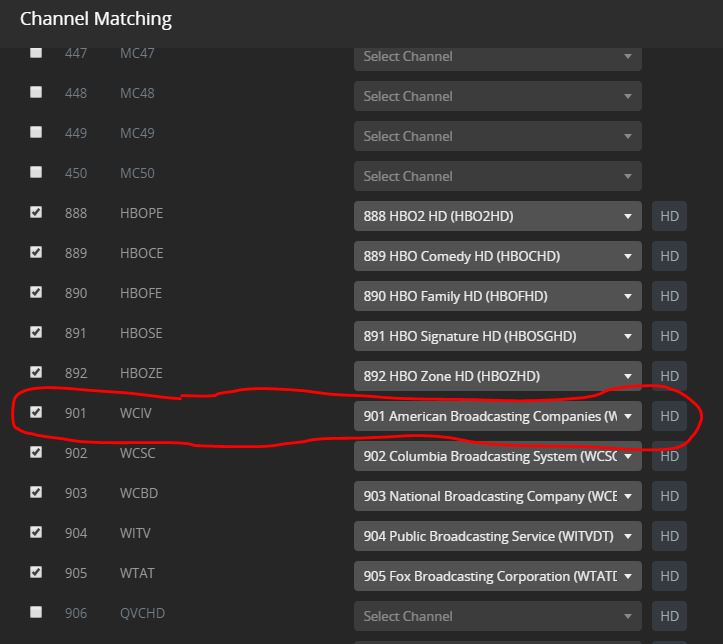
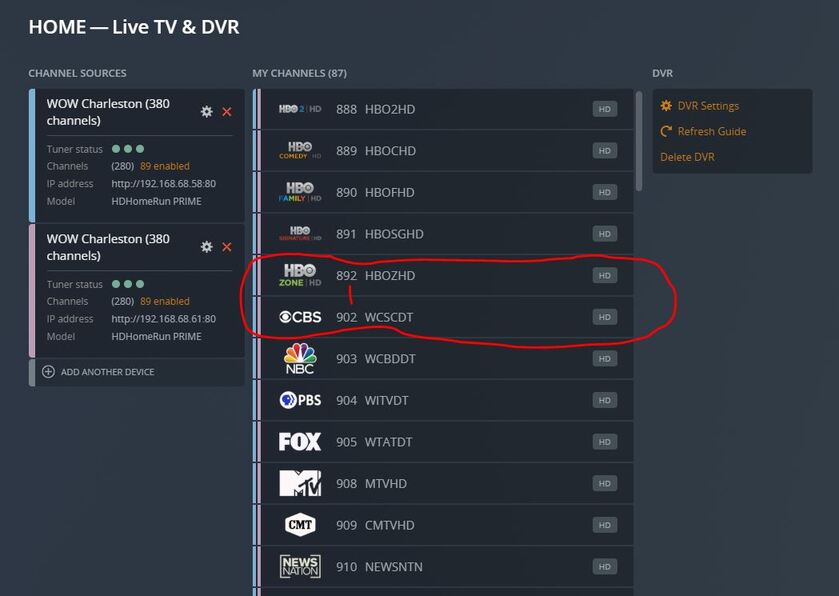
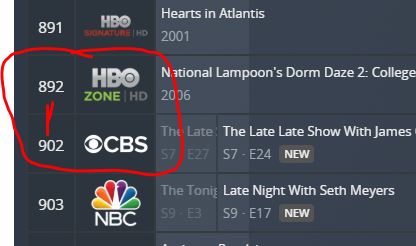
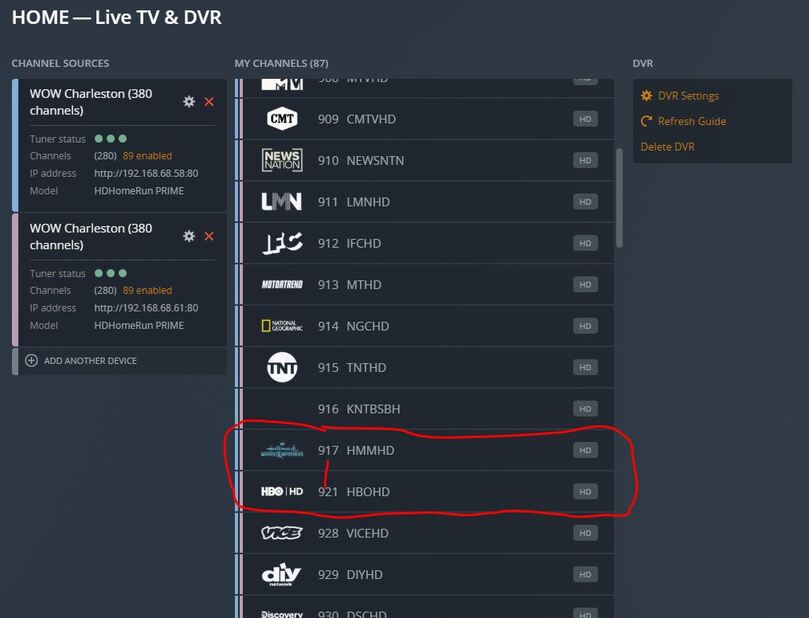
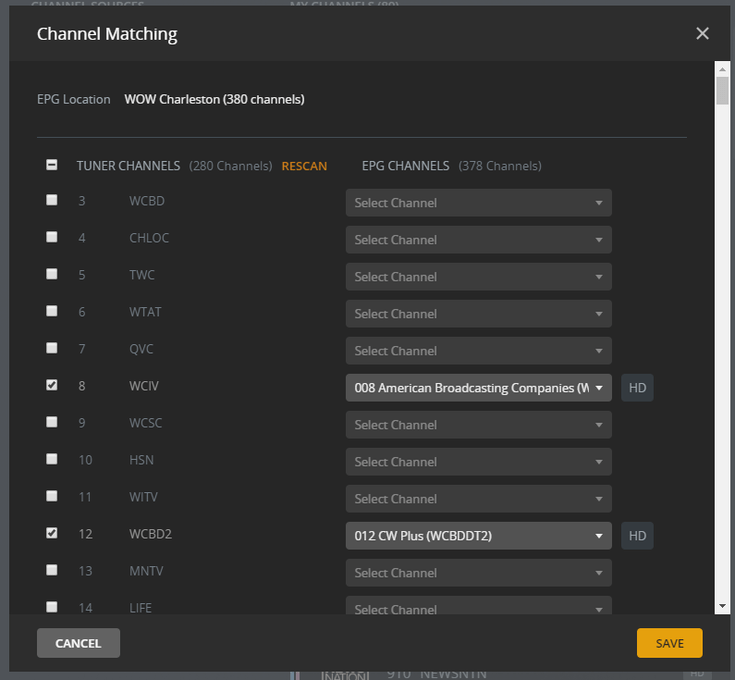
Ever since then two channels won’t appear on Plex. They shows up in the Channel matching list and is checked to be used. However it doesn’t populate out to the Guide or available channel list.
Also of note:
These are the only two channels that did not match the channel number with the 'select a channel" dropdown to the right. I had to set them manually.
They are both visible and work through the HD HomeRun Prime App on the PC (outside plex).
See images below.
Any thoughts on how to get this channel to appear? I’ve even deleted both DVR’s and added them back again. Same results.
Get the available channel list from the HDHOMERUN, checking for DRM
The list of available channels can be queried using the following URLs:
http:///lineup.json
http:///lineup.xml
The following information is returned for each program:
• “GuideNumber” (virtual channel number). For ATSC the number will be “n.n” format. For
all other systems the number will be “n” format.
• “GuideName” in UTF-8 format. Client must support UTF-8 character encoding.
• “Tags” in comma-separated-value format. The following tags are supported:
◦ “favorite” indicates the user has marked this channel as a favorite channel.
◦ “drm” indicates this channel requires the use of end-to-end copy protection.
• “URL” for sourcing the video for this channel.
So I tried that. Nothing stands out to me. The results below for each of the two missing channels 901/918, and the next channel showing there really is no difference.
Both of the channels in question are local broadcast and actually 918 is a subsidiary of the first. I’d be surprised if this is a DRM issue, especially considering every other channel in my full lineup works and these worked before I re-set up the primes due to the IP change.
What are you using as a client for this? The browser app has a bug that may be affecting you.
If you still can’t set it up using the Plex for Windows client then try clearing out the EPG database. Stop Plex and delete the three tv.epg.* files in the database directory. Start Plex and it will rebuild.
EDITED
I use Plex on unRaid. I searched and came up with is: two sets of 3 - tv.plex.providers.epg.cloud files. One from 6/26/21 and one from today 11/1/21. The set from today is timed/dated now (not last night when I recreated the DVR). Should I delete all 6?
There were also a few folders of similar names: See attached image.
This is true of any client. I have tried to access the guide from the app built into my Samsung, from Plex Media Player on an HTPC, from the Plex Windows app, from my ipad, iphone, a Roku.
Will this remove all of my scheduled recordings? Usually when I delete a DVR and then add it back, it restores everything I previously had scheduled to record.
The 3 files in your Library/Application Support/Plex Media Server/Plug-in Support/Databases directory.
tv.plex.providers.epg.cloud-.db
tv.plex.providers.epg.cloud--shm
tv.plex.providers.epg.cloud-*.db-wal
I don’t have those two Cache directories which are probably tied to the Legacy TV shows agent. You are safe to leave those.
I tried this last night and no change. I did learn this though, previously missed it.
901 and 918 are broadcast HD channels. The respective SD versions are 008 and 012.
In the Channel Matching lineup, 008 and 012 are tagged as HD channels (see attached photo)
However I did the http//lineup trick you showed above and neither of those channels are tagged as HD so I’m not sure where the HD tag in the channel matching came from.
The SD versions work, the HD Don’t. By default the SD channels are checked in Channel Matching when you add the DVR, the HD are unchecked (you have to manually check them)
If I try to check both boxes, I get an error and it won’t load the DVR.
Left column would be Channels Plex read from the tuner (lineup) and the Right column would be information in the EPG downloaded from Plex.
If you can tune 918 with the HDHomerun App but the EPG info is missing from Plex you could work around by mapping the non HD epg to the HD channel till Plex can correct guide data. (Reporting Plex DVR Lineup Inaccuracies & Current Status)
This sounds like a similar issue Plex is working on where the formatting of the EPG data doesn’t display properly.
I did report it. Mapping the SD channel numbers to the HD channels didn’t work. They did not appear. Thanks for the suggestion. It’s hard to imagine they will be responding to inaccuracies that have to be manual repaired that fast, but one can hope.
Thanks for trying to work through it with me. Of course if you have any other ideas as a work around it’s appreciated.
Unless the Prime works differently I have always been able to map an unused EPG listing to the left column and tune the channel using the mapped station, EPG is useless but at least you can tune the channel.
To make sure the station is there you can create a sample file: http://<ip address of hdhomerun>:5004/auto/v<virtual channel number>?duration=30
Unless the Prime works differently I have always been able to map an unused EPG listing to the left column and tune the channel using the mapped station, EPG is useless but at least you can tune the channel.
To make sure the station is there you can create a sample file: http://<ip address of hdhomerun>:5004/auto/v<virtual channel number>?duration=30
I was out of town this weekend but just gave this a try and it worked fine. 30 second MPEG file.