Hi,
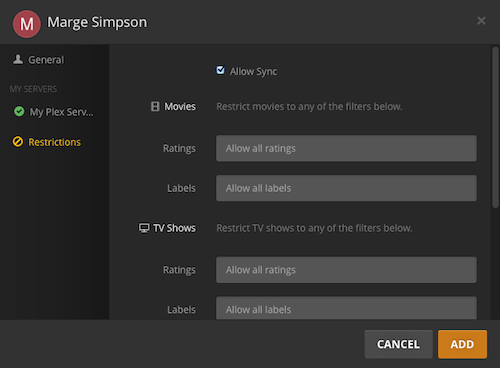
I’ve done some digging for hours and it turns out that I was half wrong. All managed users can sync. I just got confused by 2 things
“Problem” 1: Settings page
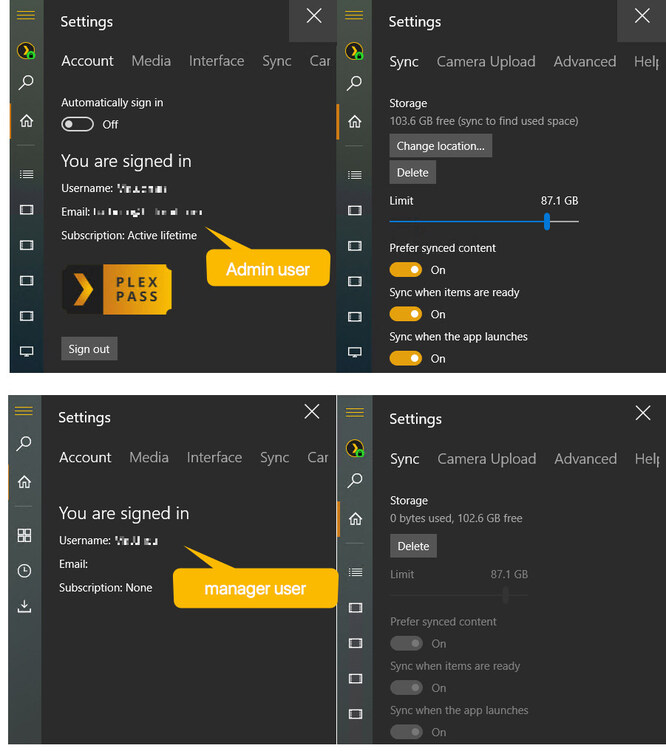
Here is the screenshot:
basically, only the admin user has the information about the subscription and can change the sync settings. When I look at my user settings, I get the impression that my manager user was not able to sync. But they can (and the sync button is hardly visible on the bottom right).
“Problem” 2: the player
I haven’t noticed that for years but the 2 computers (mine, the admin, my son’s, a manager user) have different “Plex” players.
I have:
“Plex” version 3.2.20-25990c77 (May 10, 2017)
which is only available on the microsoft store
He has:
“Plex Media Player” 2.19.1.904-f679df4f (September 20, 2018)
which is only available on the Plex website
Does it matter? Hell yes!
The very up-to-date Plex client (20/09/18) doesn’t support syncing. Clicking on the sync button (top right, this time) only asks me to choose a “destination” (a device on IOS, Android and… the “Plex” from microsoft store).
I’m gonna tell my friends, they all thoughs the windows player never supported syncing. They must be using the plex website application!
Anyway, problem solved. In short, on the Windows OS:
- “Plex” from the microsoft store can sync
- “Plex Media Player” from the Plex website cannot sync
On MacOS, there is only one player, from the website, and it cannot sync.
It’d be great if you could harmonize these different clients (looks and features), kill of the one windows player (but keep the sync feature).
(off topic: a clearer separation of Server settings and Player settings would also be good)
cheers,