Server Version#:
Player Version#:
Windows 10 . Media server all of a sudden will not load up. I’ve tried logging in and out of Plex , reinstalling etc . Loading manually from the folder . Nothing , doesn’t want to start .
Any advice? Thanks
Server Version#:
Player Version#:
Windows 10 . Media server all of a sudden will not load up. I’ve tried logging in and out of Plex , reinstalling etc . Loading manually from the folder . Nothing , doesn’t want to start .
Any advice? Thanks
What exactly do you mean by it’s not starting?
Do you get to see the Plex Media Server icon in your machine’s system tray?
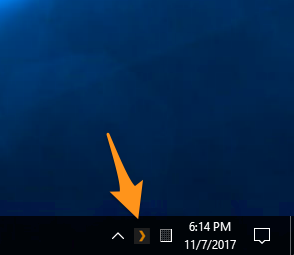
If the server is running – can you access it using the bundled version of Plex Web (if you’re on the same machine, open http://127.0.0.1:32400/web in your browser; otherwise use http://[PMS IP address]:32400/web)?
If it’s actually crashed you might get to see some details about what’s going wrong in the server logs.
I double click Plex and it starts, no media server. I have tried launching media server seperatey and it does not start. Server is not running, no icon in system tray.
Can you post a copy of your server logs ? This is normally caused by a corrupt database, but I could be wrong.
Dont know if this format will suffice, let me know. Many thanks for your assistence
This screenshot of your logs tells us that the Plex Media Server last wrote to your logs on Feb 1 at approx. 6:37pm. This implies that’s when it stopped or crashed.
For more information you’ll need to share the actual logs (e.g. zip the folder and upload the resulting file; or share only the Plex Media Server.log file)
This might or might not be helpful — I had the same issue. Plex crashed — latest beta update — and wouldn’t restart no matter what.
I ran the installer again, and now it lives and is doing its thing. I’m trying to get the logs right now.
Incidentally, this is the first time I’ve seen Sonic Analysis going like the clappers. It’s doing batches of four and rebuilding indexes.
Plex Media Server Logs_2023-02-03_04-25-01.zip (5.2 MB)
I realize I should be using PlexDash to watch the logs when interesting stuff occurs….
I have reinstalled media server but it still refuses to load.
Logs.zip (2.3 MB)
Those logs are not showing anything obvious. Can we get a screenshot of %userprofile%\AppData\Local\Plex Media Server\Plug-in Support\Databases ?
Those files look awfully small. Or do you currently have little media?
More fun here this morning. After playing for hours straight through, the Windows server crashed again…while I was at the tray icon, considering exiting and restarting. Icon just went poof. Looking in task manager I saw two Plex Server processes plus Plex Update still going, but certainly not outputting. Killed the zombies, restarted Plex…which came up slowly.
I should have yoinked the logs while at the computer, but I wanted my first cup of tea and figured I’d do things remotely. Plot twist: the usual remote grab ain’t working…it gets stuck about 33% in.
The Mac server has, as usual, ghosted.
I have a lot of media.
FYI - I tried an earlier version of media server ver-1.30.1.6562
And…it works. so far so good
I think I’m going to roll back too.
I dont think that the recent build of media server ever worked on my pc, so didnt show any files.



