Server Version#: 1.41.2.9200-c6bbc1b53
Player Version#: 4.140.0
I have media server running on my Windows PC. I can access my library with WiFI to play videos but media server cannot be accessed on my Samsung TVs that are wired to my network. Windows Defender is set to allow Plex and I have setup port forwarding on router for 32469, 32400 and 1900. Why is it working when connected wirelessly but not via wired connection?
My PC is hard wired to my network. I have a Samsung TV upstairs that is not wired. It is able to launch the Plex app, access Media player, and play home movies from my PC where media server is hosted. My mobile devices can play videos via WiFi as well. My other Samsung TVs are wired via ethernet to my home network. When I launch the Plex app on my wired TV and select media server status, I get the following message “Media server is offline or unreachable”.
I have MS Defender running on the PC. I disabled it to see if it was causing the issue but received the same error message on the TV. Yes it looks like there’s an internet browser that I can install on the TV.
Ah found one issue: Dec 26, 2024 13:10:40.760 [15796] ERROR - Error parsing allowedNetworks entry '192.168.4.x': An invalid argument was supplied [system:10022]
Looks like you may have an invalid config in your allowed network settings.
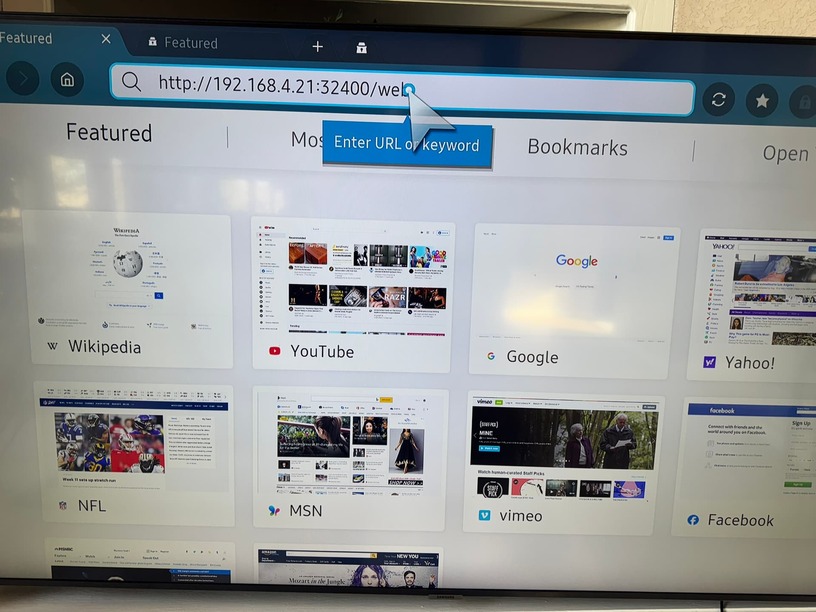
On the browser attempt to visit: http://192.168.4.21:32400/web
On the network settings, are you referring to the Plex settings/network section? I did have an IP address range in the ‘List of IP addresses and networks that are allowed without auth’ field. I removed it and still get the same server error. There are no other options selected in the settings/network area. ‘Secured connections field’ is set to preferred and ‘Preferred network interface’ is set to Any.
So that picture looks like you still need to hit enter/go as it should pull up the Plex Web User Interface.
What I am doing is trying to troubleshoot what is going on with the TVs. since you can access the server using other devices its not normally the server at fault. with the server its normally all/nothing. So lets see if you can pull up the plex web UI.
Ok, not sure what is going on, but your network has a configuration issue.
Plex can see the internet
Plex can see wireless devices
B) Going to bet that the windows PC is using wireless to connect to the router
Wired devices cannot access/talk to wireless devices.
This is almost acting as if your server is on a guest wifi, or you have a VLAN/network level firewall preventing communication between the two parts of your network.
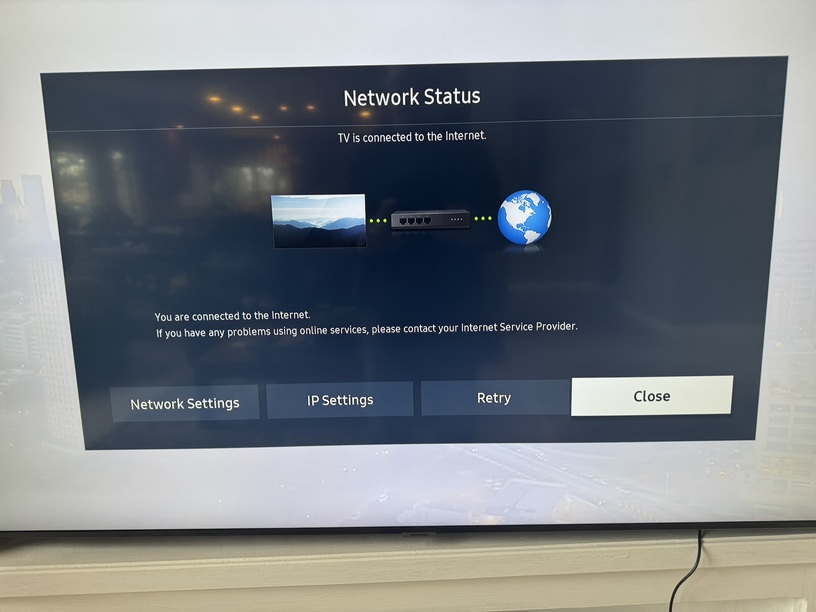
Can you get into your TV’s network settings and post a screenshot?
Can you post a screenshot of the network settings on the server?
EDIT: Random thought from memory about your logs… Could the default gateway that the server is using be wrong?
Looks like your TV and the server are in separate subnets
TV’s subnet: 10.0.0.x
Server’s subnet: 192.168.4.x
Unless you created that setup on purpose, you might want to review your home network setup (e.g. make sure active network components like WLAN access points don’t create their own subnets but extend the home network).
Plex Pass members have an additional option in their server’s network settings to tell it which other subnets should be considered to be part of the local network – though that’s mostly aiming at avoiding bandwidth restrictions aimed at remote streams).
I didn’t create that difference on purpose. I have my Xfinity router connected to a Eero Wifi system. Would that be why the subnets are different? Do I make the WLAN change on my Eero settings?