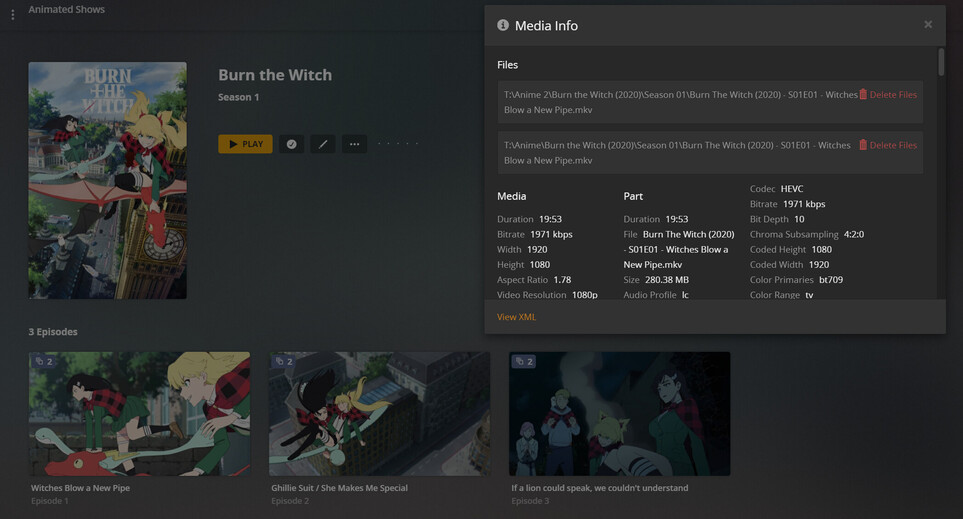
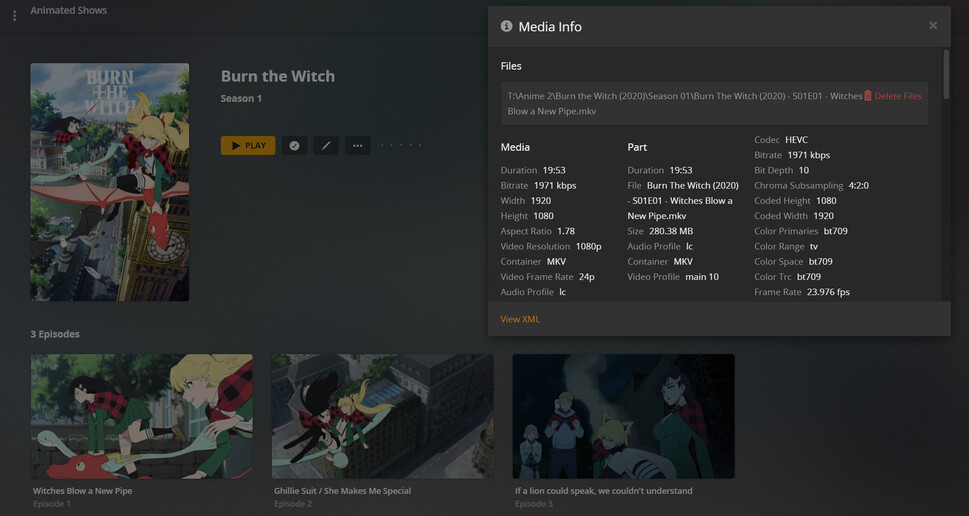
Server Version#: 1.21.4.4079
Player Version#: 4.52.2
I have TV content on Disk1 and a Library folder pointing there, added Disk2 and set the Library to point there as a secondary location. I copy content from Disk1 folder to Disk2 folder and if you check the show, all the episodes have a “2” on them, ok great. The problem is, I can’t remove the original folder location, because I’m not moving all of the content, just some of it. But if I delete the content from Disk1 (the original location), it doesn’t just remove the 2 and act like nothing’s changed, it acts like I just added that content for the first time.
How can I copy the content and delete the original data and not have plex treat the copy in the secondary location as if it’s new content once the original data is deleted?
I’m unclear on your comment. If you see the 2, then Plex is reusing the old info and sees the second copy correctly. Once you delete the original, the 2 should go away and that’s all. If something else is changing, I’ll need more info.
That’s exactly the problem, it shows the 2, but once I delete the original location, it shows up in Recently Added TV as if it’s new content. What other info can I provide?
I am deleting the folder from the drive, I cannot remove the folder from the library list because it contains other content. This is the whole issue, because on the site it has instructutions about how to remove the folder from the library list. Right except I can’t do that, because I’m not moving everythihng to another location. I just want to move a porition of it.
Everything was in one physical folder with one folder location in the library list. I want to move a portion of that data from the original physical location to a new physical location. I create a new physical folder, then added that location to the library list. I want to migrate a portion of that data from the original physical location to the new physical location, and then delete the data from the original physical location. I cannot remove the folder from the library list because it still has tons of other shows in it. However when I delete the original physical location, even though it had 2s on everything because it sees it twice, it must treat the original physical location as the “primary” location or something. When I delete the original physical location, Plex thinks I added a new show.
you had all your media on drive 1 in their own tv show folder, i.e. D:\TV Shows\
you added a new drive and created a new tv show folder, i.e. E:\TV Shows\
you copied some shows over to the new drive i.e. D:\TV Shows\Game of Thrones → E:\TV Shows\Game of Thrones
added the new folder to the list for the library
scanned the library and got 2’s for every episode you copied
deleted the original folder, i.e. D:\TV Shows\Game of Thrones
the 2 goes away and those episodes now show as “Recently added”
If that is correct, please provide me the XML from one of the episode when it had a 2, then delete just that episode and do another library scan. Check if it shows up as “Recently added”. Get me the XML again either way and let me know if it shows up as Recently Added or not.
I just went through those exact steps and the show I tested with did not appear as recently added. It maintained the date from the original, which is how this is intended. The added date is for the show/episode, not the specific file.
Thank you for proving that out, also Log Horizon is awesome. So I went through the steps on my side, and yes indeed I was able to remove the original folder location without it showing as a new ad. However, this did happen to me because when I first was doing it, I copied three or four shows, waited for the 2s to show up, then went back and nuked the originals and bam, they showed up in recently added. That’s why I posted here to get it figured out before doing the rest. Unfortunately this was several weeks ago now, but I will try to keep some XMLs from each batch going forward and if I see it happen again I’ll post it up.
The only thing I can think that would cause this is if the show was unmatched. If it then got matched after deleting the original, the 2nd copy would then no longer be tied to the original information and could end up showing as recently added. I don’t know what could have caused the matching to change, but this is a possibility. If you are able to get XML’s if this happens again, it would reveal the matching and the dates.
You jumped the gun.
There is a lot of stuff going on in the database - you gotta let it finish.
I do it all the time when I’m impatient during a ‘media upgrade’. I add the new file, I get the blue 2s, I think I’ve waited long enough to whack the original and BAM… recently added, not in the collection, background and poster shot down in flames… whoa is me…
Ya know I was thinking about that, it might be time related, because I really didn’t wait that long to do the delete. Trying to reproduce it now and can’t seem to make it happen, however there could have been some background processes running at the time.
Plex is trying to share stuff between your two items. It’s gonna take longer with a tv show than a movie 'cause we have Intro Calculations to either share or regenerate. IF you have VPTs enabled - Plex USED TO - share those too, but now it does nothing, but there are Chapter Thumbs and whatnot so rest assured it’s doing some big time math and resource allocations - so don’t interrupt it - or it’s Recently Added.
I can tell when it’s over 'cause I can see and hear the server. When the drive lights stop blinking and the blowers slow down - I figure it’s over. <—and sometimes I want it to be over, before it’s over…lol