Just want to check something, is the Library section now limited to just 3 items? Looking at mine it’s not even selecting them in order.
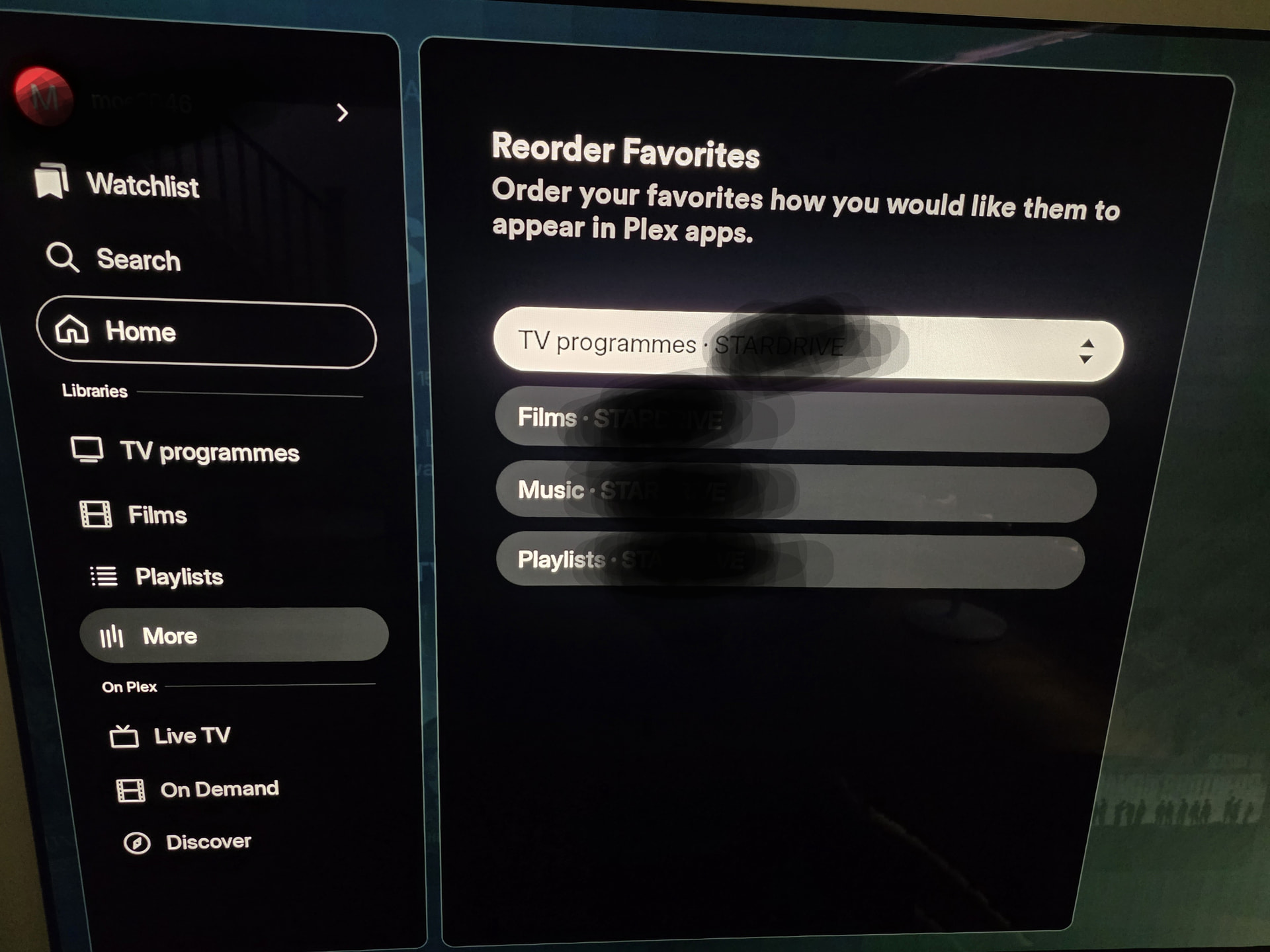
It seems to skip music and go straight to Playlist.
Just want to check something, is the Library section now limited to just 3 items? Looking at mine it’s not even selecting them in order.
It seems to skip music and go straight to Playlist.
That doesn’t look right. I hope it’s alright that I moved your reported issue into it’s own thread. I just didn’t want to lose track of this. Can you stop the Plex app, clear app cache, and navigate to this same screen again.
I have done as requested and this has resolved the issue, I know see my three libraries and Playlists in the navigation bar.
Plex Client: Plex for Android TV
Client Version: 2026.16.0 (971050391)
Device: NVIDIA Shield TV Pro
Interface: New left-side navigation UI
Plex Media Server: Windows 11 PC
Plex Media Server Version: 1.43.3.10896-cb3ebc72d
I’m seeing two possibly related problems with library navigation in Android TV version 2026.16.0 (971050391) using the new left-side navigation interface.
My Music library will eventually disappear completely from the main left-side navigation menu, even though it remains marked as Favorited.
If I go to:
More → All Libraries
the Music library is present and the heart indicates that it is still Favorited.
I can temporarily restore Music to the main navigation by:
Going to More → All Libraries.
Unchecking the heart for the Music library.
Rechecking the heart.
Music then immediately reappears in the main navigation.
However, after stopping and reopening the Plex app, the Music library will eventually disappear from the navigation menu again. It does not necessarily happen after the first exit/restart; I may need to exit the Plex app a few times before the Music library disappears again.
The Music library continues to show as Favorited under More → All Libraries even when it has disappeared from the main navigation.
Troubleshooting attempted:
Steps to reproduce:
Open Plex.
Expand the left navigation menu.
Select More.
Open All Libraries.
Actual result:
Plex reports server status as OFFLINE.
The server is actually online and its libraries are accessible from the NVIDIA Shield TV Pro.
Selecting Retry does not change the reported status. The Offline status also occasionally flickers on the screen.
Both issues are reproducible with the configuration above. The fact that the server is incorrectly reported as Offline while the favorited library is disappearing may or may not be related.

