I feel like this is something that changed recently but I can’t say when. But when I opened my Movie library on Plex, I noticed that all of the movies directly in the library (root level) have the top and bottom of the movie poster cropped off leaving a square image. This often cuts off the title. Here’s how it looks on my android phone…
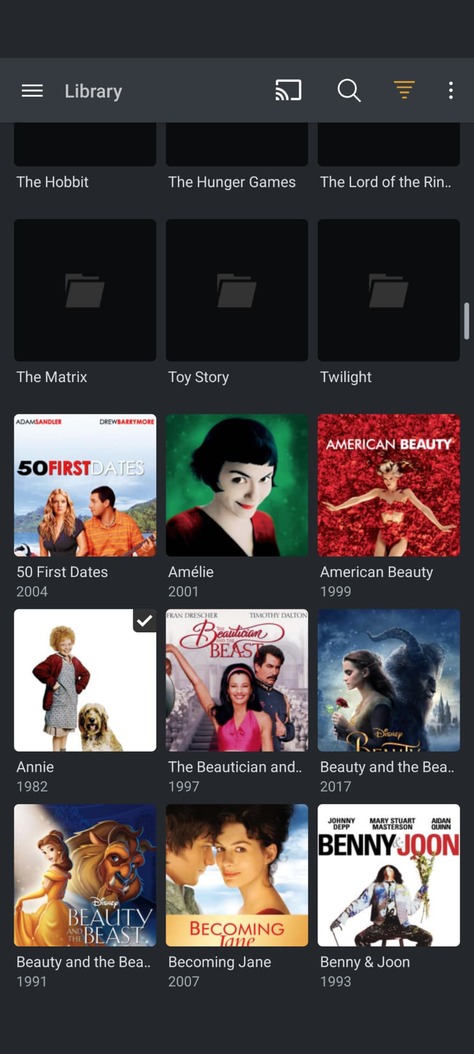
If I open one of my folders where I put some groups of movies, they look normal. Like this…
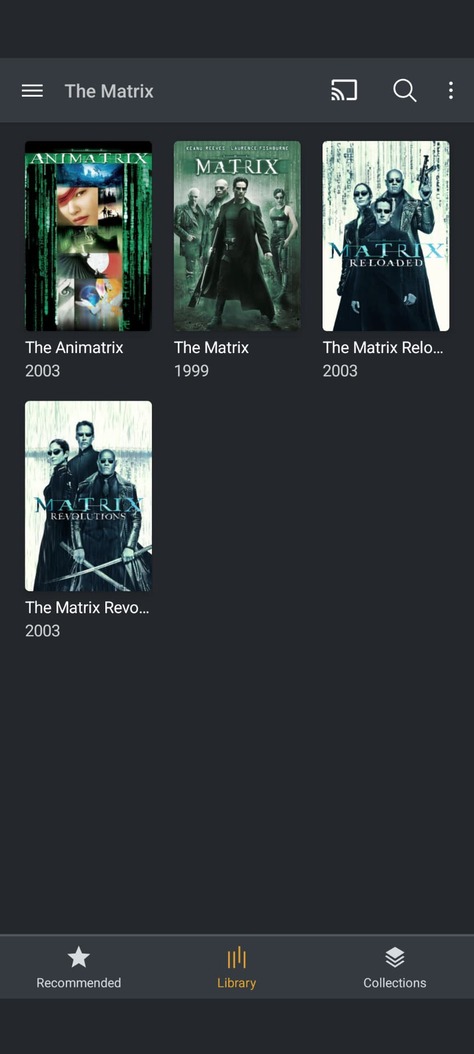
Why would the root library change these to be square? I’ve never seen square movie posters. Music covers are mostly square but this library is correctly identified as storing movies and not music.
I also checked on an iPhone and that does show them in the correct portrait view but interesting is that it doesn’t give me a “grid view” option and only shows the movies in list view. So the poster is too small to be readable anyways. Switching my android phone to list view still shows them square. But then when I open a folder, it doesn’t give me an option and shows them in grid view, again with the correct portrait view. Seems like there’s a lot of inconsistency here in what is displayed and what options are available.
