Server Version#: 1.28.2.6151
Player Version#: 4.87.2
I am trying to get subtitles set up for foreign languages and can’t seem to get it working. i have signed into my opensubtitles account but when i try and search there is nothing.
Can you confirm exactly what you’re looking for as I see two possible scenarios.
You watch a lot of foreign films and are looking for English subtitles?
Or you’re watching English films and want English subtitles for scenes where they suddenly start speaking French, German, Klingon, Dothraki etc?
If it’s the latter, then as others have mentioned they really aren’t always available. They’re usually on the Blu-ray though if you’re ripping your own discs.
If you’re getting your media from elsewhere then feel free to PM me as it will go beyond the bounds of what should be discussed on this forum.
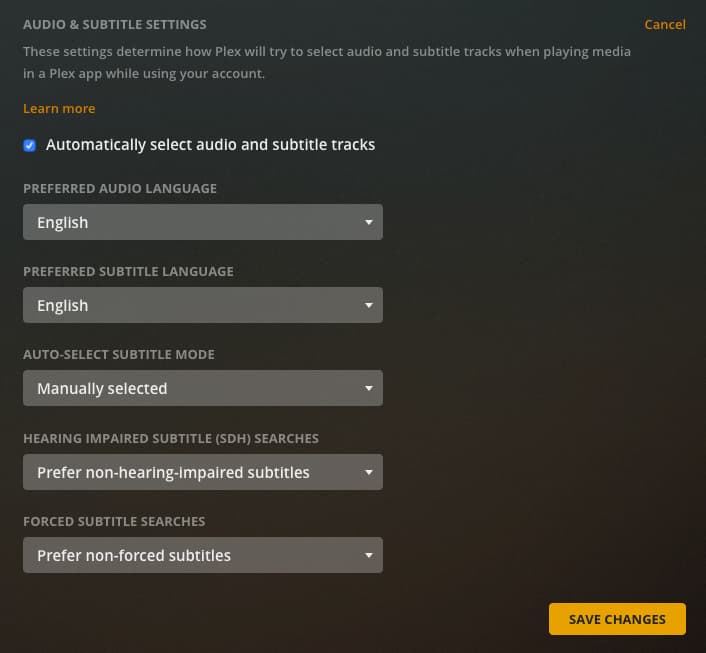
If you have “Only show forced subtitles” there’s almost never anything that will show up from Opensubtitles
If Game of Thrones has no selections available, I have little faith that anything will ever show up.
I knew I should have taken Dothraki instead of Spanish, ugh
Anyway, change it to “Prefer forced subtitles” and you should see the standard English subs show up
After you change it save your settings, close whatever client you’re on and then open it again.
That will at least let you know you have things set up correctly
The problem is they will all be full subtitles for the entire show. If that’s what you’re looking for good, but if not you’ll have to resort to finding the forced subs yourself and putting them alongside your show in your file system
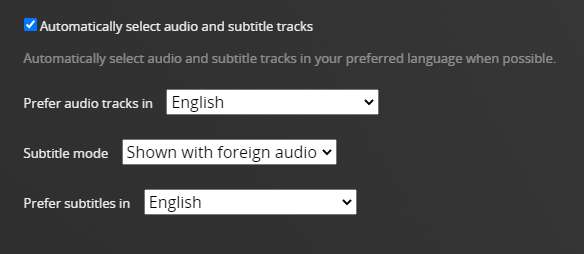
If you do that and want the forced subs to play automatically, you’re going to have to find those settings under languages to configure that.
Also following the naming conventions in the support article, I linked above
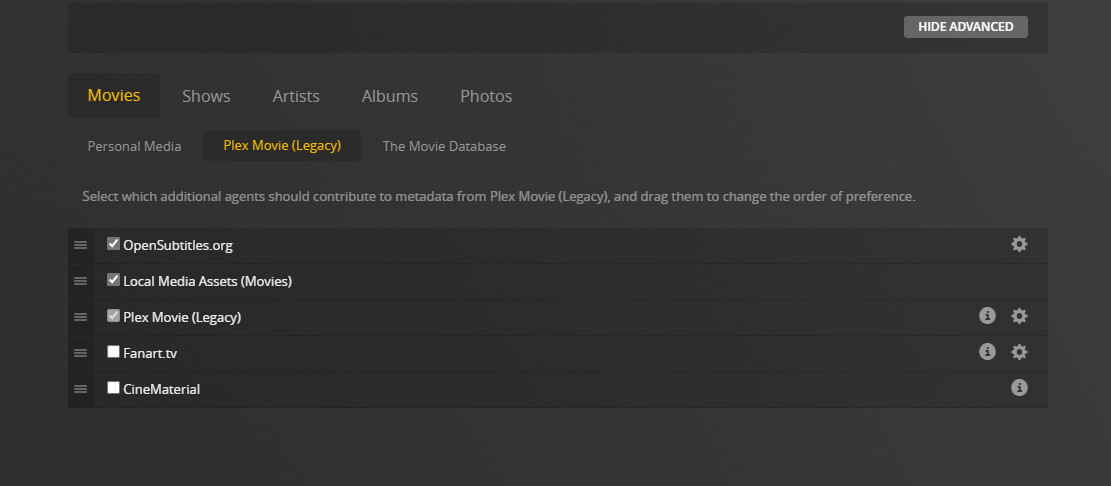
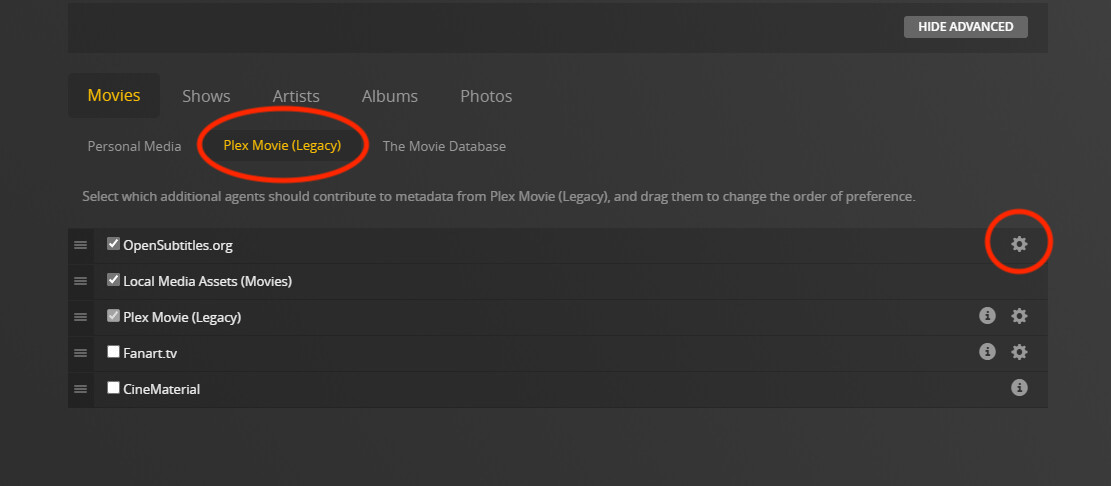
You’re doing great. Thanks for pointing out how you logged in to opensubtitles inside Plex. I wasn’t aware of that feature mostly because it’s an option for the Legacy Plex Movie Agent that 95% of us no longer use, something I failed to explore. None of those tabs are used by 95% of us anymore, Movies, Shows, Artists, Albums, I was curious if you knew.
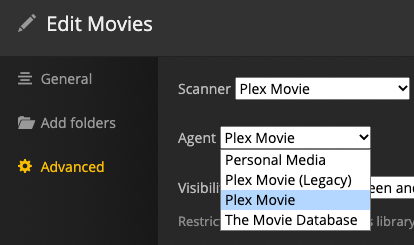
I circled the word Legacy to help point out what I mean, and below that is my Movie Advanced Edit Settings showing where the Legacy agent could get chosen:
It sounds like the other guys have you on the way to getting more subs, but I thought I’d point out it’s not likely your opensubtitles login has any effect, unless you somehow dodged the changeover to the new Plex Movie agent, Plex TV Agent, Plex Music Agent(s).