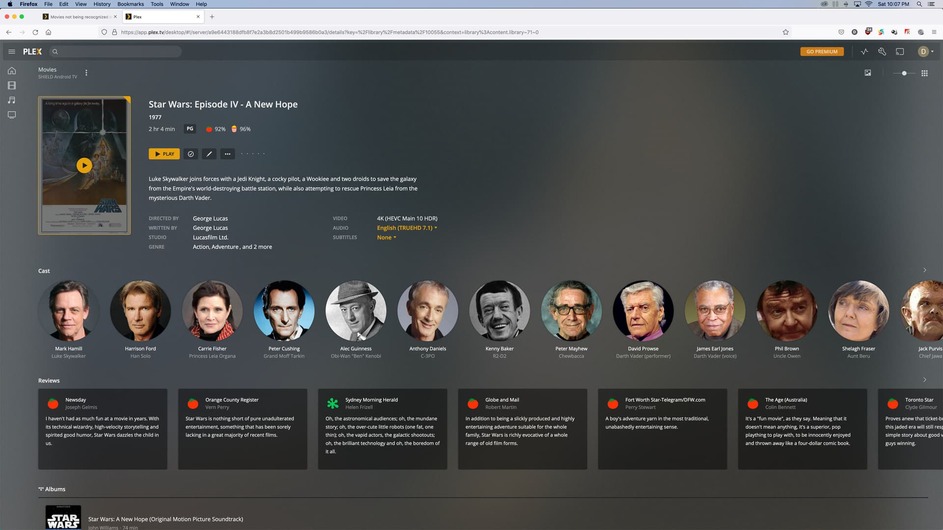
I have my movie library set up in Plex. I am using the web interface to try to add mkv 4K movies that are already in the library as 1080P mp4. When I scan library some movies merge with the ones in the library already and some don’t. Example: I have Batman Dark Knight and Batman Dark Knight Rises. The Dark Knight Rises mkv is automatically merged in the library. The Dark knight doesn’t show up. I am using MetaX on my PC to add the metadata to all these files. There are several other movies with this same problem.
This is driving me crazy and can’t seem to find a solution.
Plex doesn’t read embedded metadata from matroska containers (mkv, mka…).
As for the issue at hand… have you checked your libraries for duplicates to verify if The Dark Knight might have been mismatched with a different movie? Though… can you confirm your issue is that the files don’t show at all??? I’m not 100% sure I got the problem from your post.
The Dark Knight is not listed twice. There are a couple of frustrating issues. I have The Dark Knight and The Dark Knight rises already in my library with 1080P mp4 files. I have a folder with the name of each movie on my network drive. I named each movie Batman: Dark Knight and Batman: Dark Knight Rises. I like to have it start with Batman so I have it listed under the name Batman in my library. I then add a 4K 2160P mkv version of the same movies in the same folder named the exact same way as the mp4. Again, I use Metax to embed metadata into my mp4 and mkv files When I update the Plex library, it merges perfectly so when I click on the cover art of the movie, it allows me to select either the 4K or 1080P version which is perfect!! The Dark Knight on the other hand does not add the mkv but only keeps the mp4. I have tried rembedding metadata, unmatching etc and cannot get this to work as the Dark Knight Rises. The only thing that almost worked was when I renamed the movie to The Dark Knight, taking Batman out of the name. Both versions were then merged in the same cover art. When I renamed the movie to Batman: Dark Knight in my folder where the movies are stored Plex got rid of the mkv version. Now, no matter what I do, I cannot add it at all.
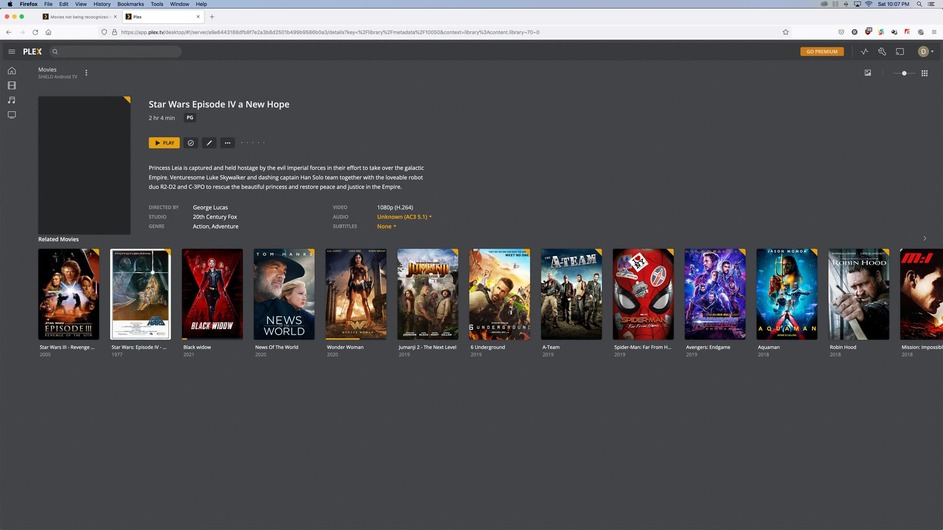
Here is another example. Same scenario as above with Star Wars being listed as Star Wars Episode IV - A New Hope. When I added the 4K mkv and rescanned the library here is the way Plex listed it. Both versions are named differently, and are two separate files. I’m not sure what to do but when I try to add an mkv it is hit or miss working perfectly with some movies and not with others.
When I spoke of duplicates I was referring to Plex treating two files as the same item and therefore combining them into a single library item. There’s an option in the library filter dropdown to show only items which are duplicates.
Would you mind sharing the specific naming / organization of those files?
I’m a bit lost as for what you’re trying to achieve here. As mentioned above… correctly named files that are different (quality) versions of the same movie should be merged by default. Such a multi-version entry will have a Versions entry in the movie details.
This won’t work if you have matched the original version with a different version than the one used when adding the next version. Looking only at the names of your Star Wars movies it appears the file isn’t even matched to start with.
PS: you don’t need to give your file names a similar prefix to group them. Have a look at the collections feature – this will allow you to group all Batman movies in a single library entry; when opening that collection you’ll see all individual movies
I have filtered it down to duplicates and for example the movies 21 Jump Street and 22 Jump Street are joined into one. I split them apart, rename the 22 Jump Street movie, save the changes. Then I click on match. It finds 22 Jump Street and after selecting the found 22 Jump Street title it merges it again with the 21 Jump Street title. Very Frustrating!!!
Plex is very buggy. I found a solution to the 21 Jump Street problem but it is a pain the &$$*##!!
1.) I had to Allow Media Deletion in the Library Settings then move the movies out of their folders on the NAS so they weren’t deleted.
And on a separate note, I should be able to remove a movie from my library without Plex deleting the file on my NAS. Why??
2.) After deleting the movies from the library I added the movies back into their folders on the NAS, then scanned the library in Plex and both movies were added individually as 21 Jump Street and 22 Jump Street.