Server Version#:1.25.2.5319
I just updated to the new library format, or meta-data manager stuff.
Anyway, after watching a show I used to manually move the file over to an adjacent folder and then I would rescan the library and all would be good. I don’t want the show in the original folder, but I also don’t want to delete it.
Now, after I rescan the show remains in the original folder, even though the file is physically NOT there any more. Get Info shows it is now a link to the new location in the adjacent folder. How do I get the functionality I used to have? Moving a file puts it in the final folder ONLY. Break all ties to the original folder?
Sounds like your library is pointing to both folders.
Check ⋮ > Manage Library > Edit... → Add Folder and remove the location that contains the shows containing the “archive shows”.
Yeah, I wish. But both folders are in the library.
/jukebox/Cartoons/Looney Tunes
/jukebox/Cartoons/Looney Tunes Played
The library is folder jukebox/Cartoons.
After I watch a Looney tune I move it to “Looney Tunes Played”. Until today, it would be removed from the “Looney Tunes” list. But now it shows in both.
Maybe you used to have a .plexignore file telling your server to ignore folders with a trailing Played in their name?
That’s pretty much the only scenario I can see where this will work. A cleaner solution would be to keep 2 Cartoons folders – one for “active” and one for “played” content; e.g.
nope, never had a .plexignore. And I never had a file in “Looney Tunes Played” linger in “Looney Tunes” before today. Every time I rescanned library it would leave “Looney Tunes” because it was no longer in that folder. There has been a regression in function, which is fine I guess. I just need to find a workaround.
I would like to keep it in the “Cartoons” library, not a separate library. Sometimes I dive in there to re-watch a previously watched one.
I don’t think this is so much a regression. Plex is supposed to scan all folders/files in the folders linked to a library. Your server’s only means to know you don’t want it to add certain items is by using a .plexignore file.
Apparently your use case simply isn’t compliant with the naming schema – for whatever reason you seem to have gotten lucky with that in the past…
Also, after I upgraded the library today I had 200 files in Looney Tunes and 434 in Looney Tunes Played - with NO overlap. They are separate items. But as soon as I moved 2 toons from “Looney Tunes” to “Looney Tunes Played” ONLY those 2 are now listed in both folders.
Is there a way I can delete the meta-data entry without deleting the file? I don’t mind an extra step. But when I click “delete” the warning sounds like the file will be deleted, not just the show meta-data.
You cannot do that. The Delete option will actually delete the file from your file system.
If you really want to move watched stuff outside your library, go with the 2 folder approach. However make sure to use a folder outside the scope of your library!
Yeah, thanks. I think I’ll just have to rename the original file. "Lorney Tunes -SxxxxEyy- " will not be kept back, I hope. Then it remains in the library, but not in the original folder. I want it in the library so I can re-watch it. I just don’t want it in the primary/unwatched folder list.
It is for user convenience. Normally I want to watch something I have not seen, so I’m scrolling across 200 items (not 634) to choose one.
(I am hiding seasons)
That sounds reasonable too. I think I started my method before collections and/or filters even existed. But I am an old dog and it is probably time for a new trick.
Perhaps I am also a moron though. I don’t see where the “advanced filter” controls even are. Also, sounds a little cumbersome? I mean now I just dive into the folder and see all the unwatched episodes, no filters required.
The benefit to me is it involves no manual moving of files… in particular if this is likely to cause trouble with the show being re-merged at some point.
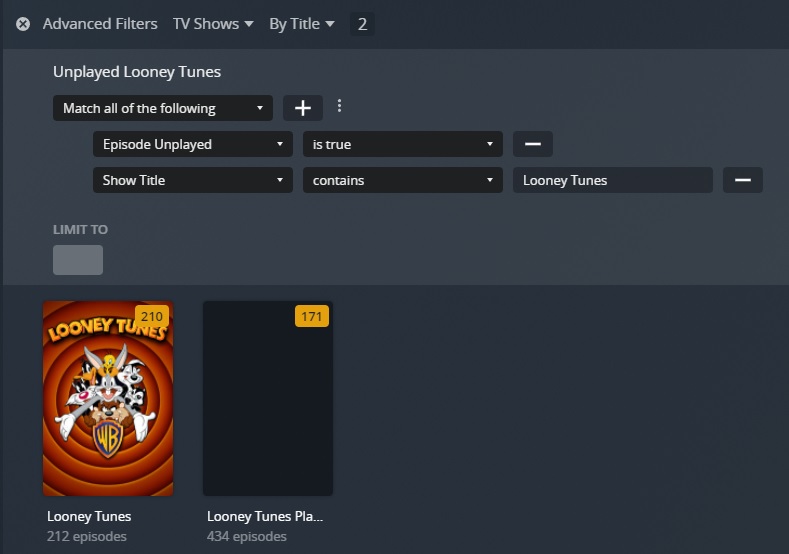
Hmm, I must be missing something. I created a collection called “Unplayed Looney Tunes” with filters: Unplayed == true and “Show Title Contains Looney Tunes” but when I dive in it shows me all the PLAYED titles too.
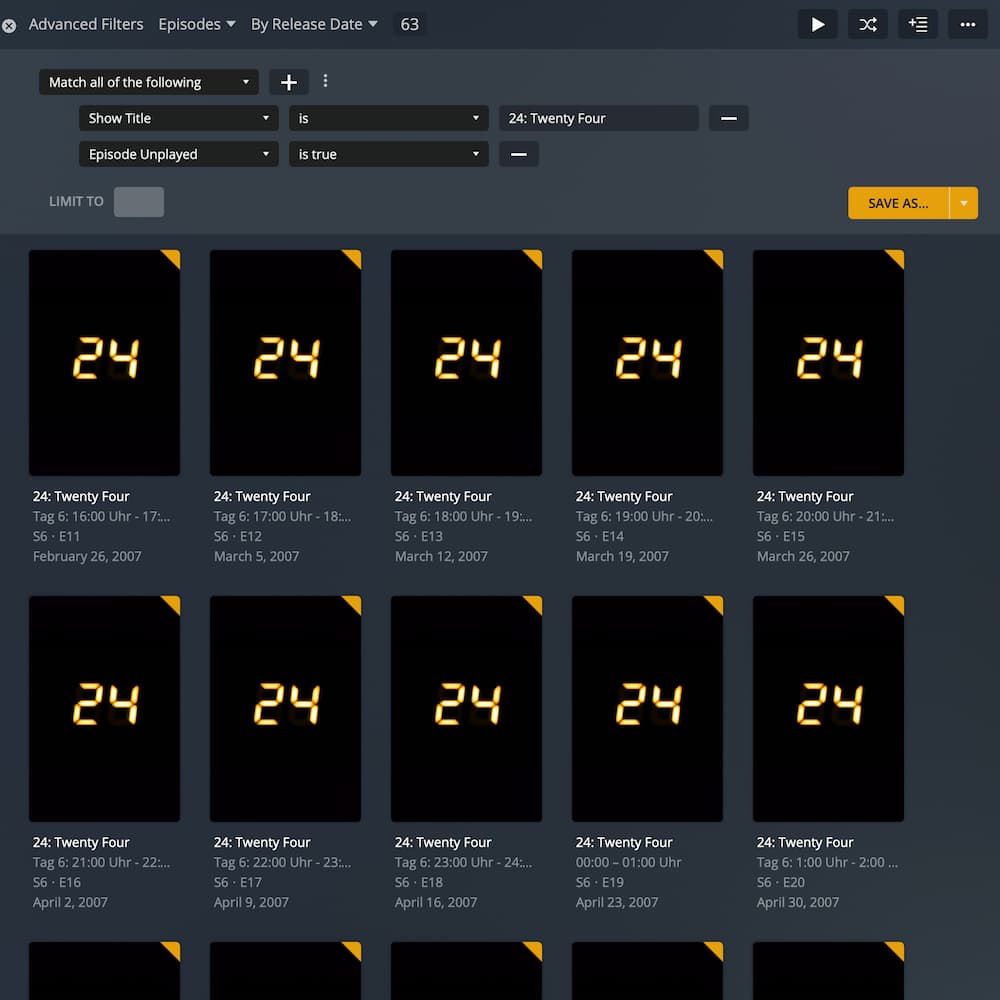
Have you been using the criteria Episode Unplayed?
There’s also another criteria for Unplayed Episodes which seems to apply to shows/seasons with unplayed episodes (showing all played/unplayed episodes of that show/season).
Edit:
Make sure to display the library by episodes and sort it by release date while you’re filtering it.
First, thanks so much for your patience with my issue.
I just tried “Episode Unplayed” instead of “Unplayed Episodes” but I still see PLAYED episodes in the list. Also, I have selected “Match All of the Following” which I didn’t mention before.