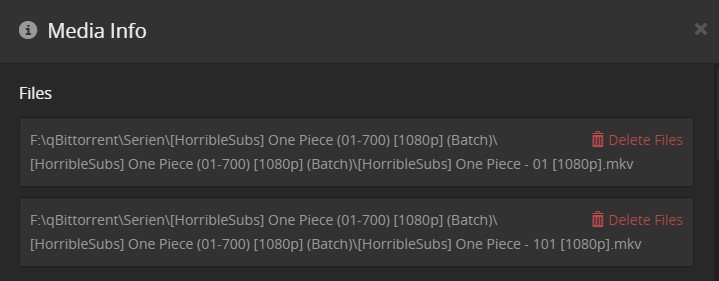
Server Version#: 1.18.7
I think the screenshots tells enough. 01-File should be Episode 1 and 101-File should be Episode 101.
I know I could append a “S01” to the filename but I want to avoid renaming the files because I use a tool that requires the filenames to stay exactly the same.
Change tools.
If you want Plex to behave properly - name and structure your files so that Plex can deal with them:
https://support.plex.tv/articles/naming-and-organizing-your-tv-show-files/
If that means you maintain two separate versions - one version with Plex Names and Structures and the other in their Original - so be it.
It’s hard enough for Plex to maintain proper operations and happy users with the correct file names and structures - let alone a mess like that.
This isn’t a Plex Problem.
MCEBuddy (Paid Version) will copy files out of an arrival location, name them properly and put them in their respective Library Type - Hands Free.
1 Like
I am having the same issue, and have all my show names according to Plex guidelines - TV Show Name S00E00.mkv
Please post not only the actual file names, but also the folder structure.
Plus, mention please which folder is added to the Plex library. (Edit your library , go to the ‘Add Folders’ tab).
system
June 13, 2020, 2:23am
6
This topic was automatically closed 90 days after the last reply. New replies are no longer allowed.